Philips PD7007 Notebook Computer User Guide
Summary
This comprehensive user manual is your essential guide to operating your Philips multimedia player. It provides clear instructions on setting up the device, understanding connectivity options, and mastering various media formats. Whether you are connecting to your home theater system, playing DVDs, CDs, VCDs, or streaming digital content, this guide ensures optimal performance. Ideal for new users, it covers everything from initial setup procedures to detailed operational features, maximizing your entertainment experience.
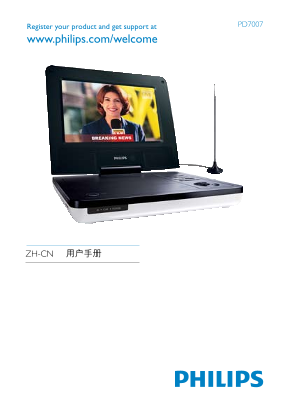
Page 1 Text Content
PD7007
Register your product and get support at www.philips.com/welcome
ZH-CN 用户手册
Page Summary Contents For Philips PD7007 Notebook Computer User Guide
Manual Details
| Brand | Philips |
|---|---|
| Pages | 27 |
| File Size | 788.09 KB |
| Published | June 05, 2026 |
Enter the captcha to get the download link:

Frequently Asked Questions
How do I access the initial configuration or setup options?
Press the [SETUP/DVD] button and select option '2'.
What types of media formats does this player support?
It supports DVD Video, VCD, Audio CD, MP3 CD, JPEG CD, and more.
Which ports are available for connecting cables?
The connection options include DC IN, AV OUT, POWER ON/OFF (CHR), IR/CHR/PWR, and OPEN slots.
How do I use the subtitle feature during playback?
You can select subtitles by changing the setting in the SUBTITLE menu option.