# A B C D E F G H I J K L M N O P Q R S T U V W X Y Z

Philips LTC 0435 LTC 0455 User's Guide

Summary

Philips semiconductor integrated circuit datasheet covering features, functional description, pin assignments, quick reference data, limiting values per Absolute Maximum Rating System (IEC 60134), recommended operating conditions, electrical characteristics, application information, I2C-bus protocol details where applicable, package outline drawings, and soldering guidelines.
📄 Preview PAGE OF 12

Page 1 Text Content

Genion_ii_00111.qxd 7/4/02 11:39 AM Page 1

www.philipscsi.com

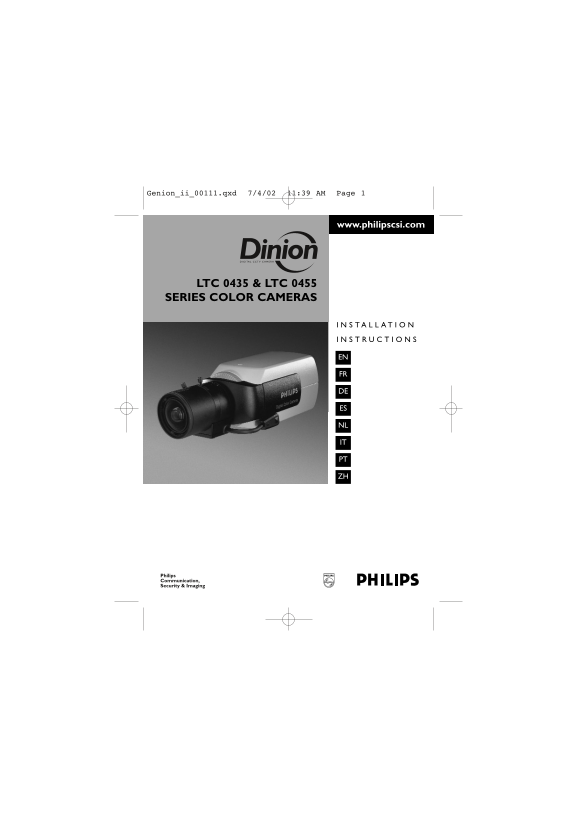
LTC 0435 & LTC 0455 SERIES COLOR CAMERAS

Philips Communication, Security & Imaging

Page Summary Contents For Philips LTC 0435 LTC 0455 User's Guide

Page 1 Genion_ii_00111.qxd 7/4/02 11:39 AM Page 1 www.philipscsi.com LTC 0435 & LTC 0455 SERIES COLOR CAMERAS Philips Communication, Security & Imaging
Page 2 Genion_ii_00111.qxd 7/4/02 11:39 AM Page 2 IMPORTANT SAFETY INSTRUCTIONS 13. Servicing is required when the apparatus does not function in the normal way, has been dropped, if liquid has been spilled ...
Page 3 Genion_ii_00111.qxd 7/4/02 11:39 AM Page EN1 SPECIFICATIONS LTC 0435/x0 LTC 0455/x0 Standard resolution High resolution Standard PAL NTSC PAL NTSC Active pixels (H x V) 512 x 582 512 x 492 752 x 492 7...
Page 4 En gl is Genion_ii_00111.qxd 7/4/02 11:39 AM Page EN2 UNPACKING Unpack carefully and handle the equipment with care. The packaging contains: Camera CCD protection cap Spare lens connector (male) These...
Page 5 Genion_ii_00111.qxd 7/4/02 11:39 AM Page EN3 Y/C output (LTC 0455/x0 only) Pin Y/C Socket GND Y GND C LENS MOUNTING Pin Video iris lens DC iris lens Supply (11 V, 50 m A max.) Damp- Not used Damp+ Vid...
Page 6 En gl is Genion_ii_00111.qxd 7/4/02 11:39 AM Page EN4 Back focus adjustment Camera accepts both C and CS-mount lenses. 1. Unlock the back focus locking button. 2. Turn the back focus adjustment as req...
Page 7 Genion_ii_00111.qxd 7/4/02 11:39 AM Page EN5 ADVANCED SET-UP The camera will normally give an optimal picture without the need for further adjustments. However for special circumstances advanced set u...
Page 8 En gl is Genion_ii_00111.qxd 7/4/02 11:39 AM Page EN6 Menu Navigation Press the menu button MAIN MENU SHUT/AGC MENU LEVEL SHUT/AGC SHUTTER AES BLC OFF AGC ON COLOR ATW SYNC LINE LOCK AUTOBLACK ON VPHA...
Page 9 Genion_ii_00111.qxd 7/4/02 11:39 AM Page EN7 Main menu Function Selection Description LEVEL -15 - 0 - +15 Adjusts video level. SHUT/AGC Select next menu Shutter / Automatic Gain Control menu. BLC ON W...
Page 10 En gl is Genion_ii_00111.qxd 7/4/02 11:39 AM Page EN8 Color menu Note: Auto Tracking White Balance must be selected OFF. Function Selection Description WHITE BAL ATW ATW: Auto tracking white balance a...
Page 11 Genion_ii_00111.qxd 7/4/02 11:39 AM Page EN9 Lens wizard menu Function Description SET BACK FOCUS NOW Back focus the lens (see 'Back focus adjustment'). The scene is focused at maximum lens opening to...
Page 12 En gl is Genion_ii_00111.qxd 7/4/02 11:39 AM Page EN10

Manual Details

Brand Philips
Pages 12
File Size 179.76 KB
Published June 18, 2026
4 views

Enter the captcha to get the download link:

captcha

Frequently Asked Questions

What is the recommended power supply for the LTC models?

LTC 04x5/10 and /20 require 12 to 28 VAC or 11 to 36 VDC. LTC 04x5/50 and /60 require 85 to 265 VAC.

What conditions prohibit using the equipment?

Do not use it near water, heat sources like radiators, and never attempt servicing yourself due to dangerous voltage.

How do I ensure proper interference protection for power cords?

Protect the cord from being walked on or pinched; increase separation between the receiver and equipment.

What are the physical dimensions of the camera unit (without lens)?

The dimensions are 58 x 66 x 122 mm (2.28 x 2.6 x 4.8 inch).

Is external mounting supported?

Yes, the mount includes two 1/4" 20 UNC threads—one isolated at the bottom and one non-isolated at the top.