# A B C D E F G H I J K L M N O P Q R S T U V W X Y Z

Panasonic TY-SP65P7W-K User's Manual

Summary

Panasonic TY-SP65P7W-K speaker installation guide for plasma display mounting in multiple languages. Covers hardware attachment, left/right audio wiring, and safety precautions. Details required tools, bracket alignment, cable routing, and connector insertion with maintenance guidance for removal and relocation. Specifies compatibility with designated Panasonic plasma models. For AV installers and users setting up speakers with plasma displays in home theaters.
📄 Preview PAGE OF 28

Page 1 Text Content

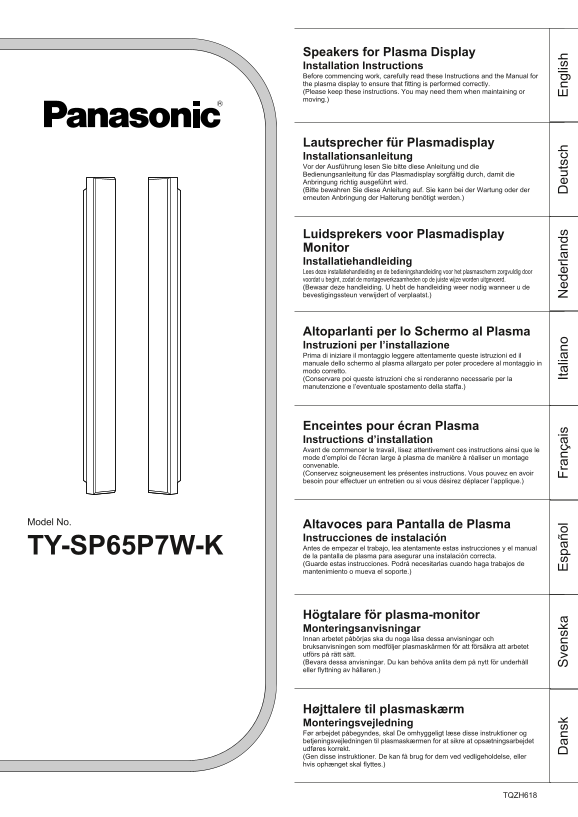
Speakers for Plasma Display Installation Instructions Before commencing work, carefully read these Instructions and the Manual for the plasma display to ensure that fitting is performed correctly. (Please keep these instructions. You may need them when maintaining or moving.)

Lautsprecher für Plasmadisplay Installationsanleitung Vor der Ausführung lesen Sie bitte diese Anleitung und die Bedienungsanleitung für das Plasmadisplay sorgfältig durch, damit die Anbringung richtig ausgeführt wird. (Bitte bewahren Sie diese Anleitung auf. Sie kann bei der Wartung oder der erneuten Anbringung der Halterung benötigt werden.)

Luidsprekers voor Plasmadisplay Monitor Installatiehandleiding Lees deze installatiehandleiding en de bedieningshandleiding voor het plasmascherm zorgvuldig door voordat u begint, zodat de montagewerkzaamheden op de juiste wijze worden uitgevoerd. (Bewaar deze handleiding. U hebt de handleiding weer nodig wanneer u de bevestigingssteun verwijdert of verplaatst.)

Altoparlanti per lo Schermo al Plasma Instruzioni per I’installazione Prima di iniziare il montaggio leggere attentamente queste istruzioni ed il manuale dello schermo al plasma allargato per poter procedere al montaggio in modo corretto. (Conservare poi queste istruzioni che si renderanno necessarie per la manutenzione e l’eventuale spostamento della staffa.)

Enceintes pour écran Plasma Instructions d’installation Avant de commencer le travail, lisez attentivement ces instructions ainsi que le mode d’emploi de l’écran large à plasma de manière à réaliser un montage convenable. (Conservez soigneusement les présentes instructions. Vous pouvez en avoir besoin pour effectuer un entretien ou si vous désirez déplacer l’applique.)

Model No. Altavoces para Pantalla de Plasma

Instrucciones de instalación TY-SP65P7W-K Antes de empezar el trabajo, lea atentamente estas instrucciones y el manual de la pantalla de plasma para asegurar una instalación correcta. an sk ve ns ka sp añ ol (Guarde estas instrucciones. Podrá necesitarlas cuando haga trabajos de ra nç ai Ita lia no ed er la nd eu ts ch ng lis mantenimiento o mueva el soporte.)

Högtalare för plasma-monitor Monteringsanvisningar Innan arbetet påbörjas ska du noga läsa dessa anvisningar och bruksanvisningen som medföljer plasmaskärmen för att försäkra att arbetet utförs på rätt sätt. (Bevara dessa anvisningar. Du kan behöva anlita dem på nytt för underhåll eller flyttning av hållaren.)

Højttalere til plasmaskærm Monteringsvejledning Før arbejdet påbegyndes, skal De omhyggeligt læse disse instruktioner og betjeningsvejledningen til plasmaskærmen for at sikre at opsætningsarbejdet udføres korrekt. (Gen disse instruktioner. De kan få brug for dem ved vedligeholdelse, eller hvis ophænget skal flyttes.)

TQZH618

Page Summary Contents For Panasonic TY-SP65P7W-K User's Manual

Page 1 Speakers for Plasma Display Installation Instructions Before commencing work, carefully read these Instructions and the Manual for the plasma display to ensure that fitting is performed correctly. (Pl...
Page 2 ng lis Safety Precautions CAUTION After installing the speakers, do not attempt to move the display by lifting the speakers. • The mounting brackets may be damaged, and personal injury may result. Do ...
Page 3 Installation For left For right 1. Attach the sponges to the speakers. • Attach the sponges to the surfaces which are in contact with the Display. • Clean the surfaces before attaching the sponges. Tr...
Page 4 ng lis Installation 4. Catch the B bracket claws in the A brackets (plasma display side). Mount B bracket Fasten the A and B Mount A brackets with bracket bracket mounting screws. Rear of Plasma Displ...
Page 5 Vorsichtsmaßnahmen zur Sicherheit VORSICHT Nach der Installation der Lautsprecher sollte das Plasmadisplay nicht durch Anheben an den Lautsprechern transportiert werden. • Die Halterungen können besch...
Page 6 eu ts ch Montage Links Rechts 1. Bringen Sie die Schaumgummiunterlagen an den Lautsprechern an. • Bringen Sie die Schaumgummiunterlagen an den Flächen an, die das Plasmadisplay berühren. • Reinigen Si...
Page 7 4. Die Klauen der Halterung B in die Halterungen A (Plasmadisplay) Halterung B einsetzen. Halterung A Die Halterungen A und B mit den Schrauben Rückseite des Plasmadisplays befestigen. Hinweis Halteru...
Page 8 ed er la nd Veiligheidsmaatregelen LET OP Na het aanbrengen van de luidsprekers mag u het plasmascherm niet verplaatsen door dit aan de luidsprekers op te tillen. • De montagebeugels kunnen beschadigd...
Page 9 Installatie Linksvoor Rechtsvoor 1. Bevestig de sponzen aan de luidsprekers. • Bevestig de sponzen aan de zijden die in aanraking komen met de Plasmadisplay Monitor. • Reinig de oppervlakken alvorens ...
Page 10 ed er la nd Installatie 4. Haak de klauwen van de B beugels in de A beugels ( plasmascherm-kant). B montagebeugel Maak de A en B beugels A montagebeugel vast met de montageschroeven voor Achterkant va...
Page 11 Precauzioni per la sicurezza ATTENZIONE Con gli altoparlanti montati, evitare assolutamente di spostare lo schermo sollevandolo per gli altoparlanti stessi. • Una tale azione può causare danni alle st...
Page 12 Ita lia no Installazione Parte sinistra Parte destra 1. Applicare le strisce di spugna agli altoparlanti. • Applicare le strisce di spugna alla superficie in contatto con lo schermo. • Pulire la super...
Page 13 4. Inserire il gancio della staffa “B” nella staffa “A” (dal lato dello schermo al plasma). Staffa di montaggio “B” Avvitare insieme le staffe Staffa di “A” e “B” per mezzo delle montaggio “A” apposit...
Page 14 ra nç ai Mesure de sécurité ATTENTION Après avoir installé les enceintes, n’essayez pas de porter ni de déplacer l’écran en le tenant par les enceintes. • Les supports de montage risqueraient d'être e...
Page 15 Installation Pour le côté gauche Pour le côté droit 1. Fixez les éponges sur les enceintes. • Fixez les éponges sur les surfaces qui sont en contact avec l’écran. • Nettoyez les surfaces avant de fixe...
Page 16 ra nç ai Installation 4. Insérez les griffes du support B dans les supports A (côté écran à Montez les supports B plasma). Montez les Serrez les supports A et B supports A avec les vis de fixation de ...
Page 17 Precauciones para su seguridad PRECAUCION Después de instalar los altavoces, no intente mover la pantalla levantándola por los altavoces. • Los soportes de montaje pueden dañarse y producir lesiones a...
Page 18 sp añ ol Instalación Para la izquierda Para la derecha 1. Instale las esponjas en los soportes de montaje. • Pegue las esponjas en las superficies que están en contacto con la Pantalla. • Limpie las s...
Page 19 4. Meta los ganchos de los soportes B en los soportes A (lado de la pantalla de Montez les supports B plasma). Montez les Fije los soportes A y B con supports A los tornillos de apriete. Parte trasera...
Page 20 ve ns ka Säkerhetsföreskrifter OBSERVERA Efter installation av högtalarna får du aldrig försöka flytta skärmen genom att lyfta högtalarna. • Monteringshållarna kan utsättas för skador och orsaka perso...
Page 21 lnstallation För vänster sida För höger sida 1. Sätt fast dynorna på högtalarna. • Sätt fast dynorna på de ytor som är i kontakt med monitorn. • Rengör ytorna innan du sätter fast dynorna. List List 2...
Page 22 ve ns ka lnstallation 4. Haka fast klorna på hållaren B på hållaren A (på plasmaskärmens sida). Monteringshållare B Fäst hållarna A och B med Monteringshållare A fästskruvarna. Plasmaskärmens baksida ...
Page 23 Sikkerhedsforanstaltninger FORSIGTIG Forsøg ikke at flytte skærmen ved at løfte højttalerne, når højttalerne er installeret. • Monteringsbeslagene kan lide skade, og personskade kan blive resultatet. ...
Page 24 an sk Installation Til venstre side Til højre side 1. Fastgør skumstrimlerne på højttalerne. • Fastgør skumstrimlerne på de sider, som kommer i kontakt med plasmaskærmen. • Husk at gøre overfladen ren...
Page 25 4. Sæt kløerne på B-beslaget ind i A-beslagene (plasmaskærmside). Monter B- beslaget Fastgør A- og B-beslagene Monter A- med befæstelsesskruerne. beslaget Bagsiden af plasmaskærmen Bemærk Juster højde...
Page 26 an sk ve ns ka sp añ ol ra nç ai Ita lia no ed er la nd eu ts ch ng lis Specifications / Technische Daten / Specificaties / Specifiche tecniche / Spécifications / Espeificaciones / Specifikationer Spe...
Page 28 Matsushita Electric Industrial Co., Ltd. Web Site : http://www.panasonic.co.jp/global/ Printed in Japan M0904A0 (MBS) (Recycled paper) 2004 Matsushita Electric Industrial Co., Ltd. All rights Reserved...

Manual Details

Brand Panasonic
Pages 28
File Size 609.73 KB
Published June 16, 2026
1 views

Enter the captcha to get the download link:

captcha

Frequently Asked Questions

What is the maximum power input for these speakers?

The rated input level is 10 watts. Exceeding this may cause a fire.

Can I use these speakers with an amplifier other than the Plasma Display?

Yes, but only if the amplifier's maximum input to the speakers is within the rated 10W level.

How should I clean the speakers?

Wipe with a soft, dry cloth. For heavy dirt, use a cloth dampened with a small amount of household detergent, then wipe dry.

What should I avoid when installing the speakers?

Do not move the display by lifting the speakers, do not suspend them, and ensure all screws are tightened securely.