Panasonic SL-SX320 SL-SX315 SL-SX313 SL-SX321C User Manual
Summary
This comprehensive manual provides professional guidance for operating your Panasonic portable CD player. Inside, users will find detailed instructions on key functions such as the HOLD feature, Resume play, and auto power-off settings. The guide also features extensive troubleshooting steps and technical specifications, assisting you in resolving common issues like "No sound" or "Tracks skipped." It emphasizes essential safety precautions, including hearing protection advice and proper care for audio discs, ensuring safe and optimal use of your unit.
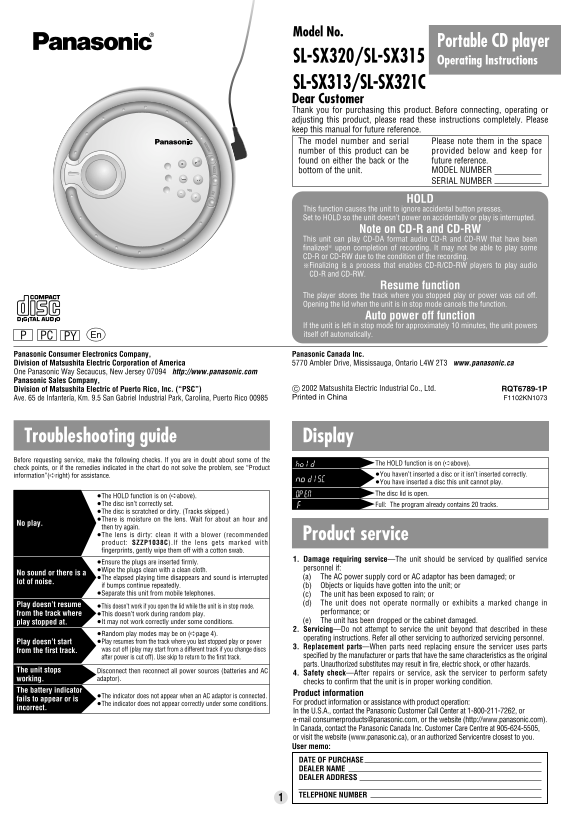
Page 1 Text Content
RQT6789-1P 03.7.25 1:45 PM ページ 1
Model No.
Portable CD player
SL-SX320/SL-SX315 Operating Instructions SL-SX313/SL-SX321C Dear Customer Thank you for purchasing this product. Before connecting, operating or adjusting this product, please read these instructions completely. Please keep this manual for future reference. The model number and serial Please note them in the space
number of this product can be provided below and keep for found on either the back or the future reference. bottom of the unit. MODEL NUMBER SERIAL NUMBER
This function causes the unit to ignore accidental button presses. Set to HOLD so the unit doesn’t power on accidentally or play is interrupted.
Note on CD-R and CD-RW
This unit can play CD-DA format audio CD-R and CD-RW that have been finalized§ upon completion of recording. It may not be able to play some CD-R or CD-RW due to the condition of the recording. §Finalizing is a process that enables CD-R/CD-RW players to play audio CD-R and CD-RW.
Resume function
The player stores the track where you stopped play or power was cut off. Opening the lid when the unit is in stop mode cancels the function.
Auto power off function
If the unit is left in stop mode for approximately 10 minutes, the unit powers PC itself off automatically.
ODE EQ
Panasonic Consumer Electronics Company, EM ORY Panasonic Canada Inc.
Division of Matsushita Electric Corporation of America 5770 Ambler Drive, Mississauga, Ontario L4W 2T3 www.panasonic.ca One Panasonic Way Secaucus, New Jersey 07094 http://www.panasonic.com Panasonic Sales Company,
Division of Matsushita Electric of Puerto Rico, Inc. (“PSC”) C 2002 Matsushita Electric Industrial Co., Ltd. RQT6789-1P Ave. 65 de Infantería, Km. 9.5 San Gabriel Industrial Park, Carolina, Puerto Rico 00985 Printed in China F1102KN1073
Troubleshooting guide Display Before requesting service, make the following checks. If you are in doubt about some of the
The HOLD function is on (➪above).
check points, or if the remedies indicated in the chart do not solve the problem, see “Product
information”(➪right) for assistance. ≥You haven’t inserted a disc or it isn’t inserted correctly. ≥You have inserted a disc this unit cannot play. The disc lid is open.
≥The HOLD function is on (➪above). ≥The disc isn’t correctly set. Full: The program already contains 20 tracks. ≥The disc is scratched or dirty. (Tracks skipped.) ≥There is moisture on the lens. Wait for about an hour and
No play.
then try again. ≥The lens is dirty: clean it with a blower (recommended Product service product: SZZP1038C).If the lens gets marked with fingerprints, gently wipe them off with a cotton swab.
1. Damage requiring service—The unit should be serviced by qualified service
≥Ensure the plugs are inserted firmly.
≥Wipe the plugs clean with a clean cloth. personnel if:
No sound or there is a
≥The elapsed playing time disappears and sound is interrupted 1. (a) The AC power supply cord or AC adaptor has been damaged; or
lot of noise.
if bumps continue repeatedly. 1. (b) Objects or liquids have gotten into the unit; or ≥Separate this unit from mobile telephones. 1. (c) The unit has been exposed to rain; or
Play doesn’t resume 1. (d) The unit does not operate normally or exhibits a marked change in
≥This doesn’t work if you open the lid while the unit is in stop mode.
from the track where performance; or
≥This doesn’t work during random play.
play stopped at. ≥It may not work correctly under some conditions. 1. (e) The unit has been dropped or the cabinet damaged. 2. Servicing—Do not attempt to service the unit beyond that described in these
≥Random play modes may be on (➪page 4).
operating instructions. Refer all other servicing to authorized servicing personnel.
Play doesn’t start ≥Play resumes from the track where you last stopped play or power
3. Replacement parts—When parts need replacing ensure the servicer uses parts
from the first track. was cut off (play may start from a different track if you change discs
after power is cut off). Use skip to return to the first track. specified by the manufacturer or parts that have the same characteristics as the original parts. Unauthorized substitutes may result in fire, electric shock, or other hazards.
The unit stops Disconnect then reconnect all power sources (batteries and AC
4. Safety check—After repairs or service, ask the servicer to perform safety
working. adaptor).
checks to confirm that the unit is in proper working condition.
The battery indicator
Product information
≥The indicator does not appear when an AC adaptor is connected.
fails to appear or is
≥The indicator does not appear correctly under some conditions. For product information or assistance with product operation:
incorrect.
In the U.S.A., contact the Panasonic Customer Call Center at 1-800-211-7262, or e-mail [email protected], or the website (http://www.panasonic.com). In Canada, contact the Panasonic Canada Inc. Customer Care Centre at 905-624-5505, or visit the website (www.panasonic.ca), or an authorized Servicentre closest to you. User memo: DATE OF PURCHASE DEALER NAME DEALER ADDRESS
TELEPHONE NUMBER
Page Summary Contents For Panasonic SL-SX320 SL-SX315 SL-SX313 SL-SX321C User Manual
Manual Details
| Brand | Panasonic |
|---|---|
| Pages | 4 |
| File Size | 227.92 KB |
| Published | June 17, 2026 |
Enter the captcha to get the download link:

Frequently Asked Questions
How do I prevent accidental power-on or interruption?
Use the HOLD function to keep the unit from responding to accidental button presses.
Can this player read CD-R and CD-RW discs?
Yes, but the discs must be finalized upon completion of recording. It may not play all types depending on the record condition.
What should I do if there is no sound or continuous noise?
Ensure plugs are inserted firmly, wipe them clean with a cloth, and check for damage to cords/adaptors.
How do I clean the lens if it's dirty?
Use a blower (SZZP1038C) to clean; for fingerprints, gently use a cotton swab.