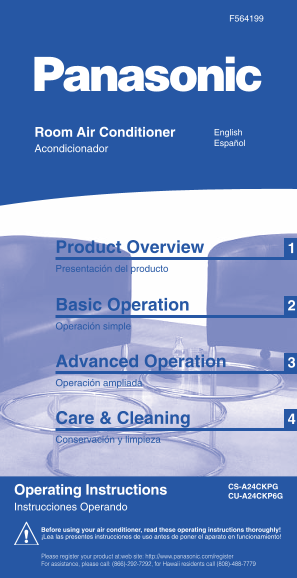
Panasonic CS-A24CKPG, CU-A24CKP6G User Guide
Summary
This essential guide provides comprehensive instructions for operating your multi-functional AC unit and advanced air purifier. Learn how to achieve optimized home comfort with various modes including cooling, heating, dehumidification, and high-efficiency purification. The manual details basic setup, advanced controls (timers, auto-settings), proactive maintenance of filters, and necessary troubleshooting steps, ensuring safe and efficient operation for every homeowner.
Page 1 Text Content
«TIMER»
«SLEEP» ER ON» «POW
«POWERFUL»
«ECONOMY»
Press button
F564199 PRODUCT OVERVIEW OPERATION CARE & CLEANING
Find on page Pulse la tecla
Your device can... ver página
PRESENTACIÓN DEL PRODUCTO FUNCIONAMIENTO CUIDADOS Y LIMPIEZA
Su aparato puede...
Press button
Function Soaps Neutral household Benzene / Scouring
Air intake Pulse la tecla Wash gently Filters • Filtros
Modo de funcionamiento Jabones detergents Thinner powder
Entrada de aire START
Lavar con cuidado Neutral Detergentes Bencina / Polvo para
Cooling Heating Dehumidifying Room temperature domésticos disolventes fregar
Switch on
1.1 Outdoor Unit
Refrigeración Calefacción Deshumidificación Temp. del cuarto Indoor Unit ( p H7 )
Air outlet Encender COOL / AUTO Horizontal COOL / AUTO
Equipo Exterior Salida de aire Vertical direction direction Fan speed (air volume) Equipo Interior
Dirección vertical Air Flow Velocidad del ventilador Filter cleaning see below
Dirección
Flujo de aire Para la limpieza de los filtros véase abajo
HEAT / AUTO horizontal HEAT / AUTO
Piping, connecting cable
Used symbol
Tuberias, cable de conexion AUTO Hi +4˚F Direction / volume
Símbolo usado Air still cold • Aire sigue frio
Select...
PREPARATIONS Lo -4˚F Dirección / caudal Air heated • Aire calentado
Room Air Conditioner English Seleccione …
Press button PREPARATIVOS Automatic • Automático
Filters under front panel, see page 4 Standard Lo-...-Hi Select automatic / manual
Español Pulse la tecla
Acondicionador Filtro debajo del panel frontal, ver página 4 Seleccione modo automático/ manual Front Panel
Based on the room temperature, the system automatically chooses type of 77˚F = Hi
COOL Panel Frontal
Indoor Unit operation...heat/cool/dry
No information • Sin datos Select...
1.2 DRY 72˚F =
Basado en la temperatura del cuarto, el sistema escoge tipo de Remove Wash gently… + dry Reinstall
Seleccione …
Equipo Interior funcionamiento automáticamente...heat/cool/dry 70˚F = Lo Retirar Lavar con cuidado … + secar Reinstalar
Front Panel • Panel Frontal every 3 months • cada 3 meses Part No. / Nº de pieza
CHANGE every 3 months!
CZ-SF51P
Purifying filters CAMBIO cada 3 meses! Damaged –> replace!
Set temperature
ON Set time or OFF Set time Confirm or ON & OFF Set time Confirm ON/OFF Timer: Cancel Filtros de REPLACE every 3 years! Defectuoso –> ¡sustituir!
Confirm
Regule la temperatura CZ-SFD70P
TROUBLE- TIMER Operation Timer Programar Timer Programar Confirmar Timer Programar Confirmar Active everyday Cancelar SUSTITUIR cada 3 años!
Confirmar purificación
SHOOTING Modo temporizador Timer hora Timer hora Timer hora Activa diariamente
Air flow - directional louver Clean by vaccum hrs
DETECCIÓN Remove Expose to direct sunlight Reinstall
Product Overview Flujo de aire - la persiana direccional HEAT min. 60˚F
COOL/DRY : 15 min. every 6 months • cada 6 meses Aspiración horas
DE ANOMALÍAS Current time OK? -> Setting : Page 5 Automatically starts operation before ON time Retirar Exponer a la luz solar directa Reinstalar6
Select...
max. 86˚F
Automaticamente el funcionamiento de las salidas antes de que tiempo de ON AUTO/HEAT : 30 min.
Seleccione … ¿Es correcta la hora actual? -> Ajuste en la página 5
Under front panel
Heating • Calefacción
Presentación del producto Debajo del panel
Function • Modo de funcionamiento
frontal Recommended:
Choose the right temperature to be comfortably warm! Air filters
~68...75˚F For a comfortable night <<FRONT>>
¡Seleccione la temperatura adecuada para obtener un calor confortable! Recomendado: Part No.
Filtros de aire CWD001099
Fluorescent lights may interfere with signal transmission temperature
Nº de pieza
Riesgo de interferencias con algunas lámparas fluorescentes Para una agradable Selected temperature
Basic Operation temperatura de descanso Temperatura seleccionada Remove Vacuum Dry Damaged –> replace! Reinstall
every 2 weeks • cada 2 semanas Defectuoso –> ¡sustituir!?Wash
Retirar Aspirar Lavar Secar Reinstalar
Set temperature
Operación simple Open front panel
Regule la temperatura Air Purifying Filter Solar Refreshing Deodorizing Filter DIRTY FILTERS cause: unpurified air, cooling or heating capacity, foul odours, higher energy consumption!
If Remote Control malfunctions or is misplaced....
1.3 Remote Control Abrir panel frontal Filtros de purificación Refrigeración solar filtros desodorizando
En caso de telemando defectuoso o extraviado.... SLEEP MODE 1h ¡FILTROS SUCIOS provocan: aire no purificado, refrescando o capacidad calorífica, más olores desagradables, mayor consumo
ON Activate / Deactivate
SAFETY Stop
energético!!
PRECAUTIONS MODO NOCTURNO OFF Activar / Desactivar Start
Telemando
MEDIDAS DE COOL min. 60˚F
Advanced Operation Select... If TIMER + SLEEP set –> Priority TIMER
SEGURIDAD max. 86˚F
Press to START >>
Seleccione … Si ha seleccionado TIMER + SLEEP –> Prioridad TIMER
Pulsar para ARRANCAR Cooling • Refrigeración HELPFUL INFORMATION
Fast cooling / heating + (5˚F)
Operación ampliada Selected temperature INFORMACIONES ÚTILES
see page • ver página see page • ver página
Choose the right temperature to be comfortably cool! Recommended: Refrigeración / calefacción - (5˚F)
~75...78˚F Temperatura seleccionada
¡Seleccione la temperatura adecuada para obtener un calor confortable! Recomendado: rápida
Automatic
Set TEMPERATURE Switch OFF/ON of the device
AUTO-Mode only
Automáticamente Automatic Operation • Modo Automático
Regule la TEMPERATURA Encendido / apagado del aparato Fan speed (air volume) Thunder / Lightning • Tormenta / Relámpagos
AUTO-Modo solamente
Care & Cleaning Super high If remote control malfunctions / is
Velocidad del ventilador Built-in surge protection, BUT SWITCH OFF power supply in case of very
Set temperature
Excelente alto misplaced see page 1
Powerful mode - very fast cooling/heating Sleep mode - comfortable sleep temperature Regule la temperatura strong lightning!
POWERFUL MODE En caso de defecto o extravío del véase página 1
Modo turbo - refrigeración / calefacción muy rápida Modo Nocturno - temperatura confortable para dormir ON Activate / Deactivate ¡Protección contra sobrecorrientes integrada, pero APAGUE el sumiuistro
Conservación y limpieza -(2˚F)
MODO TURBO 15 min.Start mando a distancia
Press again to STOP >> OFF Activar / Desactivar de poder en caso de relámpagos muy fuertes! Pulsar de nuevo PARAR
Select MODE Select Fan Speed
Save electricity! - (1˚F) Save cost • Funcionamiento económico
Seleccione MODO DRY min. 60˚F Power Failure • Falta de suministro eléctrico
Regule la Velocidad del ventilador Selected temperature
HELPFUL ¡Ahorre electricidad!
Select... max. 86˚F + (1˚F)
INFORMATION Temperatura seleccionada
Seleccione … When power resume...
low speed Automatic TEMP
Economy mode - save electricity Select air flow direction INFORMACIÓN Dehumidifying • Deshumidificación
CS-A24CKPG Al reestablecerse el suministro eléctrico...
Operating Instructions Automáticamente +(2˚F)
Modo Económico - ahorre electricidad Seleccione la dirección del caudal de aire PROVECHOSA Close Vacuum Better
CU-A24CKP6G Fan speed (air volume) -(4˚F)
Very gentle cooling and dehumidifying operation. Recommended : Room temperature * automatic during dehumidifying (DRY) Super low Aspirar
Cierre performance
-(2˚F~4˚F) Velocidad del ventilador 3 - 4 Min. Random restart automatically El azar reinicio automático
Instrucciones Operando El refrescando muy manso y funcionamiento del deshumidificación. Recomendado : Temp. del cuarto * automático durante el Excelente bajo
Mejor
TIMER functions Set «CLOCK» deshumidificación (DRY) ECONOMY MODE
ON Activate / Deactivate rendimiento
Modo de funcionamiento con TEMPORIZADOR Ajuste el reloj Restored Restaurado
MODO ECONÓMICO Activar / Desactivar 15 min.Start Use...
Before using your air conditioner, read these operating instructions thoroughly! Additional comfort
¡Lea las presentes instrucciones de uso antes de poner el aparato en funcionamiento! Vida útil...
Switch off Confort adicional Use when desired room temp. is reached
Open Memory reset! see page 3
TIMER Deleted -> set again! Borrado -> cvolver a ajustar!
Apagar A usar una vez alcanzada la temperatura ambiente pretendida SLEEP TIMER!
Abrir ¡Resetear la memoria! véase página 3ECONOMY
Please register your product at:web site: http://www.panasonic.com/register For assistance, please call: (866)-292-7292, for Hawaii residents call (808)-488-7779 STOP
0~ ft
US-F564199_Front-O 5/16/03, 2:20 PM1
Page Summary Contents For Panasonic CS-A24CKPG, CU-A24CKP6G User Guide
Manual Details
| Brand | Panasonic |
|---|---|
| Pages | 10 |
| File Size | 7.81 MB |
| Published | May 31, 2026 |
Enter the captcha to get the download link:

Frequently Asked Questions
What are the cleaning requirements for the filters?
The air purification filter should be checked every 3 months, and all filters require replacement every 3 years.
How often should I check the filters?
Purifying filters need checking every 3 months. Air filters are recommended to be examined every 3 months as well.
What do 'DIRTY FILTERS' indicate doing?
Dirty filters can cause unpurified air, affect cooling or heating capacity, create foul odours, and increase energy consumption.
Where should I connect the unit for safety?
Ensure proper grounding and always use a dedicated outlet to prevent bacteria and viruses from growing in the trapped dust.