# A B C D E F G H I J K L M N O P Q R S T U V W X Y Z

Panasonic BT-S950P User Guide

Summary

This professional-grade video monitor (BT-S950 series) is engineered for reliable visualization in broadcast and technical environments. This manual serves as a comprehensive guide, detailing setup procedures, advanced controls (including phase, chroma, brightness, and contrast), and multiple connection options catering to both NTSC and PAL standards. It provides essential safety precautions, detailed signal wiring guides, troubleshooting solutions, and full specifications necessary for video technicians, broadcast engineers, and professionals requiring precise monitoring performance.
📄 Preview 📖 Table of Contents Contents PAGE OF 12

Page 1 Text Content

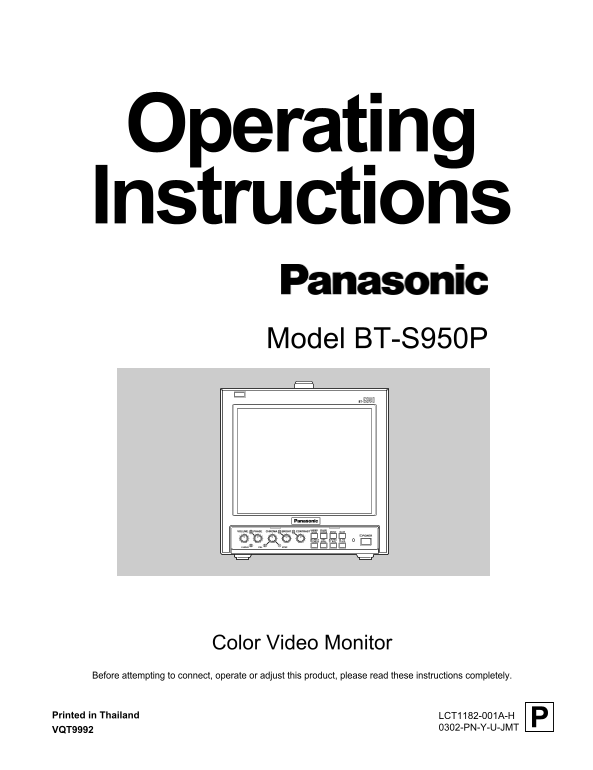
Operating Instructions Model BT-S950P S950BT-

CONTRASTBRIGHTCHROMAPHASEVOLUME UNDER SCAN CROSS PULSE MONO BLUE

POWER

LINE A EXT NTSC 16:9 4:3

LINE B SYNC PAL

NTSCPALV.HOLD

Color Video Monitor

Before attempting to connect, operate or adjust this product, please read these instructions completely.

Printed in Thailand

PLCT1182-001A-H VQT9992 0302-PN-Y-U-JMT

LCT1182-001A-H (EN)Letter Size 02.3.15, 12:24 PMPage 1 Adobe Page Maker 6.0J/PPC

Page Summary Contents For Panasonic BT-S950P User Guide

Page 1 Operating Instructions Model BT-S950P S950BT- CONTRASTBRIGHTCHROMAPHASEVOLUME UNDER SCAN CROSS PULSE MONO BLUE POWER LINE A EXT NTSC 16:9 4:3 LINE B SYNC PAL NTSCPALV.HOLD Color Video Monitor Before a...
Page 2 SAFETY PRECAUTIONS FCC INFORMATION (U.S.A. only) WARNING: CAUTION: Changes or modifications not approved by TO PREVENT FIRE OR SHOCK HAZARDS, DO NOT PANASONIC could void the user’s authority to operat...
Page 3 CONTENTS SAFETY PRECAUTIONS................................................................................. CONTROLS AND FEATURES.........................................................................
Page 4 CONTROLS AND FEATURES <Front Panel> S950BT-1 UNDER PULSE CONTRASTBRIGHTCHROMAPHASEVOLUME SCAN CROSS MONO BLUE POWER LINE A EXT NTSC 4:3 LINE B SYNC PAL 16:9 NTSCPALV.HOLD CONTRASTBRIGHTCHROMAPHA...
Page 5 <Front Panel> S950BT- UNDER PULSE CONTRASTBRIGHTCHROMAPHASEVOLUME SCAN CROSS MONO BLUE POWER LINE A EXT NTSC 4:3 LINE B SYNC PAL 16:9 NTSCPALV.HOLD CONTRASTBRIGHTCHROMAPHASEVOLUME UNDER SCAN CRO...
Page 6 CONTROLS AND FEATURES (cont'd) Rear < Rear Panel > VIDEO A OUTIN VIDEO B SERVICE OUTIN VIDEO A OUTIN VIDEO B OUTIN CUT OFF LINE A IN WARNING THIS APPARATUS LINE A IN S-VIDEO MUST BE EARTHED S-VI...
Page 7 < Rear Panel > OUTIN SERVICE VIDEO A OUTIN VIDEO B OUTIN CUT OFF NORMAL WARNING AFC THIS APPARATUS LINE A IN MUST BE EARTHED S-VIDEO DRIVE FAST EXT SYNC OUTIN AUDIO LINE B OUTIN AC IN TALLY/ REM...
Page 8 BASIC CONNECTION EXAMPLE * Before connecting your system, make sure that all units are turned off. * The illustration below shows some examples of different connections. Terminal connections may diffe...
Page 9 TROUBLESHOOTING Solutions to common problems related to your monitor are described here. If none of the solutions presented here solves the problem, unplug the monitor and consult a Panasonic-authoriz...
Page 10 SPECIFICATIONS 7 Type Color video monitor External sync Composite sync Color system NTSC, PAL 1 line, BNC connector x 2 Picture tube 9" measured diagonally, 1 – 4 Vp-p, 75 Ω flat-square type, (br...
Page 11 Dimensions Unit : inch (mm) < Front View > < Side View > S950BT- CONTRASTBRIGHTCHROMAPHASEVOLUME UNDER SCAN CROSS PULSE MONO BLUE POWER LINE A LINE B SYNC EXT NTSC PAL 16:9 4:3 NTSCPALV.HO...
Page 12 PANASONIC BROADCAST & TELEVISION SYSTEMS COMPANY DIVISION OF MATSUSHITA ELECTRIC CORPORATION OF AMERICA Executive Office: 3330 Cahuenga Blvd W., Los Angeles, CA 90068 (323) 436-3500 EASTERN ZONE: ...

Manual Details

Brand Panasonic
Pages 12
File Size 341.41 KB
Published June 05, 2026
38 views

Enter the captcha to get the download link:

captcha

Frequently Asked Questions

What should I use to clean the monitor's screen and cabinet?

Use a piece of soft cloth and wipe with it. For excessive dirt, a diluted neutral cleanser is needed.

Is there anything I must not place near the monitor while operating it?

Keep flammable material, water, metal objects, or appliances generating strong electric/magnetic fields away from the unit.

What type of picture noise should I avoid displaying for long periods???

Avoid displaying still images or extremely bright images on the screen for an extended period to prevent 'screen burn'.

How is this equipment regulated in the U.S.?

It was tested and found compliant with Class A digital device limits under Part 15 of the FCC Rules.