Nikon D780 Technical Guide (N-Log 3D LUT Edition) User Manual and Specification Sheet
Summary
Elevate your cinematic footage with the N-Log 3D LUT. This essential tool converts raw Nikon N-Log files, which are optimized for wide dynamic range but appear flat, into beautifully graded color suitable for Rec. 709 viewing. The accompanying guide is a comprehensive, step-by-step tutorial designed for videographers and prosumers who shoot with Nikon cameras. It provides detailed instructions on how to properly install, download, and apply the LUT within industry-standard software like DaVinci Resolve, Adobe Premiere Pro, or Final Cut Pro X.
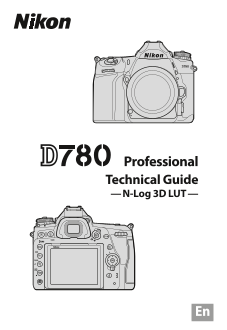
Page 1 Text Content
Professional Technical Guide — N-Log 3D LUT —
Page Summary Contents For Nikon D780 Technical Guide (N-Log 3D LUT Edition) User Manual and Specification Sheet
Manual Details
| Brand | Nikon |
|---|---|
| Pages | 14 |
| File Size | 458.27 KB |
| Published | May 29, 2026 |
Enter the captcha to get the download link:

Frequently Asked Questions
What is a '3D LUT' for color correction?
A 3D LUT maps combined RGB values to a single combined value, allowing for saturation and hue adjustments.
Which software can be used with the N-Log 3D LUT?
DaVinci Resolve, Adobe Premiere Pro, and Apple Final Cut Pro X are compatible applications.
How do I apply the N-Log 3D LUT in DaVinci Resolve?
Open the 'Color' page, find the LUT in your custom folder, and double-click it to apply it at a node.
What should I check if my footage doesn't display correctly?
Ensure the Data Levels option on the clip attributes matches the option selected for HDMI/Output range when recording (Limited or Full).