Nikon D2x Digital Camera User's Manual
Summary
Master advanced photo editing and workflow management with professional guidance for Nikon Capture 4 Editor. This comprehensive manual is designed for photography enthusiasts and professionals who use Nikon digital cameras, offering step-by-step instructions on every feature. Learn to fine-tune images using dedicated Color Balance tools, manage multi-image sequences efficiently, apply precise auto-brightness corrections, and perform batch processing with guaranteed ICC profile embedding. The guide also details activating the Nippon Message Center for seamless software updates, ensuring you always utilize the latest features of your Nikon ecosystem.
Page 1 Text Content
En Notice to Customers Upgrading to Nikon Capture 4.2 In addition to support for the Nikon D2X digital camera, Nikon Capture 4 version 4.2 offers the new features described below.
Automatic Update Nikon Capture 4 is equipped with an automatic update function known as Nikon Message Center. Nikon Message Center checks for updates to a variety of Nikon digital products, including Nikon software. At default settings, Nikon Message Center will auto- matically check for updates if the computer is connected to the Internet when Nikon Capture 4 starts. If an update is available, the Nikon Message Center window will be displayed. Click Available Messages to view the updates available for your Nikon digital products and software, then click Install to download and install the desired updates. To personalize your list of Nikon digital products or to view a list of the installed software supported under Nikon Message Center, click My Products.
Mac OS 9 Nikon Message Center is not available in Mac OS 9. Notice to Users in Europe and the U. S. A. To activate Nikon Message Center, users in Europe and the U. S. A. must have an account with their regional Nikon Support Center. The fi rst time a program equipped with the Nikon Message Center auto update feature starts, a license agreement will be displayed. After reading the agree- ment, click Accept to accept its terms and display an account activation dialog. • If you already have an account with your regional Nikon Support Center, enter the supplied user ID and password and the e-mail address you used to register. After confi rming that the computer is connected to the Internet, click Activate Nikon Message Center. A dialog allowing you to opt in or out of Nikon mailings will be displayed. • If you do not have an account or have forgotten your password, confi rm that the computer is connected to the Internet and click Visit Nikon Support Center. After obtaining the required account information, enter the details in the account activation dialog and click Activate Nikon Message Center. A dialog allowing you to opt in or out of Nikon mailings will be displayed. The Opt-in / Opt-out Dialog The fi rst time Nikon Message Center starts, a dialog allowing you to opt in or out of Nikon mailings will be displayed. Select the desired options and click OK to display the Nikon Message Center window. Downloading Updates An Internet connection is required to download updates. The user bears all applicable fees charged by the phone company or Internet service provider. Dial-up Connections When using a dial-up connection, be aware that the connection is not automatically terminated when download is complete. Be sure to termi- nate the connection manually. Privacy Information provided by the user as part of this service will not be given to third parties without the user’s permission. Checking for Updates Manually To check for updates manually, select Check for updates… from the Help menu.
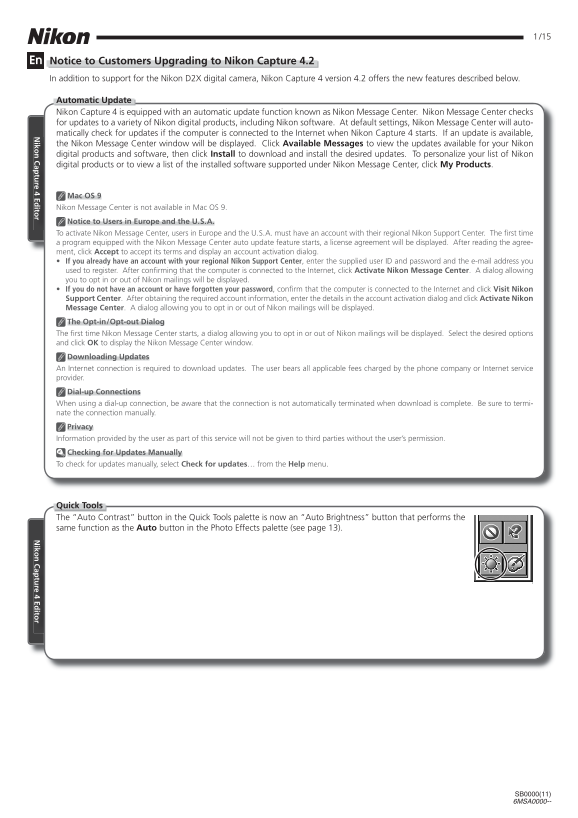
Quick Tools The “Auto Contrast” button in the Quick Tools palette is now an “Auto Brightness” button that performs the same function as the Auto button in the Photo Effects palette (see page 13).
iko ap tu re 4 Ed ito iko ap tu re 4 Ed ito
SB0000(11) 6MSA0000--
Page Summary Contents For Nikon D2x Digital Camera User's Manual
Manual Details
| Brand | Nikon |
|---|---|
| Pages | 15 |
| File Size | 1.58 MB |
| Published | June 01, 2026 |
Enter the captcha to get the download link:

Frequently Asked Questions
How can I check for software updates?
You can manually check by selecting 'Check for updates...' from the Help menu. The program also uses a Nikon Message Center that automatically checks when connected to the Internet.
Do I need an internet connection to update or download files?
Yes, downloading updates and accessing the Nikon Message Center requires an active Internet connection. For dial-up connections, remember to manually terminate the connection after download is complete.
What happens if I close the active editing window?
If you close the active window or exit Nikon Capture, previously performed operations cannot be undone.
How do I ensure consistent color profiles in my photos?
You can select 'Embed ICC Profile' to embed an ICC profile into each image during saving or download processes.
Is there a setting to maintain zoom ratio when changing size?
Yes, in the Preferences ('Options') dialog, selecting 'Maintain zoom when scale changes' will keep the same zoom ratio when adjusting output size.