Lexmark 2400 Series Printer Specifications and User Guide
Summary
The Lexmark 2400 Series Forms Printer is a versatile dot matrix solution designed for printing various official and transactional forms. Featuring an easy-to-use operator panel and standard USB connectivity, this printer excels at managing different media types, including cut sheets and continuous forms. The comprehensive manual details setup procedures, technical specifications, advanced feeder options (like the Tractor 2), and integration guides, making it ideal for businesses requiring high-reliability, adaptable form printing across diverse operational workflows.
Page 1 Text Content
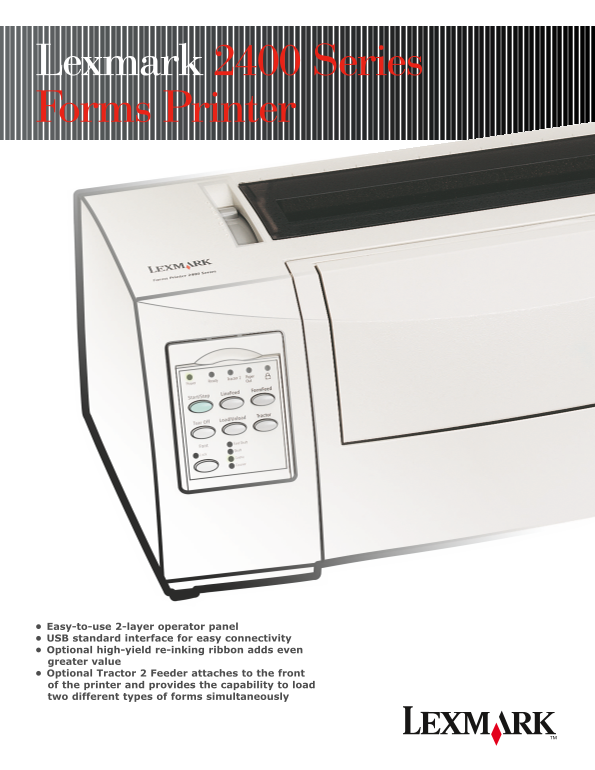
Lexmark 2400 Series Forms Printer
Easy-to-use 2-layer operator panel USB standard interface for easy connectivity Optional high-yield re-inking ribbon adds even greater value Optional Tractor 2 Feeder attaches to the front of the printer and provides the capability to load two different types of forms simultaneously
Page Summary Contents For Lexmark 2400 Series Printer Specifications and User Guide
Manual Details
| Brand | Lexmark |
|---|---|
| Pages | 2 |
| File Size | 625.13 KB |
| Published | May 29, 2026 |
Enter the captcha to get the download link:

Frequently Asked Questions
Which operating systems can run this forms printer?
It supports Windows, Linux, UNIX, and OS/400.
How do I load different types of forms simultaneously?
Use the optional Tractor 2 Feeder, which provides the capability to load two different types of forms.
What is the difference between standard and high-yield ribbons?
Standard yields 4 million characters, while High Yield provides up to 8 million characters in Draft mode at 10 cpi.