# A B C D E F G H I J K L M N O P Q R S T U V W X Y Z

Lenovo ThinkPad X1 Yoga 3rd Setup Guide

Summary

Discover comprehensive setup and usage guidance for your versatile professional laptop. This manual provides detailed instructions on utilizing advanced features, including four flexible YOGA Modes (Notebook, Tent, Tablet, Stand) and Thunderbolt 3 connectivity. Learn how to leverage facial recognition, fingerprint security, and the included Pen Pro functionality. Ideal for professionals demanding maximum portability, security, and adaptability in their workflow.
📄 Preview PAGE OF 10

Page 1 Text Content

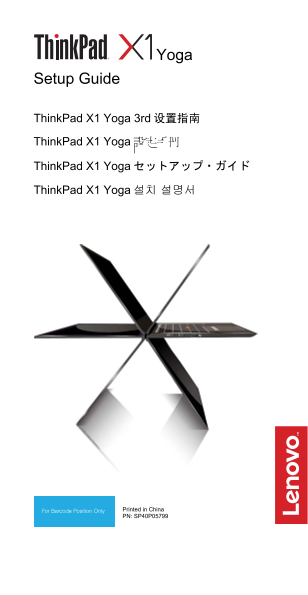
Setup Guide

Think Pad X1 Yoga 3rd 设置指南 Think Pad X1 Yoga 設定手冊

Think Pad X1 Yoga セットアップ・ガイド

Think Pad X1 Yoga 설치 설명서

Printed in China PN: SP40P05799

Page Summary Contents For Lenovo ThinkPad X1 Yoga 3rd Setup Guide

Page 1 Setup Guide Think Pad X1 Yoga 3rd 设置指南 Think Pad X1 Yoga 設定手冊 Think Pad X1 Yoga セットアップ・ガイド Think Pad X1 Yoga 설치 설명서 Printed in China PN: SP40P05799
Page 2 Unpack | 打开包装 | 打開包裝 | 開梱 | 패키지 내용물 Standard items | 标准物品 | 標準項目 | 標準品目 | 기본 항목 Optional accessories | 可选附件 | 選購配件 | オプションのアクセサリー | 옵션 액세서리 Think Pad Ethernet Extension Lenovo HDMI to VGA Adapter* Ada...
Page 3 Initial setup | 初始安装 | 首次安裝 | 初期セットアップ | 초기 설정 E-manual | 电子手册 | 電子手冊 | E マニュアル | 전자 문서 Features | 功能部件 | 功能 | 機能 | 기능 Infrared camera*| 红外摄像头*| 紅外線攝影機*| 赤外線カメラ*| 적외선 카메라*  Securely sign in to your c...
Page 4 USB-CTM connectors | USB-C 接口| USB-C 接頭| USB-C コネクター | USB-C 커넥터  Both USB-C (Thunderbolt TM 3 compatible) connectors can work as power connectors. The connectors support data-delivery with faster ra...
Page 5 YOGA Modes | YOGA 模式 | YOGA 模式 | YOGA モード | YOGA 모드 The X1 Yoga has an improved rise-and-fall keyboard mechanism that works with the four YOGA Modes – Notebook, Tent, Tablet, and Stand. X1 Yoga 3rd 具备...
Page 6 Overview | 概述 | 概觀 | 概要 | 개요
Page 7 [English] 1. Ambient light sensor 2. Infrared camera* 3. Conventional camera 4. Microphones (available on models with the infrared camera)* 5. Conventional camera with 6. Security-lock slot Think Shut...
Page 8 1. 環繞亮度感應器 2. 紅外線攝影機* 3. 傳統攝影機(適用於配備紅 4. 麥克風 外線攝影機的型號)* 5. 附 Think Shutter(鏡頭蓋) 6. 安全鎖插槽 的傳統攝影機* 7. HDMI™ 接頭 8. USB 3.1 接頭 Gen 1 9. 迷你乙太網路接頭 10. 音訊接頭 11. 電源按鈕 12. Think Pad Pen Pro 13. 指紋辨識器 14. Nano-...
Page 9 1. 조도 센서 2. 적외선 카메라* 3. 일반적인 카메라(적외선 4. 마이크 카메라가 있는 모델에서 사용 가능)* 5. Think Shutter(렌즈 덮개)가 6. 보안 잠금 슬롯 있는 일반적인 카메라* 7. HDMI™ 커넥터 8. USB 3.1 커넥터 Gen 1 9. 미니 이더넷 커넥터 10. 오디오 커넥터 11. 전원 버튼 12. Think Pad P...
Page 10 Enter キ 、Startup Interrupt メニューに入るプロン 時,請按 Enter 或輕點提示,進入  컴퓨터 포장 상자 외부에 부착된 Startup Interrupt Menu。然後按 물리적 레이블 F9 或輕點 Regulatory Information  컴퓨터에 부착된 물리적 레이블 選項。隨即顯示電子標籤畫面。  컴퓨터에 기본 설치된 전자 레이블 화면...

Manual Details

Brand Lenovo
Pages 10
File Size 789.37 KB
Published June 01, 2026
49 views

Enter the captcha to get the download link:

captcha

Frequently Asked Questions

Do the USB-C ports support charging only?

No, they support data delivery with faster rates, bi-directional power delivery, and video output.

How does face authentication work on this model?

It enables users to securely sign in directly to the computer using advanced facial recognition technology.

What is the best practice when storing the device?

Before storage, ensure you close the computer lid completely to protect both the display and the keyboard.

Can the ThinkPad Pen Pro recharge itself?

Yes, the pen automatically recharges when it is seated back into its designated slot.

What modes does the X1 Yoga's keyboard support?

It features an improved rise-and-fall mechanism that works with four YOGA Modes: Notebook, Tent, Tablet, and Stand.