# A B C D E F G H I J K L M N O P Q R S T U V W X Y Z

Lenovo ThinkPad X1 Carbon 6th Setup Guide

Summary

This essential guide provides a comprehensive overview of the powerful ThinkPad X1 Carbon laptop. It is designed for new owners who need clear instructions on setup and feature utilization, detailing every component from advanced USB-C/Thunderbolt 3 ports to the integrated fingerprint reader and IR camera functionality. The manual covers initial configuration, helps identify all connection points (HDMI, Ethernet, etc.), and ensures a smooth start with your portable computing powerhouse.
📄 Preview PAGE OF 10

Page 1 Text Content

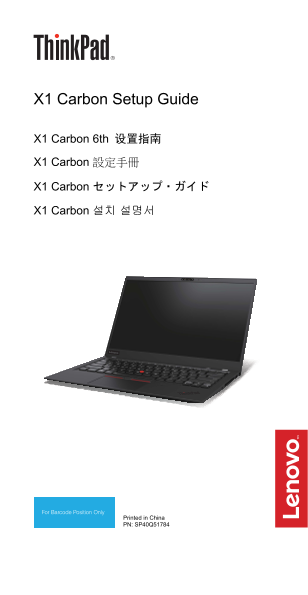
X1 Carbon Setup Guide

X1 Carbon 6th 设置指南 X1 Carbon 設定手冊

X1 Carbon セットアップ・ガイド

X1 Carbon 설치 설명서

Printed in China PN: SP40Q51784

Page Summary Contents For Lenovo ThinkPad X1 Carbon 6th Setup Guide

Page 1 X1 Carbon Setup Guide X1 Carbon 6th 设置指南 X1 Carbon 設定手冊 X1 Carbon セットアップ・ガイド X1 Carbon 설치 설명서 Printed in China PN: SP40Q51784
Page 2 E-manual | 电子手册 | 電子手冊 | E マニュアル | 전자 문서 Unpack | 打开包装 | 打開包裝 | 開梱 | 패키지 내용물 Standard items | 标准物品 | 標準項目 | 標準品目 | 기본 항목 Optional accessories | 可选附件 | 選購配件 | オプションのアクセサリー | 옵션 액세서리 Think Pad Ethernet ...
Page 3 Features | 功能部件 | 功能 | 機能 | 기능 Infrared camera*| 红外摄像头*| 紅外線攝影機*| 赤外線カメラ*| 적외선 카메라*  Securely sign in to your computer with face authentication.  通过面部认证,安全地登录到计算机。  臉部鑑別讓您安全地登入電腦 USB-C connectors |...
Page 4 Initial setup | 初始安装 | 首次安裝 | 初期セットアップ | 초기 설정 Overview | 概述 | 概觀 | 概要 | 개요
Page 5 [English] 1. Microphones 2. Infrared camera* 3. Conventional camera 4. Conventional camera with (available on models with IR Think Shutter* camera) 5. Power button 6. Fingerprint reader 7. Mini securi...
Page 6 3. 傳統攝影機(僅限配備紅外 4. 附 Think Shutter 的傳統攝 線攝影機的型號) 影機* 5. 電源按鈕 6. 指紋辨識器 7. 迷你安全鎖插槽 8. Always On USB 3.1 接頭 Gen 1 11. Nano-SIM 卡片插槽* 12. Micro SD 卡片插槽(已預先 安裝防塵待機 micro SD 卡) 13. NFC 標記* 14. 軌跡板 15. Track...
Page 7 3. 일반적인 카메라(IR 4. Think Shutter 가 있는 카메라가 있는 모델에서 일반적인 카메라* 사용 가능) 5. 전원 버튼 6. 지문 판독기 7. 미니 보안 잠금 장치 슬롯 8. Always On USB 3.1 커넥터 Gen 1 11. Nano-SIM 카드 슬롯* 12. Micro SD 카드 슬롯(더미 micro SD 카드는 기본 설치됨) 13...
Page 8 Regulatory labels 按 F9 键或点击“法规信息”选项。 Depending on your country or region, you can find the government-required regulatory information through one of the 型号:Think Pad X1 Carbon 6th following methods: C...
Page 9 ときに、F9 キーを押します。 For further information about EU E ラベル画面が表示されます。 regulatory compliance, refer to  コンピューターを再起動しま the Safety and Warranty Guide す。ロゴ画面が表示されたら、 that comes with your computer. Enter キーを押す...
Page 10 the data connection. The lower If you are interested in further the power output of the device, reducing your RF exposure then the lower its SAR value. you can easily do so by limiting your usage or s...

Manual Details

Brand Lenovo
Pages 10
File Size 910.70 KB
Published June 01, 2026
48 views

Enter the captcha to get the download link:

captcha

Frequently Asked Questions

How can I check the radio wave exposure compliance information?

Restart the computer and press F9 when the logo screen appears to access the E-label screen.

What capabilities do the USB-C ports support?

They support bi-directional power delivery, video output (Thunderbolt 3 compatible), and data transfer at a fast rate.

What security features are included on this device?

It offers face authentication, fingerprint reading, and includes a mini security-lock slot.

How is the regulatory information accessed via software?

Restart the computer until the logo screen is displayed, then press F9 to show the electronic label screen.