Page 1
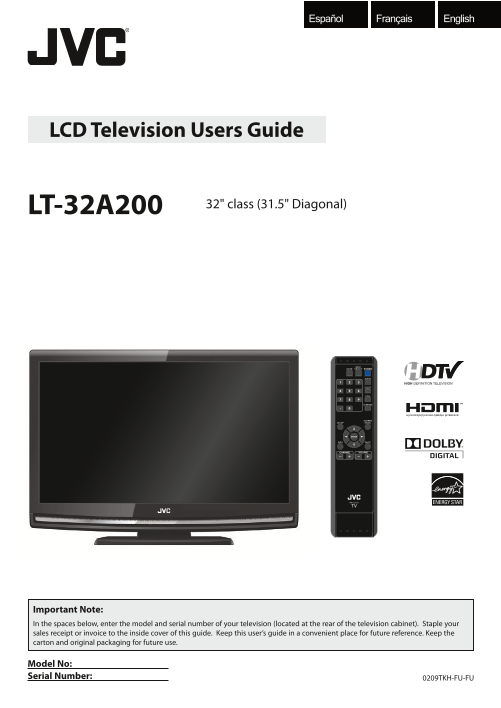
Français English Español LCD Television Users Guide 32" class (31.5" Diagonal) LT-32A200 HIGH DEFINITION TELEVISION Important Note: In the spaces below, enter the model and serial number of ...
Page 2
Precautions WARNING: TO REDUCE THE RISK OF FIRE OR ELECTRIC SHOCK, DO NOT EXPOSE THIS APPARATUS TO RAIN OR MOISTURE. APPARATUS SHALL NOT BE EXPOSED TO DRIPPING OR SPLASHING AND NO OBJECTS FILLED WITH ...
Page 3
English This apparatus should not be placed in a built-in installation such as a bookcase or rack unless proper ventilation is provided. Make sure to leave a space of 3.2 inches (8cm) or more around t...
Page 4
INTRODUCTION Supplied Accessories remote control batteries (AA x 2) Screw for attaching the (RM-C-2150) stand x 4 (FPH34200) AA AA • If you need to replace these accessories, please refer to the part ...
Page 5
INTRO DUCTIO PREPARATIO ATCHING TV OPTIONAL SETTING TROUBLESHOOTING INFO RM ATIO English Features Contents Precautions . . . . . . . . . . . . . . . . . . . . . . . . . . . . . . . . . . . . . . . . ....
Page 6
INTRODUCTION Control Panel 1. y (power) (p. 13) Press to turn the unit on and off. 2. CH -/ + (p. 14 / p. 15) Press to select channels or move up (+) / down (-) through the main menu items. 3. SETUP (...
Page 7
INTRO DUCTIO PREPARATIO ATCHING TV OPTIONAL SETTING TROUBLESHOOTING INFO RM ATIO English Remote Control Function 1. MUTE (p. 14) 9. POWER (p. 13) Press to turn the sound on and Press to turn the unit ...
Page 8
PREPARATION No supplied cables are used in this connection: Please purchase the necessary cables at your local store. High Speed HDMI cable (also known as HDMI category 2 cable) is recommended for the...
Page 9
INTRO DUCTIO PREPARATIO ATCHING TV OPTIONAL SETTING TROUBLESHOOTING INFO RM ATIO English No supplied cables are used in this connection: Please purchase the necessary cables at your local store. High ...
Page 10
PREPARATION No supplied cables are used in this connection: Please purchase the necessary cables at your local store. [Component Video Connection] RCA component video connection offers better picture ...
Page 11
INTRO DUCTIO PREPARATIO ATCHING TV OPTIONAL SETTING TROUBLESHOOTING INFO RM ATIO English No supplied cables are used in this connection: Please purchase the necessary cables at your local store. [Vide...
Page 12
PREPARATION No supplied cables are used in this connection: Please purchase the necessary cables at your local store. [PC Connection] This unit can be connected to your PC that has a DVI terminal. Use...
Page 13
INTRO DUCTIO PREPARATIO ATCHING TV OPTIONAL SETTING TROUBLESHOOTING INFO RM ATIO English These operations are accessible by remote control. Some may also be accessible by controls on the main unit. In...
Page 14
WATCHING TV Channel Selection Volume Adjustment Select channels by using [CHANNEL - / +] or [the Number buttons]. This section describes how to adjust the volume. The mute function, which turns the so...
Page 15
INTRO DUCTIO PREPARATIO ATCHING TV OPTIONAL SETTING TROUBLESHOOTING INFO RM ATIO English Still Mode Switching Audio Mode You can pause the image shown on the TV screen. This section describes how to s...
Page 16
WATCHING TV TV Screen Information You can display the currently selected channel or other information such as the audio mode on the TV screen. TV DTV In the analog mode, the current channel number and...
Page 17
INTRO DUCTIO PREPARATIO ATCHING TV OPTIONAL SETTING TROUBLESHOOTING INFO RM ATIO English TV Screen Display Mode 4 types of display modes can be selected when the broadcasting station is sending 4:3 or...
Page 18
OPTIONAL SETTING Main Menu Autoscan This section describes the overview of the main menu displayed when you If you switch wires (e.g., between antenna and CATV) or if you move the press [SETUP]. For m...
Page 19
INTRO DUCTIO PREPARATIO ATCHING TV OPTIONAL SETTING TROUBLESHOOTING INFO RM ATIO English Channel List Manual Register The channels selected here can be skipped when selecting the channels This functio...
Page 20
OPTIONAL SETTING Antenna Confirmation Language Selection DTV You can choose English, Spanish, or French as your on-screen language. This function lets you check the digital signal strength of each cha...
Page 21
INTRO DUCTIO PREPARATIO ATCHING TV OPTIONAL SETTING TROUBLESHOOTING INFO RM ATIO English Picture Adjustment You can adjust brightness, contrast, color, tint, sharpness and color temperature. Before yo...
Page 22
OPTIONAL SETTING Use [Cursor K / L] to select the desired option, then Sound Adjustment press [ENTER]. You can adjust the sound mode, equalizer and some other sound functions. ual Su rou u Vir So nd B...
Page 23
INTRO DUCTIO PREPARATIO ATCHING TV OPTIONAL SETTING TROUBLESHOOTING INFO RM ATIO English Closed Caption A. Caption Service You can view closed captioning (CC) for TV programs, movies and news. Closed ...
Page 24
OPTIONAL SETTING B. Digital Caption Service C. Caption Style DTV DTV In addition to the basic closed caption described on page 23, DTV has its You can change the caption style such as font, color or s...
Page 25
INTRO DUCTIO PREPARATIO ATCHING TV OPTIONAL SETTING TROUBLESHOOTING INFO RM ATIO English Font Style Edge Color Closed Captioning font style can be changed as below. Edge color of the displayed caption...
Page 26
OPTIONAL SETTING Child Lock Child lock reads the ratings for programs, then denies access to the programs which exceed the rating level you set. With this function, you can block certain programs inap...
Page 27
INTRO DUCTIO PREPARATIO ATCHING TV OPTIONAL SETTING TROUBLESHOOTING INFO RM ATIO English A. Channel Lock B. MPAA Rating Particular channels or external input modes can be invisible in this MPAA Rating...
Page 28
OPTIONAL SETTING C. TV Rating Use [Cursor K / L] to select “TV Rating”, then press Rating Category [ENTER]. TV-MA Mature audience only higher TV-14 Unsuitable for children under 14 ild Lock PICTURE Ca...
Page 29
INTRO DUCTIO PREPARATIO ATCHING TV OPTIONAL SETTING TROUBLESHOOTING INFO RM ATIO English D. New Password Although the default code “0000” is supplied with the unit, you can set your own PIN Code. Use ...
Page 30
OPTIONAL SETTING PC Settings This function lets you adjust the PC screen position during PC input through the HDMI 1 input jack. Press [SETUP] to display the main menu. Adjust the setting. Position Re...
Page 31
INTRO DUCTIO PREPARATIO ATCHING TV OPTIONAL SETTING TROUBLESHOOTING INFO RM ATIO English Energy Saving Mode Location You can set whether the power consumption is saved or not. When you select ”Retail”...
Page 32
OPTIONAL SETTING Current Software Info This function shows what version of the software currently used. Press [SETUP] to display the main menu. Use [Cursor K / L] to select “DETAIL”, then press [ENTER...
Page 33
INTRO DUCTIO PREPARATIO ATCHING TV OPTIONAL SETTING TROUBLESHOOTING INFO RM ATIO English TROUBLESHOOTING FAQ Question Answer • Check the antenna or cable connection to the main unit. • Check the batte...
Page 34
TROUBLESHOOTING Troubleshooting Guide If the unit does not perform properly when operated as instructed in this manual, check the following chart and all connections once before calling for service. S...
Page 35
INTRO DUCTIO PREPARATIO ATCHING TV OPTIONAL SETTING TROUBLESHOOTING INFO RM ATIO English Symptom Remedy • This unit will memorize the volume level from the last time you adjusted it. You switch to a d...
Page 36
INFORMATION Glossary ATSC Component Video NTSC Acronym that stands for Advanced This is a video signal format that conveys Acronym that stands for National Television Television Systems Committee and ...
Page 37
INTRO DUCTIO PREPARATIO ATCHING TV OPTIONAL SETTING TROUBLESHOOTING Français INFO RM ATIO English Español Cable Channel Designations If you subscribe to cable TV, the channels are displayed as 1-135. ...
Page 38
Do not attempt to service the product yourself
Page 40
JVC Loves the Earth JVC COMPANY OF AMERICA Division of JVC Americas Corp. 1700 Valley Road Wayne, New Jersey, 07470 Printed in China A91F5UH 1EMN24859 ★★★★★