JVC JY-HD10 User Guide and Manual
Summary
Capture high-definition professional video content with the JY-HD10 digital camcorder. This versatile unit features a 1.18MP optical zoom lens, advanced stabilization, and dual XLR inputs for superior audio quality on formats including MiniDV and SD. The kit is designed for demanding filmmakers and professionals seeking robust performance in a compact body. Furthermore, the manual includes comprehensive post-production software (MPEG Edit Studio Pro LE) that enables you to edit, author, and finalize polished videos and DVDs directly on your PC, streamlining your workflow from capture to delivery.
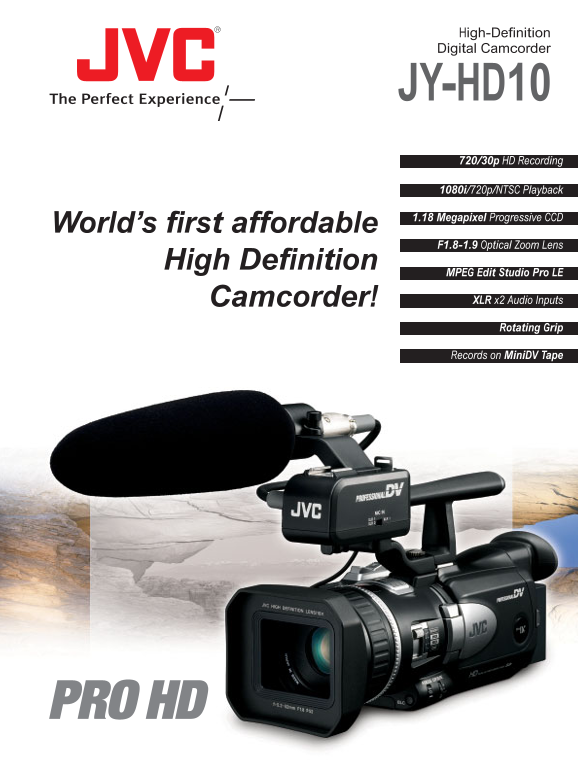
Page 1 Text Content
High-Definition Digital Camcorder
JY-HD10 720/30p HD Recording 1080i/720p/NTSC Playback 1.18 Megapixel Progressive CCD
World’s first affordable
F1.8-1.9 Optical Zoom Lens
High Definition
MPEG Edit Studio Pro LE
Camcorder! XLR x2 Audio Inputs Rotating Grip Records on Mini DV Tape
Page Summary Contents For JVC JY-HD10 User Guide and Manual
Manual Details
| Brand | JVC |
|---|---|
| Pages | 6 |
| File Size | 600.45 KB |
| Published | May 24, 2026 |
Enter the captcha to get the download link:

Frequently Asked Questions
What primary recording formats does the JY-HD10 support?
It supports 720/30p HD on MiniDV tape, as well as SD MPEG-2 format (480/60p) and NTSC DV format.
How is image stabilization handled during filming?
The camera uses a newly developed lens shift system combined with its CCD sensor for effective full-time pixels stabilization, even at high zoom ratios.
Does the camcorder support professional audio connections?
Yes, the carrying handle includes dual XLR audio inputs for connecting external microphones via the Pro Pad grip.
What software is provided to edit captured video files?
The unit is bundled with MPEG Edit Studio Pro LE, a Non-Linear Editing (NLE) utility designed for editing and authoring on a PC.