Page 1
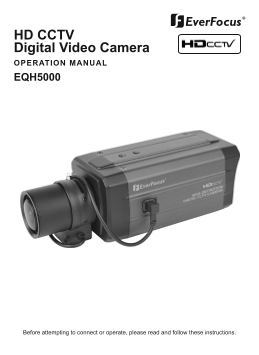
HD CCTV Digital Video Camera OPERATION MANUAL EQH5000 Before attempting to connect or operate, please read and follow these instructions.
Page 2
CONTENTS 1. CAUTIONS 2. FEATURES 3. EQUIPMENT AND ACCESSORIES 4. CAMERA COMPONENT DESCRIPTION 5. INSTALLATION 6. DIMENSIONS 7. SPECIFICATIONS 8. DIGITAL INPUT/OUTPUT CIRCUIT (Future use) 9. OSD MANUAL
Page 3
1. CAUTIONS This device complies with Part 15 of the FCC Rules. Operation is subject to the following two conditions; 1. This device may not cause harmful interference. 2. This device must accept any ...
Page 4
1. CAUTIONS Correct Disposal of This Product (Waste Electrical & Electronic Equipment) (Applicable in the European Union and other European countries with separate collection systems) This marking...
Page 5
2. FEATURES • High Resolution 1/3˝ SONY Progressive Color CMOS Sensor, 1280x720 30fps • Supports Various Digital Video Output 720p 30, 720p 60 720p 25, 720p 50 • Video Outputs Primary HD-SDI (BNC) Tes...
Page 6
3. EQUIPMENT AND ACCESSORIES HD CCTV Digital Video Camera C-MOUNT ADAPTOR RING OPERATION MANUAL TERMINAL BLOCK * NOTE PLEASE REMOVE PROTECTION FILM
Page 7
4. CAMERA COMPONENT DESCRIPTIONS • FRONT MOUNTING HOLE(1/4"-20 UNC) AUTO IRIS JACK C-MOUNT ADAPTOR RING (Optional - use for C-Mount lens only) BACK FOCUS CONTROL LEVER MOUNTING HOLE(1/4"-20 ...
Page 8
4. CAMERA COMPONENT DESCRIPTIONS • BACK ①. MENU SET BUTTON MENU NAVIGATION BUTTONS ②. UP BUTTON ③. DOWN BUTTON ④. LEFT BUTTON ⑤. RIGHT BUTTON ⑥. POWER LED ⑦. SDI OUT BNC ⑧. VIDEO OUT BNC ⑨. MIC IN JAC...
Page 9
5. INSTALLATION • LENS CONNECTION Mega Pixel Lenses are sold separately. Lenses such as a DC auto iris lens, CS-Mount lens and C-Mount lens can be used ( adapter included for C-Mount Lens). NOTE • Ple...
Page 10
5. INSTALLATION Installation of C-Mount Lens C to CS-MOUNT ADAPTOR RING Installation of CS-Mount Lens
Page 11
5. INSTALLATION • CONNECTION TO HD SDI IN HDCCTV DVR OR OTHER HDCCTV SIGNAL EQUIPMENT BNC FEMALE VIDEO HANDHELD TO VIDEO IN DC12V REGULATED POWER SUPPLY
Page 12
6. DIMENSIONS Unit: mm(inch) MOUNTING HOLE (1/4"-20 UNC, Depth 5) 145(5.71) / (C-Mount) 138.55(5.45) / (CS-Mount) AUTO IRIS JACK C-MOUNT ADAPTOR RING (Optional use for C-Mount Lenses only) MOUNTI...
Page 13
7. SPECIFICATION Image Device 1/3” SONY Mega-Pixel Color Progressive CMOS Effective Pixels 1329 (H) x 1049 (V) 30fps Unit cell size 3.63um (H) x 3.63um (V) HDCCTV : 720p 30, 720p 60, 720p 25, 720p 50 ...
Page 14
8. DIGITAL INPUT/OUTPUT • Digital Input Port (Future Feature, Use for CDS Mode Only) CAMERA Day and Night CDS MODE A/D Port Micro Control ler 10bi resolut ion, EXTERNAL DEVICE Vtop = 3.3V, Vbot = 0V S...
Page 15
9. OSD MANUAL • Menu structure - Main Menu VIDEO OUT EXPOSURE WHITE BALANCE DAY / NIGHT IMAGE SPECIAL - VIDEO OUT Menu 720p 30Hz / 720p 60Hz VIDEO OUT SDI FORMAT 720p 25Hz / 720p 50Hz TV OUT FORMAT NT...
Page 16
8. OSD MANUAL - LENS Menu LENS LENS TYPE DC IRIS / MANUAL IRIS DC IRIS BRIGHTNESS 0 ~ 127 IRIS SPD 0 ~ 112 - EXPOSURE Menu EXPOSURE BRIGHTNESS 0 ~ 127 AUTO / MANUAL SHUTTER MODE / FLK 60Hz(FLK 50Hz) M...
Page 17
9. OSD MANUAL - WHITE BALANCE Menu WHITE BALANCE MODE ATW / PUSH / MANUAL MANUAL R GAIN 0 ~ 255 B GAIN 0 ~ 255 - DAY / NIGHT Menu DAY / NIGHT MODE COLOR / AUTO / EXT / BW AUTO / EXT DAY LEVEL 0 ~ 127 ...
Page 18
9. OSD MANUAL - SPECIAL Menu SPECIAL SYSTEM INFO USER SET SAVE USER SET LOAD USER SET CLEAR USER SET FACTORY RESET CAMERA RESET COMM/GPIO SET RS485 Address 0~255 GP IN Status GP OUT Control LOW / HIGH...
Page 19
9. OSD MANUAL • ICONS - : Value adjustment(use LEFT/RIGHT button). - : Select Sub Menu(use SET button). - : Execution command(use SET button). - : Return to previous menu. - : Menu OFF. - : Informatio...
Page 20
9. OSD MANUAL • Video Out [ VIDEO OUT ] - SDI Format 720p 60Hz Select SDI output Formats – 720p 30Hz, SDI FORMAT TV OUT FORMAT NTSC 720p 60Hz, 720p 25Hz and 720p 50Hz. - TV Out Format Select NTSC / PA...
Page 21
9. OSD MANUAL • EXPOSURE [ EXPOSURE ] - BRIGHTNESS Same as the BRIGHTNESS value in LENS BRIGHTNESS AUTO Menu. Using Left / Right button, adjust SHUTTER AGC MAX Brightness value. BLC OFF - SHUTTER Usin...
Page 22
9. OSD MANUAL • WHITE BALANCE [ WHITE BALANCE ] MODE MANUAL R GAIN B GAIN ESC EXIT SAVE & EXIT - MODE Using Left / Right button, select White balance modes – ATW, PUSH and MANUAL. ATW Auto Trace W...
Page 23
9. OSD MANUAL • Day / Night [ DAY / NIGHT ] MODE AUTO DAY LEVEL NIGHT LEVEL ESC EXIT SAVE & EXIT - MODE Using Left / Right button, select TDN(True Day & Night) modes – AUTO, EXT, COLOR, and BW...
Page 24
9. OSD MANUAL • IMAGE [ IMAGE ] SHARPNESS IMAGE FILP OFF DNR OFF GAMMA 1.0 ESC EXIT SAVE & EXIT - SHARPNESS: Using Left / Right button, adjust sharpness value. - IMAGE FLIP: Using Left / Right but...
Page 25
9. OSD MANUAL - USER SET Using Set button, display [USER SET] sub menu. - COMM/GPIO SET Using Set button, display [COMM/GPIO SET] sub menu. - FOCUS MODE In focus mode, the iris becomes fully open, ele...
Page 26
9. OSD MANUAL • COMM/GPIO SET (Sub Menu) [ COM / GPIO SET ] RS485 Address (Future Feature) • GP IN Status LOW GP OUT Control LOW ESC EXIT SAVE & EXIT - RS485 Address Future Feature. - GP IN Status...
Page 27
Ever Focus Electronics Corp. Corporate Headquarters: China Office: 12F, No.79 Sec. 1 Shin-Tai Wu Road, Room 609, Technology Trade Building, Hsi-Chih, Taipei, Taiwan Shangdi Information Industry Base, ...