Epson CH-TW9200 8200W 8200 7200 Setup Manual
Summary
Optimize your viewing experience with this comprehensive projector setup guide, designed for multi-regional use and compatibility across various international settings. This manual provides essential step-by-step instructions covering everything from unpacking components and initial connections to advanced picture adjustments. Learn how to precisely set up and calibrate your display by adjusting vertical keystone, managing screen shifting (120”, 100”, etc.), and achieving perfect focus and zoom. Ideal for users connecting HDMI and video cables who require detailed visual guidance for optimal performance of models like EH-TW9200 and EH-TW8200.
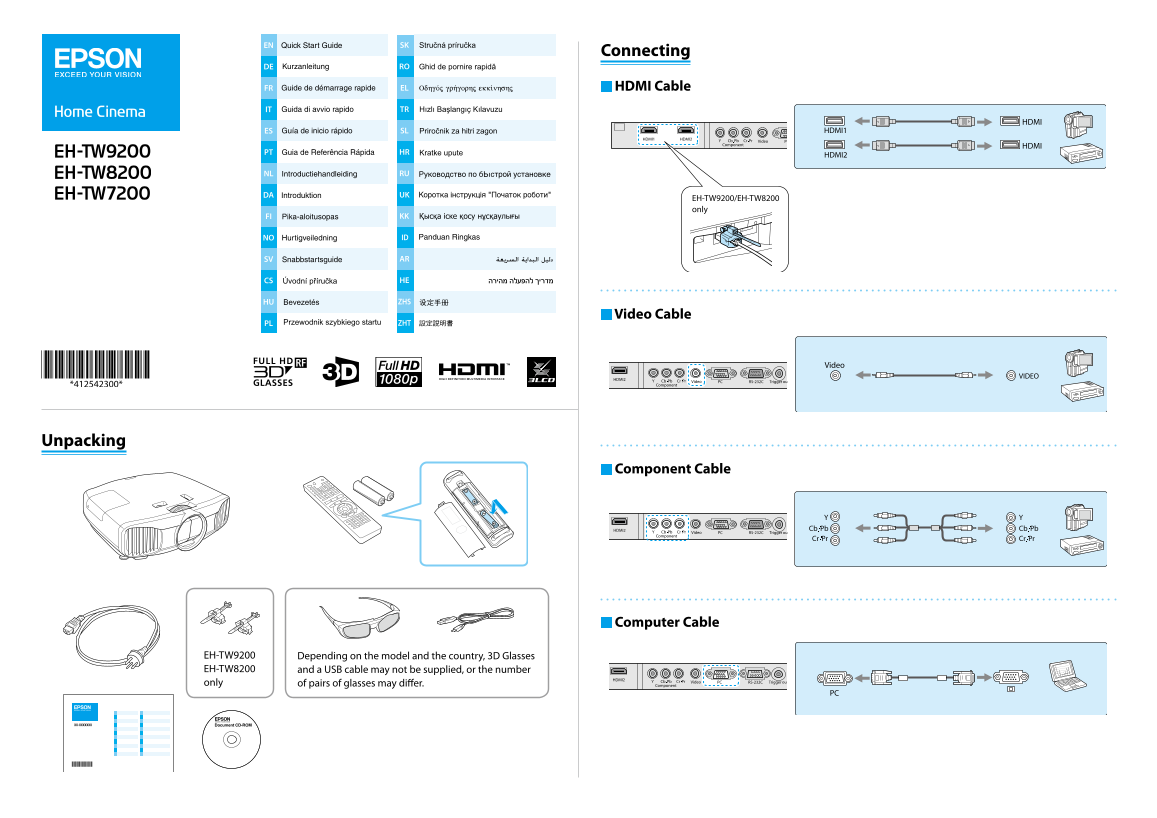
Page 1 Text Content
EN SK
Connecting
DE RO
FR EL HDMI Cable
IT TR
ES SL
PT HR
NL RU
DA UK
EH-TW9200/EH-TW8200 only
FI KK
NO ID
SV AR
CS HE
HU ZHS
Video Cable
ZHTPL
Unpacking
Component Cable
Computer Cable
EH-TW9200 Depending on the model and the country, 3D Glasses EH-TW8200 and a USB cable may not be supplied, or the number only of pairs of glasses may differ.
Page Summary Contents For Epson CH-TW9200 8200W 8200 7200 Setup Manual
Manual Details
| Brand | Epson |
|---|---|
| Pages | 2 |
| File Size | 1.79 MB |
| Published | June 05, 2026 |
Enter the captcha to get the download link:

Frequently Asked Questions
How do I start setting up the projector?
The manual details 'Setting Up' procedures, suggesting a systematic installation process. Check model-specific guides or consult your dealer for setup steps.
What are the common cable connections required?
Standard cables include Video Cable, Component Cable, Computer Cable, and USB cable depending on connectivity needs.
How do I adjust the image on screen?
You can adjust the image using settings like 'Adjusting Vertical Keystone,' '16:9 Shifting the Lens,' and 'Focusing/Zooming'.
Which models require specific accessories or come in various versions?
Models like EH-TW9200, EH-TW8200, depend on location (FI, KK, NO, ID, SV) and may not include 3D Glasses or specific cables.