Page 1
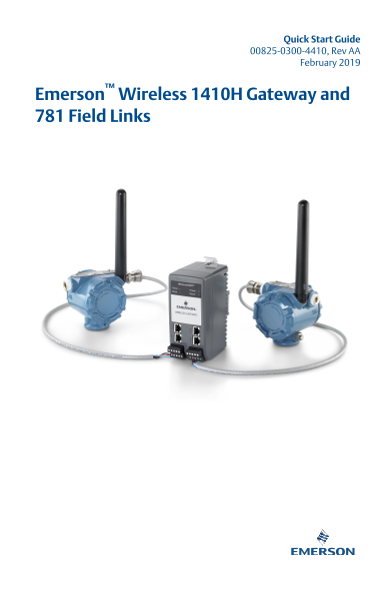
Quick Start Guide 00825-0300-4410, Rev AA February 2019 Emerson™ Wireless 1410H Gateway and 781 Field Links
Page 2
Quick Start Guide February 2019 Safety messages NOTICE This guide provides basic guidelines for the Emerson™ Wireless 1410H Gateway. It does not provide instructions for diagnostics, maintenance, serv...
Page 3
February 2019 Quick Start Guide Wireless planning Power up sequence The Gateway should be installed and functioning properly before power modules are installed in any wireless field devices. Wireless ...
Page 4
Quick Start Guide February 2019 PC requirements Operating system (optional software only) Microsoft® Windows™ Server 2008 (Standard Edition), Service Pack 2 Windows Server 2008 R2 Standard Edition, Se...
Page 5
February 2019 Quick Start Guide Initial connection and configuration To configure the Gateway, a local connection between a PC/Mac/laptop and the Gateway needs to be established. The Wireless HART™ ne...
Page 6
Quick Start Guide February 2019 3.1 Establishing a connection Connect the PC/laptop to the Ethernet 1 (Primary) receptacle on the Gateway using an Ethernet cable. This process will have to be done for...
Page 7
February 2019 Quick Start Guide Figure 3-3: Local Area Connection 4. Select Properties. 5. Select Internet Protocol Version 4 (TCP/IPv4) then select Properties. Figure 3-4: Internet Protocol Version 4...
Page 8
Quick Start Guide February 2019 Figure 3-5: IP Address 7. In the IP address field, enter 192.168.1.12 (Delta V Ready enter 10.5.255.12). 8. In the Subnet mask field, enter 255.255.255.0. 9. Select OK ...
Page 9
February 2019 Quick Start Guide 3.3 Windows10 Figure 3-6: Network Settings Procedure 1. Select the network icon in the lower right corner. 2. Select the Network settings link. 3. Select Change adapter...
Page 10
Quick Start Guide February 2019 Figure 3-7: Change Adapter Options 4. Right click the network interface connection that the Gateway is plugged into, and click on Properties. 5. See steps 5-10 from Win...
Page 11
February 2019 Quick Start Guide Example 3.5 Configure the Gateway To complete initial configuration for the Gateway, follow the steps below. This will have to be done be done for both networks. Proced...
Page 12
Quick Start Guide February 2019 Example 3. Restart application at System Settings > Gateway > Backup and Restore > Restart Apps. Note Resetting applications will temporarily disable communica...
Page 13
February 2019 Quick Start Guide Physical installation 4.1 Emerson 1410H mounting The unit can be snapped onto a DIN TS35/7.5 or TS35/15 rail system. To clip the unit onto the DIN rail, see Figure 4-1....
Page 14
Quick Start Guide February 2019 4.2 Connecting the Emerson 1410H with 781 Field Links There are two main connection configurations for the Emerson 1410H and 781 Field Links: with and without barriers....
Page 15
February 2019 Quick Start Guide The signal barrier needs additional power. You can wire it to the Emerson 1410H terminals or to a separate power supply. Make sure power supply is rated to handle power...
Page 16
Quick Start Guide February 2019 Figure 4-4: Emerson 1410H and 781 with Additional Power Supplied Barrier Installation A. Emerson Wireless 1410H Gateway B. Attach shield pair cable (Belden 3083A) C. Ta...
Page 17
February 2019 Quick Start Guide 4.5 Shield grounding The shields of the twisted-pair cables need to be grounded using the grounding terminal on the Emerson 1410H, and it should be taped back on the Em...
Page 18
Quick Start Guide February 2019 4.6 Emerson 1410H grounding The Emerson 1410H DIN rail cabinet must be grounded as well. A #6 AWG (4.11 mm European) copper wire bonding connector with the shortest len...
Page 19
February 2019 Quick Start Guide 4.7 Emerson 781 grounding Grounding of the electronics enclosure should be done in accordance with local and national installation codes. Grounding is accomplished thro...
Page 20
Quick Start Guide February 2019 4.10 Best practice Twisted shielded pair cable is generally used to wire the serial connection, and it is standard practice to ground the shield on the serial host side...
Page 21
February 2019 Quick Start Guide Software installation (optional) The 2-disk software pack contains the Security Setup Utility (only required for secure host connections or OPC communications) and AMS ...
Page 22
Quick Start Guide February 2019 Verify operations Operation is verified through the web interface by opening a web browser from any PC on the host system network and entering the Gateway IP address or...
Page 23
February 2019 Quick Start Guide Product certifications 7.1 Emerson 1410H Product Certifications Rev. 2.0 European Directive Information A copy of the EC Declaration of Conformity can be found at the e...
Page 24
Quick Start Guide February 2019 Markings NI CL 1, DIV 2, GP A, B, C, D T4; Suitable for use in CL II, III, DIV 2, GP F, G T4; T4(-40 °C ≤ Ta ≤ 60 °C); Special Conditions for Safe Use (X): 1.When insta...
Page 25
February 2019 Quick Start Guide 3. The equipment is not capable of withstanding the 500V electrical strength test as defined in clause 6.5.1 of EN 60079-15: 2010. This must be taken into account durin...
Page 26
Quick Start Guide February 2019 Emerson.com/Rosemount
Page 27
February 2019 Quick Start Guide Quick Start Guide
Page 28
Quick Start Guide 00825-0300-4410, Rev. AA February 2019 Global Headquarters North America Regional Office Emerson Automation Solutions Emerson Automation Solutions 6021 Innovation Blvd. 8200 Market B...