Dell Vostro 5480 Quick User Guide - Windows 10
Summary
This Quick Start Guide for the Dell Vostro 14 5000 Series notebook (Model P41G, Regulatory Type P41G002) provides setup instructions covering power adapter connection, Windows 10 setup, and network connectivity. It features a detailed hardware diagram identifying 22 components including camera, microphones, power and battery status lights, hard-drive activity light, HDMI and USB 3.0 connectors, fingerprint reader, memory card reader, and sub-woofer speaker. Includes Dell Product Registration, SupportAssist, and support resources. Designed for small business professionals.
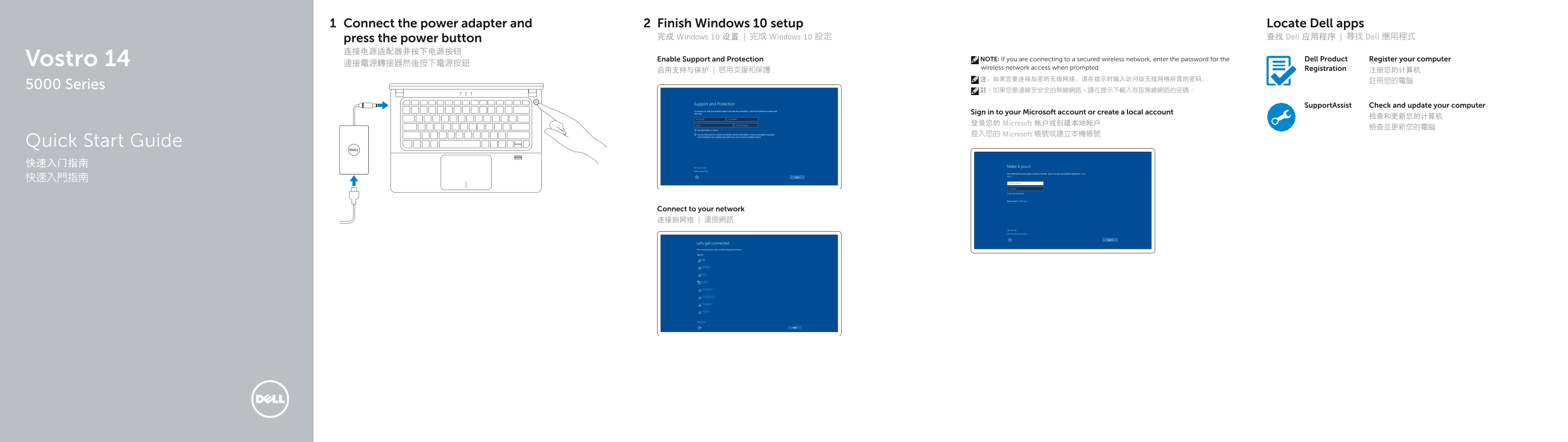
Page 1 Text Content
Connect the power adapter and Finish Windows 10 setup Locate Dell apps
press the power button 完成 Windows 10 设置 | 完成 Windows 10 設定 查找 Dell 应用程序 | 尋找 Dell 應用程式
Vostro 14 Enable Support and Protection NOTE: If you are connecting to a secured wireless network, enter the password for the Dell Product Register your computer
wireless network access when prompted. Registration
5000 Series
Support Assist Check and update your computer
Sign in to your Microsoft account or create a local account
登录您的 Microsoft 帐户或创建本地帐户
登入您的 Microsoft 帳號或建立本機帳號
Quick Start Guide 快速入门指南 快速入門指南
Connect to your network 连接到网络 | 連接網路
Page Summary Contents For Dell Vostro 5480 Quick User Guide - Windows 10
Manual Details
| Brand | Dell |
|---|---|
| Pages | 2 |
| File Size | 391.15 KB |
| Published | July 01, 2026 |
Enter the captcha to get the download link:

Frequently Asked Questions
How do I begin setting up and powering on my new laptop?
First, connect the power adapter, then press the power button after completing the Windows 10 setup.
What should I do if I connect to a secured wireless network during setup?
When prompted, enter the password required for accessing that secure wireless network.
Which USB port can provide additional power to my connected devices?
The dedicated USB 3.0 connector with PowerShare capability is designed for this purpose.
Where can I find product support manuals and drivers for this model?
Visit Dell.com/support or the specific manual section located at Dell.com/support/manuals.