Dell Processor HPC Mode—Information Update User Manual
Summary
This is a Dell PowerEdge Processor HPC Mode Information Update document, describing the High Performance Computing mode feature for Dell PowerEdge servers with AMD Opteron 6200 series processors. The document covers supported systems (R715, R815, M915), required BIOS versions, the new BIOS setup option for enabling Processor HPC mode, and required complementary BIOS settings including power management and fan performance configurations. It is intended for system administrators and HPC cluster operators optimizing Dell PowerEdge servers for high-performance computing workloads.
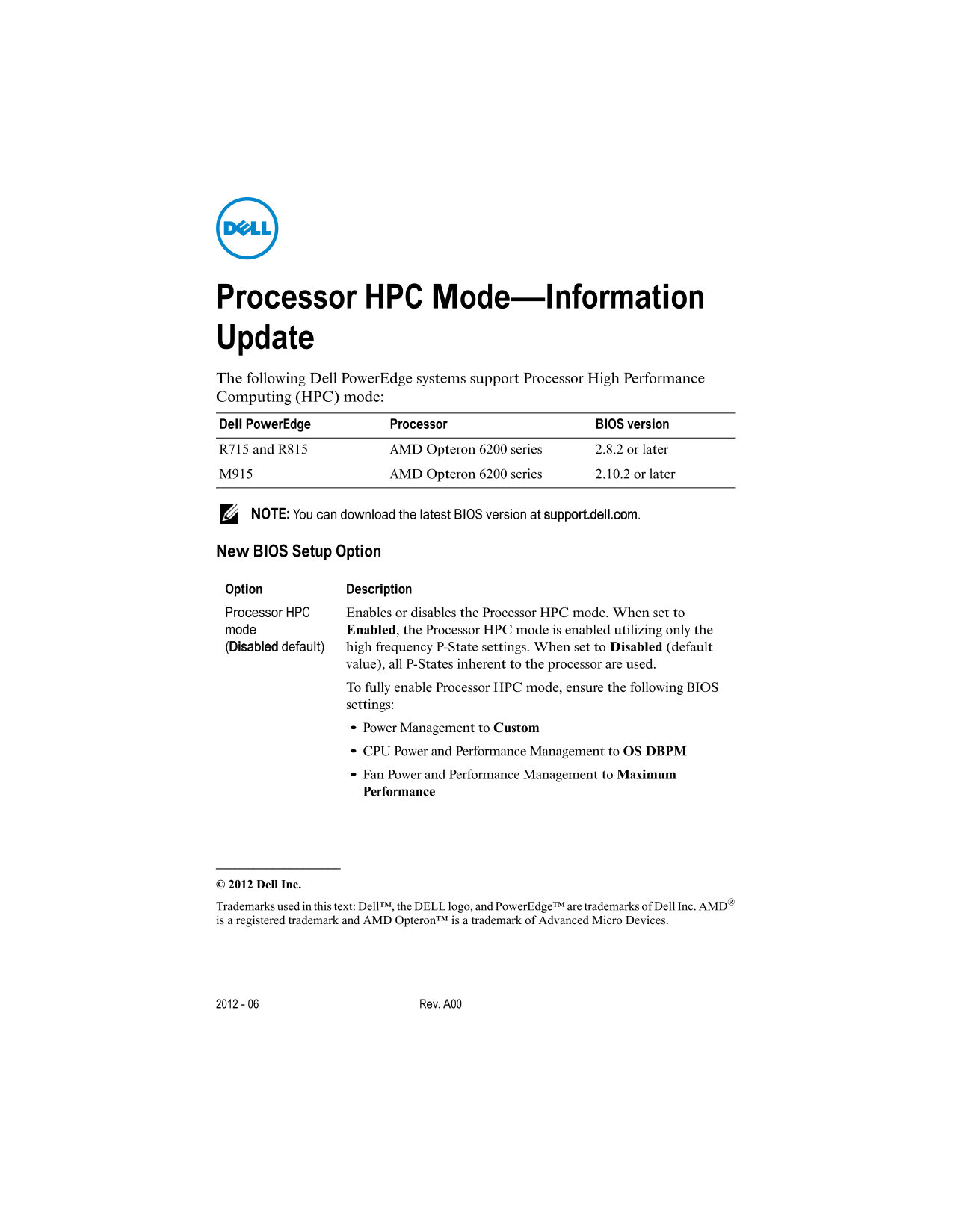
Page 1 Text Content
Processor HPC Mode—Information Update The following Dell Power Edge systems support Processor High Performance Computing (HPC) mode: Dell Power Edge Processor BIOS version R715 and R815 AMD Opteron 6200 series 2.8.2 or later M915 AMD Opteron 6200 series 2.10.2 or later
NOTE: You can download the latest BIOS version at support.dell.com.
New BIOS Setup Option
Option Description Processor HPC Enables or disables the Processor HPC mode. When set to mode Enabled, the Processor HPC mode is enabled utilizing only the (Disabled default) high frequency P-State settings. When set to Disabled (default
value), all P-States inherent to the processor are used. To fully enable Processor HPC mode, ensure the following BIOS settings: Power Management to Custom CPU Power and Performance Management to OS DBPM Fan Power and Performance Management to Maximum Performance
© 2012 Dell Inc.
Trademarks used in this text: Dell™, the DELL logo, and Power Edge™ are trademarks of Dell Inc. AMD® is a registered trademark and AMD Opteron™ is a trademark of Advanced Micro Devices.
2012 - 06 Rev. A00
Page Summary Contents For Dell Processor HPC Mode—Information Update User Manual
Manual Details
| Brand | Dell |
|---|---|
| Pages | 1 |
| File Size | 17.26 KB |
| Published | June 29, 2026 |
Enter the captcha to get the download link:

Frequently Asked Questions
Which BIOS versions support Processor HPC mode?
Dell PowerEdge requires BIOS version R715/R815 for the AMD Opteron 6200 series (BIOS 2.8.2+ or 2.10.2+).
How do I activate Processor HPC mode?
In the BIOS, set 'Processor HPC' to Enabled and ensure 'Power Management' is Custom, 'CPU Power...' is OS DBPM, and 'Fan Power...' is Maximum Performance.
What difference does setting Processor HPC mode make?
When enabled, it utilizes only high frequency P-State settings. If disabled (default), all inherent P-States are used.