Dell PowerEdge M640 Quick Start Guide
Summary
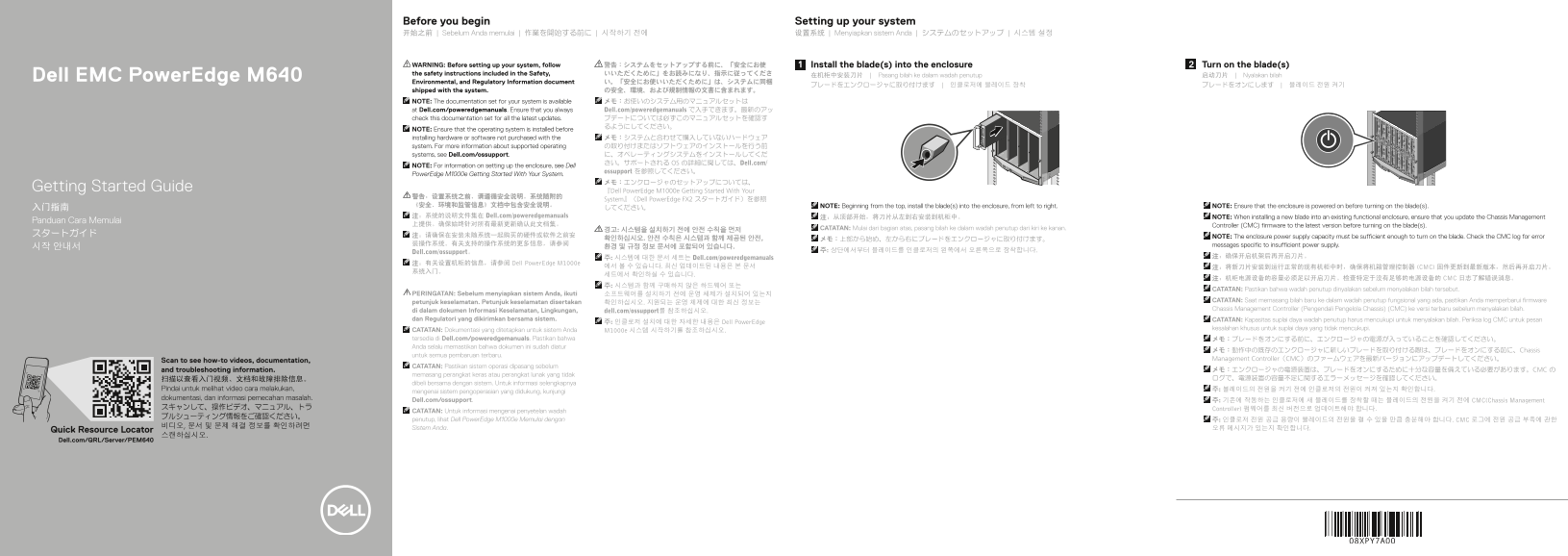
This getting started guide for the Dell EMC PowerEdge M640 blade server designed for the PowerEdge M1000e enclosure provides multilingual setup instructions. Steps include installing blades into the enclosure from top to bottom and left to right, turning on the blades, and ensuring the enclosure is powered on first. When installing a new blade into an existing functional enclosure, the Chassis Management Controller firmware must be updated. The guide references the full documentation set at Dell
Page 1 Text Content
Before you begin Setting up your system 开始之前 | Sebelum Anda memulai | 作業を開始する前に | 시작하기 전에 设置系统 | Menyiapkan sistem Anda | システムのセットアップ | 시스템 설정
WARNING: Before setting up your system, follow 警告:システムをセットアップする前に、「安全にお使 Install the blade(s) into the enclosure Turn on the blade(s) the safety instructions included in the Safety, いいただくために」をお読みになり、指示に従ってくださ 在机柜中安装刀片 | Pasang bilah ke dalam wadah penutup 启动刀片 | Nyalakan bilah
Dell EMC Power Edge M640
Environmental, and Regulatory Information document い。「安全にお使いいただくために」は、システムに同梱
shipped with the system. の安全、環境、および規制情報の文書に含まれます。 NOTE: The documentation set for your system is available メモ:お使いのシステム用のマニュアルセットは at Dell.com/poweredgemanuals. Ensure that you always Dell.com/poweredgemanuals で入手できます。最新のアッ check this documentation set for all the latest updates. プデートについては必ずこのマニュアルセットを確認す
NOTE: Ensure that the operating system is installed before
installing hardware or software not purchased with the メモ:システムと合わせて購入していないハードウェア system. For more information about supported operating の取り付けまたはソフトウェアのインストールを行う前 systems, see Dell.com/ossupport. に、オペレーティングシステムをインストールしてくだ さい。サポートされる OS の詳細に関しては、Dell.com/
NOTE: For information on setting up the enclosure, see Dell
ossupport を参照してください。
Power Edge M1000e Getting Started With Your System.
Getting Started Guide 『Dell Power Edge M1000e Getting Started With Your
System』(Dell Power Edge FX2 スタートガイド)を参照
《安全、环境和监管信息》文档中包含安全说明。 NOTE: Beginning from the top, install the blade(s) into the enclosure, from left to right. NOTE: Ensure that the enclosure is powered on before turning on the blade(s).
注:系统的说明文件集在 Dell.com/poweredgemanuals 注:从顶部开始,将刀片从左到右安装到机柜中。 NOTE: When installing a new blade into an existing functional enclosure, ensure that you update the Chassis Management
Panduan Cara Memulai
上提供。确保始终针对所有最新更新确认此文档集。 Controller (CMC) firmware to the latest version before turning on the blade(s).
경고: 시스템을 설치하기 전에 안전 수칙을 먼저 CATATAN: Mulai dari bagian atas, pasang bilah ke dalam wadah penutup dari kiri ke kanan.
확인하십시오. 안전 수칙은 시스템과 함께 제공된 안전, NOTE: The enclosure power supply capacity must be sufficient enough to turn on the blade. Check the CMC log for error
装操作系统。有关支持的操作系统的更多信息,请参阅 messages specific to insufficient power supply.
Dell.com/ossupport。 주: 상단에서부터 블레이드를 인클로저의 왼쪽에서 오른쪽으로 장착합니다.
주: 시스템에 대한 문서 세트는 Dell.com/poweredgemanuals 注:确保开启机架后再开启刀片。
注:有关设置机柜的信息,请参阅 Dell Power Edge M1000e
에서 볼 수 있습니다. 최신 업데이트된 내용은 본 문서 注:将新刀片安装到运行正常的现有机柜中时,确保将机箱管理控制器 (CMC) 固件更新到最新版本,然后再开启刀片。
注:机柜电源设备的容量必须足以开启刀片。检查特定于没有足够的电源设备的 CMC 日志了解错误消息。
CATATAN: Pastikan bahwa wadah penutup dinyalakan sebelum menyalakan bilah tersebut.
PERINGATAN: Sebelum menyiapkan sistem Anda, ikuti 소프트웨어를 설치하기 전에 운영 체제가 설치되어 있는지
petunjuk keselamatan. Petunjuk keselamatan disertakan CATATAN: Saat memasang bilah baru ke dalam wadah penutup fungsional yang ada, pastikan Anda memperbarui firmware
di dalam dokumen Informasi Keselamatan, Lingkungan, Chassis Management Controller (Pengendali Pengelola Chassis) (CMC) ke versi terbaru sebelum menyalakan bilah.
dell.com/ossupport를 참조하십시오.
dan Regulatori yang dikirimkan bersama sistem. CATATAN: Kapasitas suplai daya wadah penutup harus mencukupi untuk menyalakan bilah. Periksa log CMC untuk pesan
주: 인클로저 설치에 대한 자세한 내용은 Dell Power Edge
CATATAN: Dokumentasi yang ditetapkan untuk sistem Anda kesalahan khusus untuk suplai daya yang tidak mencukupi.
tersedia di Dell.com/poweredgemanuals. Pastikan bahwa メモ:ブレードをオンにする前に、エンクロージャの電源が入っていることを確認してください。 Anda selalu memastikan bahwa dokumen ini sudah diatur
メモ:動作中の既存のエンクロージャに新しいブレードを取り付ける際は、ブレードをオンにする前に、Chassis
untuk semua pembaruan terbaru.
Management Controller(CMC)のファームウェアを最新バージョンにアップデートしてください。
Scan to see how-to videos, documentation,
CATATAN: Pastikan sistem operasi dipasang sebelum
and troubleshooting information. メモ:エンクロージャの電源装置は、ブレードをオンにするために十分な容量を備えている必要があります。CMC の
memasang perangkat keras atau perangkat lunak yang tidak
dibeli bersama dengan sistem. Untuk informasi selengkapnya
Pindai untuk melihat video cara melakukan, 주: 블레이드의 전원을 켜기 전에 인클로저의 전원이 켜져 있는지 확인합니다.
mengenai sistem pengoperasian yang didukung, kunjungi
dokumentasi, dan informasi pemecahan masalah. Dell.com/ossupport.
주: 기존에 작동하는 인클로저에 새 블레이드를 장착할 때는 블레이드의 전원을 켜기 전에 CMC(Chassis Management
スキャンして、操作ビデオ、マニュアル、トラ Controller) 펌웨어를 최신 버전으로 업데이트해야 합니다.
CATATAN: Untuk informasi mengenai penyetelan wadah
penutup, lihat Dell Power Edge M1000e Memulai dengan 주: 인클로저 전원 공급 용량이 블레이드의 전원을 켤 수 있을 만큼 충분해야 합니다. CMC 로그에 전원 공급 부족에 관한
비디오, 문서 및 문제 해결 정보를 확인하려면 Sistem Anda.
Quick Resource Locator 오류 메시지가 있는지 확인합니다.
Dell.com/QRL/Server/PEM640
Page Summary Contents For Dell PowerEdge M640 Quick Start Guide
Manual Details
| Brand | Dell |
|---|---|
| Pages | 2 |
| File Size | 517.46 KB |
| Published | June 15, 2026 |
Enter the captcha to get the download link:

Frequently Asked Questions
Before setting up new blades, what critical safety documents must I read first?
You must read the 'Safety, Environmental, and Regulatory Information' document included with the system.
If installing a new blade in an existing enclosure, what maintenance steps are necessary before powering it on?
Ensure you update the Chassis Management Controller (CMC) firmware to the latest version before turning on the blade.
What is the standard operating temperature range for this system and what happens if it's exceeded?
The continuous operation environment is 10°C - 35°C. System performance may be affected if operated above the maximum limit or if a fan fails.