# A B C D E F G H I J K L M N O P Q R S T U V W X Y Z

Dell OpenManage IT Assistant Version 8.8 Readme

Summary

Gain comprehensive control over your entire infrastructure with IT Assistant, a powerful system management tool designed for enterprise administrators. This platform provides a central dashboard to monitor and manage multiple networked systems across LAN or WAN environments, boosting uptime and streamlining critical operations. This documentation serves as an updated user guide, covering essential topics including installation steps, hardware/software compatibility requirements (for various Windows Server OS), release highlights, troubleshooting, and system best practices. Essential reading for maximizing your enterprise visibility and efficiency.
📄 Preview PAGE OF 21

Page 1 Text Content

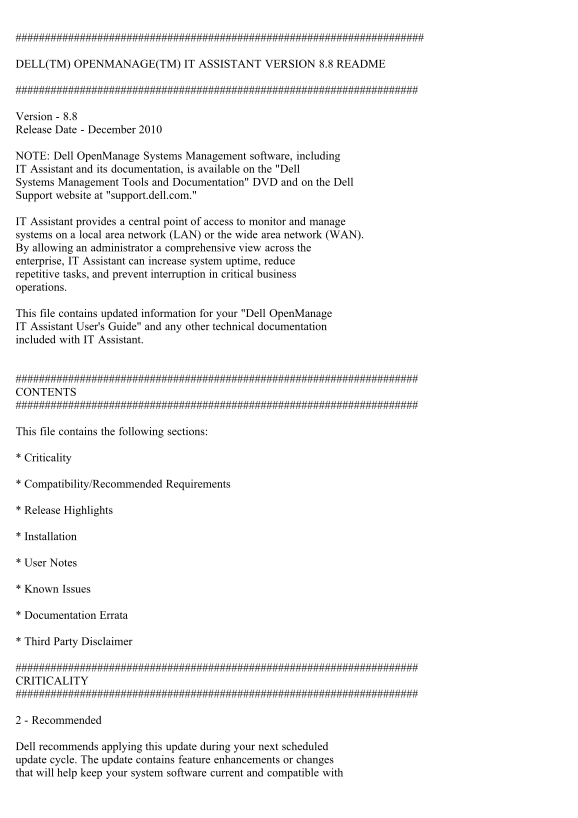
DELL(TM) OPENMANAGE(TM) IT ASSISTANT VERSION 8.8 README

Version - 8.8 Release Date - December 2010

NOTE: Dell Open Manage Systems Management software, including IT Assistant and its documentation, is available on the "Dell Systems Management Tools and Documentation" DVD and on the Dell Support website at "support.dell.com."

IT Assistant provides a central point of access to monitor and manage systems on a local area network (LAN) or the wide area network (WAN). By allowing an administrator a comprehensive view across the enterprise, IT Assistant can increase system uptime, reduce repetitive tasks, and prevent interruption in critical business operations.

This file contains updated information for your "Dell Open Manage IT Assistant User's Guide" and any other technical documentation included with IT Assistant.

CONTENTS

This file contains the following sections:

* Criticality

* Compatibility/Recommended Requirements

* Release Highlights

* Installation

* User Notes

* Known Issues

* Documentation Errata

* Third Party Disclaimer

CRITICALITY

2 - Recommended

Dell recommends applying this update during your next scheduled update cycle. The update contains feature enhancements or changes that will help keep your system software current and compatible with

Page Summary Contents For Dell OpenManage IT Assistant Version 8.8 Readme

Page 1 DELL(TM) OPENMANAGE(TM) IT ASSISTANT VERSION 8.8 README Version - 8.8 Release Date - December 2010 NOTE: Dell Open Manage Systems Management software, including IT Assistant and its documentation, is ...
Page 2 other system modules (firmware, BIOS, drivers, and software). COMPATIBILITY/RECOMMENDED REQUIREMENTS Minimum Supported Operating System Requirements for IT Assistant (by Enterprise Size) Small (up to ...
Page 3 System documentation. Recommended Minimum Hardware Configuration for IT Assistant (by Enterprise Size) Small (up to 500 Managed Systems): - Processor: 1 processor (1.8-GHz minimum) - Memory: 1-2 GB - ...
Page 4 Additional Software Required to Run Some Features of IT Assistant * For Dell/EMC storage arrays, ensure your array is FLARE(R) version 19 or above. You should also install Navisphere(R) Secure CLI (ve...
Page 5 Management. - Alerts creating and resizing of enhanced cache controllers. - Alert for battery discharging controller. INSTALLATION (A) First-time Installation of IT Assistant 8.8 See the "Dell Op...
Page 6 is discovered using the CIM or SNMP protocol. The systems discovered using SNMP will report physical processors, and the systems discovered using CIM will report logical processors. * IT Assistant can...
Page 7 The public keys are saved in the following configuration file on the Linux system. ~/.ssh/authorized_keys2 2. Create this file, if it is not present. 3. You can store the private keys in the directory...
Page 8 "itacompliance.vbs". The report is generated in Microsoft Excel(C) format. Usage: Run this utility on a system where the IT Assistant database is installed. By default, IT Assistant and the ...
Page 9 The managed system and the management station must be on the same domain or there should be a trust relationship between the two domains. If you have a Windows Firewall configured on the management st...
Page 10 Locally on the server with the DRAC card: "racadm config -g cfg Oob Snmp -o cfg Oob Snmp Agent Enable 0" Remotely from a management station with the RAC management software installed: "...
Page 11 1.5.0 installed on your IT Assistant UI client, and you uninstall an older version of the JRE, the IT Assistant UI may request that you reinstall JRE version 1.5.0. To correct this problem, uninstall ...
Page 12 system while using the Mozilla browser, an error message is displayed stating that only one browser session at a time may be used. Close the second browser session using the Mozilla "File | Close...
Page 13 2. If more than one NIC card is not configured with an IP address, IT Assistant may show only one of the cards with an IP address of 0.0.0.0. 3. IT Assistant may not report disabled NIC adapters. 4. O...
Page 14 on the command prompt, run this command by using "OSQL -E." - After executing the command, ensure that IT Assistant services ("DSM IT Assistant Connection Service" and "DSM IT...
Page 15 com2sec mynetwork 192.168.1.0/24 public group My RWGroup v1 mynetwork view all included .1 80 access My RWGroup "" any noauth exact all all none Ensure that you retain the trapsink and the s...
Page 16 To recover from this error: - change back the system time zone to the previous one - edit the data values such that they would translate into valid date and time combination in the other time zone - c...
Page 17 * You may not get appropriate privileges in the IT Assistant GUI if: a) you are part of an Active Directory group, which is in turn part of another group and b) you launch Server Administrator using t...
Page 18 window. [189345] * Software Deployment on a managed server running Linux operating system with only Online Diagnostics tool installed will upgrade only the components of the Online Diagnostics tool. O...
Page 19 To assign user rights to an account on the local computer- 1. From the "Start" menu, point to "Administrative Tools," and then click "Local Security Policy." 2. In the &q...
Page 20 Supply Information" section. To display the correct information, discover the server with either SNMP, or both SNMP and CIM protocols. [300080] * If you create an Alert Ignore/Exclude Filter to i...
Page 21 Information in this document is subject to change without notice. (C) 2010 Dell Inc. All rights reserved. Reproduction of these materials in any manner whatsoever without the written permission of Del...

Manual Details

Brand ASSISTANT
Pages 21
File Size 50.84 KB
Published May 15, 2026
132 views

Enter the captcha to get the download link:

captcha

Frequently Asked Questions

What is IT Assistant's primary function?

It provides a central point of access to monitor and manage systems across both a local area network (LAN) or wide area network (WAN).

What are the minimum requirements for Small enterprise sizes (up to 500 Managed Systems)?

Windows XP Professional SP2, Vista, Server 2003 SP2/R2, and Server 2008 are supported. Hardware requires a 1.8-GHz processor, 1-2 GB of memory, and at least 4 GB disk space.

What is the minimum hardware configuration for Large enterprise sizes (500+ Managed Systems)?

A processor of 2 to 4 processors (minimum 800 MHz), 2-4 GB of memory, and 10 GB of disk space are recommended.

Why should I apply this update?

It contains feature enhancements or changes that help keep your system software current and compatible with other modules like firmware, BIOS, drivers, and software.