# A B C D E F G H I J K L M N O P Q R S T U V W X Y Z

Dell OpenManage IT Assistant Version 8.6 Readme

Summary

Dell OpenManage IT Assistant offers system administrators a centralized solution for managing and monitoring entire enterprise infrastructure across LAN or WAN. Designed to boost system uptime, simplify maintenance, and prevent critical operational disruptions in small to large corporate environments. This manual provides essential technical guidance, including installation procedures, detailed compatibility requirements, release highlights, and troubleshooting notes, ensuring optimal performance of your Dell managed systems.
📄 Preview PAGE OF 21

Page 1 Text Content

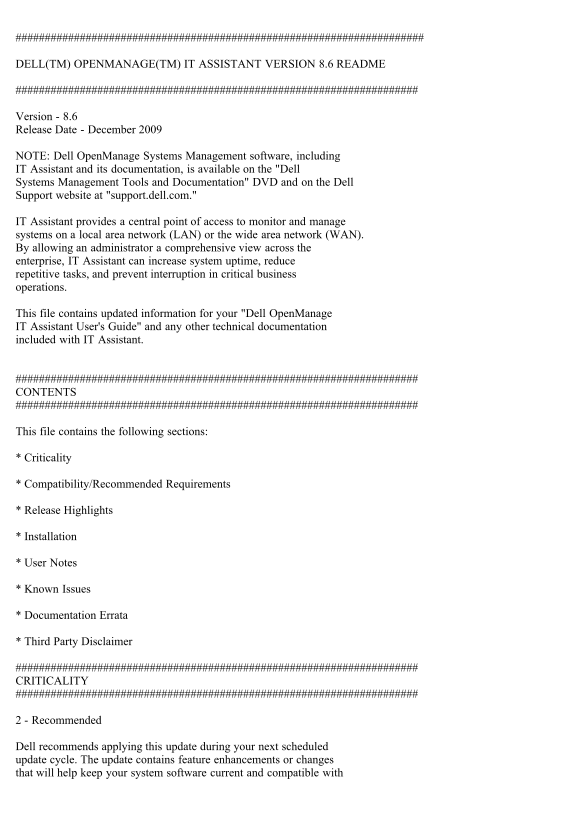
DELL(TM) OPENMANAGE(TM) IT ASSISTANT VERSION 8.6 README

Version - 8.6 Release Date - December 2009

NOTE: Dell Open Manage Systems Management software, including IT Assistant and its documentation, is available on the "Dell Systems Management Tools and Documentation" DVD and on the Dell Support website at "support.dell.com."

IT Assistant provides a central point of access to monitor and manage systems on a local area network (LAN) or the wide area network (WAN). By allowing an administrator a comprehensive view across the enterprise, IT Assistant can increase system uptime, reduce repetitive tasks, and prevent interruption in critical business operations.

This file contains updated information for your "Dell Open Manage IT Assistant User's Guide" and any other technical documentation included with IT Assistant.

CONTENTS

This file contains the following sections:

* Criticality

* Compatibility/Recommended Requirements

* Release Highlights

* Installation

* User Notes

* Known Issues

* Documentation Errata

* Third Party Disclaimer

CRITICALITY

2 - Recommended

Dell recommends applying this update during your next scheduled update cycle. The update contains feature enhancements or changes that will help keep your system software current and compatible with

Page Summary Contents For Dell OpenManage IT Assistant Version 8.6 Readme

Page 1 DELL(TM) OPENMANAGE(TM) IT ASSISTANT VERSION 8.6 README Version - 8.6 Release Date - December 2009 NOTE: Dell Open Manage Systems Management software, including IT Assistant and its documentation, is ...
Page 2 other system modules (firmware, BIOS, drivers, and software). COMPATIBILITY/RECOMMENDED REQUIREMENTS Minimum Supported Operating System Requirements for IT Assistant (by Enterprise Size) Small (up to ...
Page 3 System documentation. Recommended Minimum Hardware Configuration for IT Assistant (by Enterprise Size) Small (up to 500 Managed Systems): - Processor: 1 processor (1.8-GHz minimum) - Memory: 1-2 GB - ...
Page 4 Additional Software Required to Run Some Features of IT Assistant * For Dell/EMC storage arrays, ensure your array is FLARE(R) version 19 or above. You should also install Navisphere(R) Secure CLI (ve...
Page 5 IT Assistant can discover and manage devices that are running on the Windows 7 operating system. However, you cannot install IT Assistant on systems running Windows 7 operating system. You must also i...
Page 6 enabled. The count will differ based on whether the managed system is discovered using the CIM or SNMP protocol. The systems discovered using SNMP will report physical processors, and the systems disc...
Page 7 ~/.ssh/authorized_keys2 2. Create this file, if it is not present. 3. You can store the private keys in the directory of your choice. For security reasons, it is recommended that you set the appropria...
Page 8 Usage: The utility should be run on the system where the IT Assistant database is installed. By default, IT Assistant and the IT Assistant database are installed on the same system. However, if you us...
Page 9 between the two domains. If you have a Windows Firewall configured on the management station or the managed system, make the following configuration changes to enable remote Server Administrator CLI a...
Page 10 "racadm config -g cfg Oob Snmp -o cfg Oob Snmp Agent Enable 0" Remotely from a management station with the RAC management software installed: "racadm -r <ipaddress of RAC card> -u...
Page 11 you reinstall JRE version 1.5.0. To correct this problem, uninstall JRE version 1.5.0 and then reinstall it by launching the IT Assistant UI. [137304] For more information on this issue, see bug ID 49...
Page 12 used. Close the second browser session using the Mozilla "File | Close" command or by clicking the "X" in the top right corner of the browser window. Do not click the IT Assistant ...
Page 13 1. On Linux systems, adapters may be named differently between IT Assistant and Server Administrator. For example, IT Assistant may report a NIC adapter as "eth0," while Server Administrator...
Page 14 ITAssist_Data.MDF", @filename2 = "C:\Program Files\Microsoft SQL Server\MSSQL\Data\ITAssist_Log.LDF" - This command can be run directly in SQL Query Analyzer. Or on the command prompt, ...
Page 15 on the Management Station. [79768] * It is not recommended to provide an IP address in multiple ranges, especially when you are using the IPMI Protocol. This could result in duplicate devices being di...
Page 16 * Changing time zone on the IT Assistant Management Station could lead to fatal errors being displayed. This could happen if you have date/time related data (for example, an Alert Filter) that is appl...
Page 17 3. Re-start the system. 4. Re-enable the Microsoft Windows Bit Locker Drive Encryption feature. You can use IT Assistant to view the TPM information in the Device Details page. * You may not get appro...
Page 18 3. Click "Custom Level" button. 4. Go to "Security" -> "Active Scripting." 5. Select "Enable." 6. Close the browser and launch IT Assistant in a new browser ...
Page 19 following user rights must be assigned for the "Log On" account - - "Adjust memory quotas for a process" - "Replace a process level token" If the "Log On" accou...
Page 20 Enclosure ID." It is recommended that you use the "Firmware Enclosure ID" column in the "Firmware Information" table for the server on which the RAC device is hosted. (296511)...
Page 21 maintenance of any nuclear facility. Information in this document is subject to change without notice. (C) 2009 Dell Inc. All rights reserved. Reproduction of these materials in any manner whatsoever ...

Manual Details

Brand ASSISTANT
Pages 21
File Size 51.74 KB
Published May 15, 2026
150 views

Enter the captcha to get the download link:

captcha

Frequently Asked Questions

What is the primary function of IT Assistant?

It provides a central point of access to monitor and manage systems, both on the LAN or WAN, giving an administrator a comprehensive view across the enterprise.

Does upgrading IT Assistant require special planning?

Dell recommends applying this update during your next scheduled update cycle as it contains feature enhancements and helps keep software current and compatible with other system modules (firmware, BIOS, etc.).

What are the minimum requirements for a small managed environment?

It requires at least 1.8-GHz processor, 1-2 GB memory, and 4 GB of disk space.

How does adding more 'managed systems' affect hardware needs?

For large environments (500+ systems), it requires a higher minimum configuration: 800 MHz processor and 2-4 GB memory.