Dell Latitude 7380 Quick Start Guide
Summary
This quick start guide provides setup instructions for the Dell Latitude 7380 laptop. It covers connecting the power adapter, finishing operating system setup, setting a Windows password, locating Dell applications, and connecting to networks. The guide is intended for end users who are setting up their new Latitude 7380 for the first time.
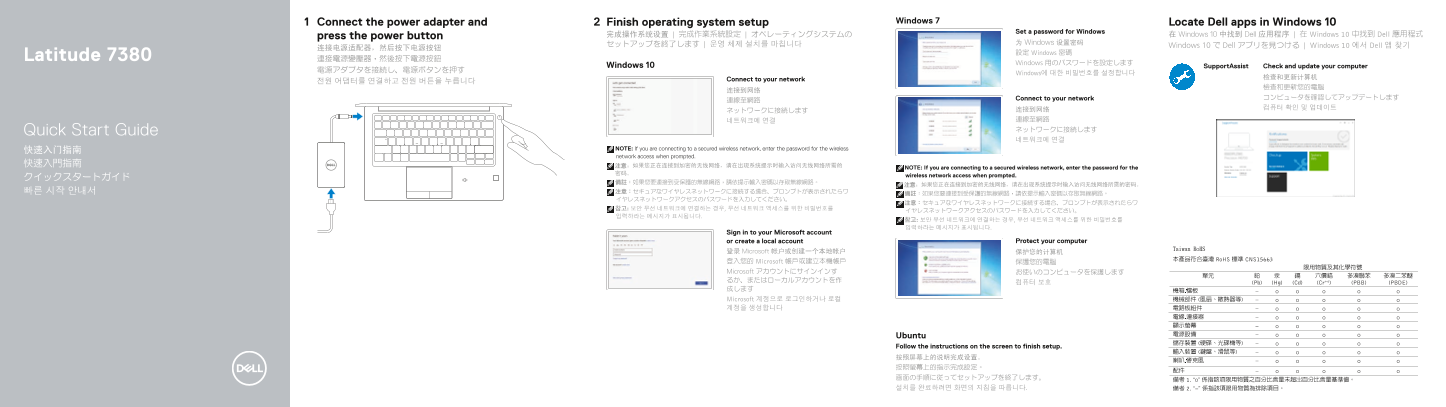
Page 1 Text Content
Connect the power adapter and Finish operating system setup Windows 7 Locate Dell apps in Windows 10
Set a password for Windows
press the power button 完成操作系统设置 | 完成作業系統設定 | オペレーティングシステムの 在 Windows 10 中找到 Dell 应用程序 | 在 Windows 10 中找到 Dell 應用程式
セットアップを終了します | 운영 체제 설치를 마칩니다 为 Windows 设置密码
Windows 10 で Dell アプリを見つける | Windows 10 에서 Dell 앱 찾기
設定 Windows 密碼
Latitude 7380 連接電源變壓器,然後按下電源按鈕
Windows 用のパスワードを設定します
Windows 10 Support Assist Check and update your computer
Windows에 대한 비밀번호를 설정합니다
Connect to your network
Connect to your network コンピュータを確認してアップデートします
네트워크에 연결 連線至網路 Quick Start Guide ネットワークに接続します 네트워크에 연결
NOTE: If you are connecting to a secured wireless network, enter the password for the wireless
network access when prompted.
NOTE: If you are connecting to a secured wireless network, enter the password for the
wireless network access when prompted.
Sign in to your Microsoft account
or create a local account Protect your computer
登录 Microsoft 帐户或创建一个本地帐户 保护您的计算机 登入您的 Microsoft 帳戶或建立本機帳戶 保護您的電腦 Microsoft アカウントにサインインす お使いのコンピュータを保護します るか、またはローカルアカウントを作
成します Microsoft 계정으로 로그인하거나 로컬 계정을 생성합니다
Ubuntu Follow the instructions on the screen to finish setup. 按照屏幕上的说明完成设置。 按照螢幕上的指示完成設定。 画面の手順に従ってセットアップを終了します。 설치를 완료하려면 화면의 지침을 따릅니다.
Page Summary Contents For Dell Latitude 7380 Quick Start Guide
Manual Details
| Brand | Dell |
|---|---|
| Pages | 2 |
| File Size | 744.10 KB |
| Published | June 20, 2026 |
Enter the captcha to get the download link:

Frequently Asked Questions
How do I connect the power adapter?
Connect the power adapter to the computer and press the power button.
What ports are available on the device?
It includes USB 3.1 Gen 1 ports with PowerShare, HDMI, and DisplayPort over USB Type-C (Thunderbolt 3).
How do I protect my computer?
Sign in to your Microsoft account or create a local account to protect your computer.