Dell Latitude 3590 Quick Start Guide
Summary
This comprehensive manual serves as a detailed guide for your Latitude laptop model. It covers everything from initial setup instructions—including power adapter connection and first startup steps—to understanding all advanced connectivity features. Users will find clear details on device ports (such as USB-C, HDMI, VGA, and SD card slots), optional hardware components like fingerprint readers, and necessary regulatory information. The guide ensures that both new owners and technical users can easily set up and maintain their high-performance business laptop.
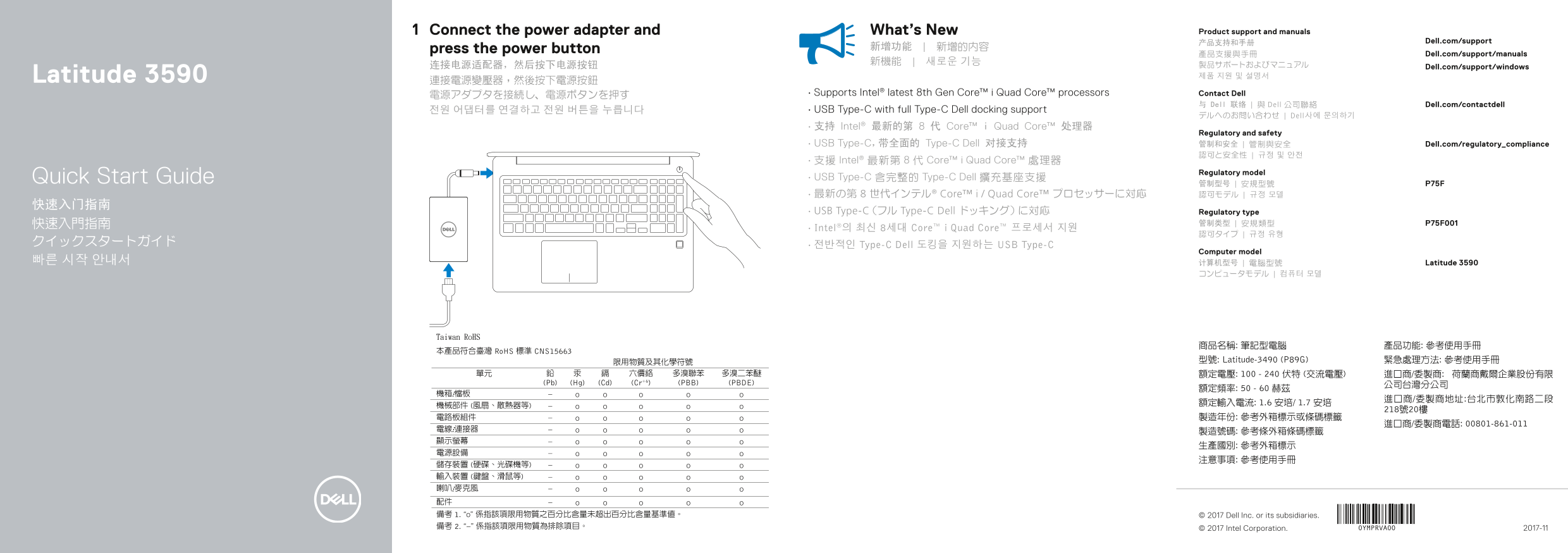
Page 1 Text Content
Connect the power adapter and What’s New Product support and manuals
产品支持和手册 Dell.com/support
press the power button 新增功能 | 新增的內容
產品支援與手冊 Dell.com/support/manuals
连接电源适配器,然后按下电源按钮 Dell.com/support/windows
Latitude 3590 제품 지원 및 설명서
電源アダプタを接続し、電源ボタンを押す • Supports Intel® latest 8th Gen Core™ i Quad Core™ processors Contact Dell
与 Dell 联络 | 與 Dell 公司聯絡 Dell.com/contactdell
전원 어댑터를 연결하고 전원 버튼을 누릅니다 • USB Type-C with full Type-C Dell docking support
デルへのお問い合わせ | Dell사에 문의하기
• 支持 Intel® 最新的第 8 代 Core™ i Quad Core™ 处理器
Regulatory and safety
• USB Type-C,带全面的 Type-C Dell 对接支持 管制和安全 | 管制與安全 Dell.com/regulatory_compliance
• 支援 Intel® 最新第 8 代 Core™ i Quad Core™ 處理器
Regulatory model
Quick Start Guide • USB Type-C 含完整的 Type-C Dell 擴充基座支援
• 最新の第 8 世代インテル® Core™ i / Quad Core™ プロセッサーに対応 認可モデル | 규정 모델
• USB Type-C(フル Type-C Dell ドッキング)に対応 Regulatory type
• Intel®의 최신 8세대 Core™ i Quad Core™ 프로세서 지원
クイックスタートガイド • 전반적인 Type-C Dell 도킹을 지원하는 USB Type-C
Computer model
빠른 시작 안내서 计算机型号 | 電腦型號 Latitude 3590
商品名稱: 筆記型電腦 產品功能: 參考使用手冊 型號: Latitude-3490 (P89G) 緊急處理方法: 參考使用手冊 額定電壓: 100 - 240 伏特 (交流電壓) 進口商/委製商: 荷蘭商戴爾企業股份有限
© 2017 Dell Inc. or its subsidiaries.
© 2017 Intel Corporation. 2017-11
Page Summary Contents For Dell Latitude 3590 Quick Start Guide
Manual Details
| Brand | Dell |
|---|---|
| Pages | 2 |
| File Size | 386.97 KB |
| Published | June 23, 2026 |
Enter the captcha to get the download link:

Frequently Asked Questions
How do I power on the laptop?
Connect the power adapter and then press the power button.
What processor generations are supported by this device?
It supports Intel's latest 8th Gen Core™ i Quad Core™ processors.
What docking capabilities does the USB Type-C port offer?
The USB Type-C port offers full Type-C Dell docking support and also includes a USB 3.1 Gen 1 slot.
Are there built-in security or identity options?
Optional features include a fingerprint reader, camera status indicators, and a Noble Wedge safety cable slot.