Dell Latitude 7212 Quick Installation Guide
Summary
Dell Latitude 7212 Rugged Extreme Tablet Quick Start Guide (2017) covering uSIM card insertion, power adapter/power button, tablet computer intended use orientations, battery removal, fingerprint reader, contactless smart card reader, user-programmable buttons, camera flash/shutter, expansion module pogo pins, and Taiwan regulatory specifications.
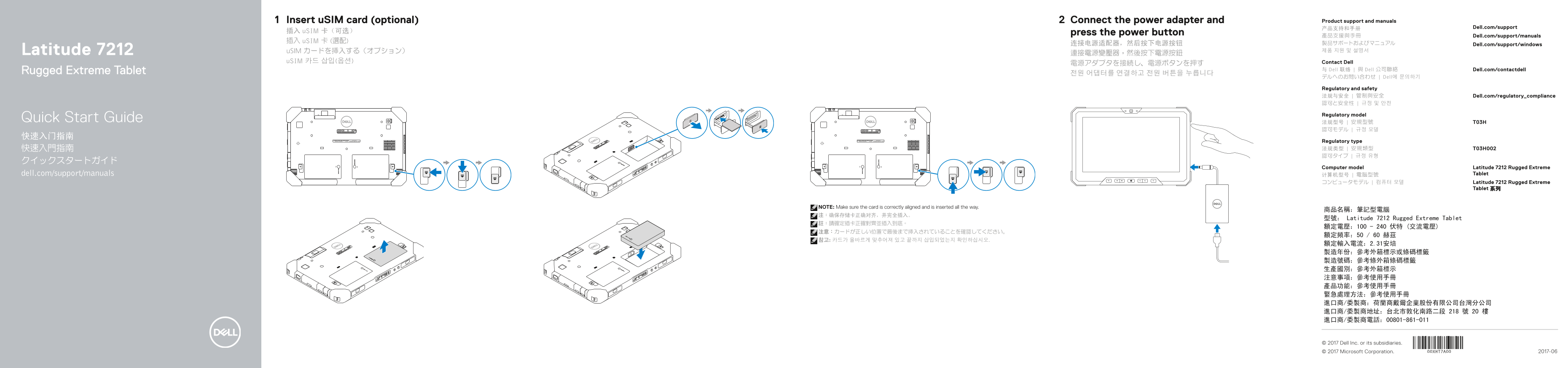
Page 1 Text Content
Insert u SIM card (optional) Connect the power adapter and Product support and manuals
产品支持和手册 Dell.com/support
插入 u SIM 卡(可选) press the power button
產品支援與手冊 Dell.com/support/manuals
插入 u SIM 卡 (選配) 製品サポートおよびマニュアル
连接电源适配器,然后按下电源按钮 Dell.com/support/windows
Latitude 7212 u SIM カードを挿入する(オプション) 제품 지원 및 설명서
u SIM 카드 삽입(옵션) Contact Dell
Rugged Extreme Tablet 与 Dell 联络 | 與 Dell 公司聯絡 Dell.com/contactdell
デルへのお問い合わせ | Dell에 문의하기
Regulatory and safety 法规与安全 | 管制與安全 Dell.com/regulatory_compliance 認可と安全性 | 규정 및 안전
Regulatory model
Quick Start Guide 法规型号 | 安規型號 T03H
Regulatory type 快速入門指南 法规类型 | 安規類型 T03H002 認可タイプ | 규정 유형
Computer model Latitude 7212 Rugged Extreme
dell.com/support/manuals 计算机型号 | 電腦型號 Tablet
コンピュータモデル | 컴퓨터 모델 Latitude 7212 Rugged Extreme
Tablet 系列
NOTE: Make sure the card is correctly aligned and is inserted all the way.
型號: Latitude 7212 Rugged Extreme Tablet
© 2017 Dell Inc. or its subsidiaries.
© 2017 Microsoft Corporation. 2017-06
Page Summary Contents For Dell Latitude 7212 Quick Installation Guide
Manual Details
| Brand | Dell |
|---|---|
| Pages | 2 |
| File Size | 539.49 KB |
| Published | July 03, 2026 |
Enter the captcha to get the download link:
