Dell Latitude 3190 Quick User Guide
Summary
This Quick Start Guide for the Dell Latitude 3190 notebook (Model P26T, Regulatory Type P26T004) highlights the Intel Gemini Lake processor and provides multilingual setup instructions. It includes a detailed hardware features diagram identifying camera, microphone, power button, Noble Wedge lock slot, battery status light, universal audio jack, speakers, touchpad, USB 3.1 Gen 1 and HDMI ports, and service tag. Taiwan RoHS compliance, SAR testing information, and regulatory details are included. Designed for education environments.
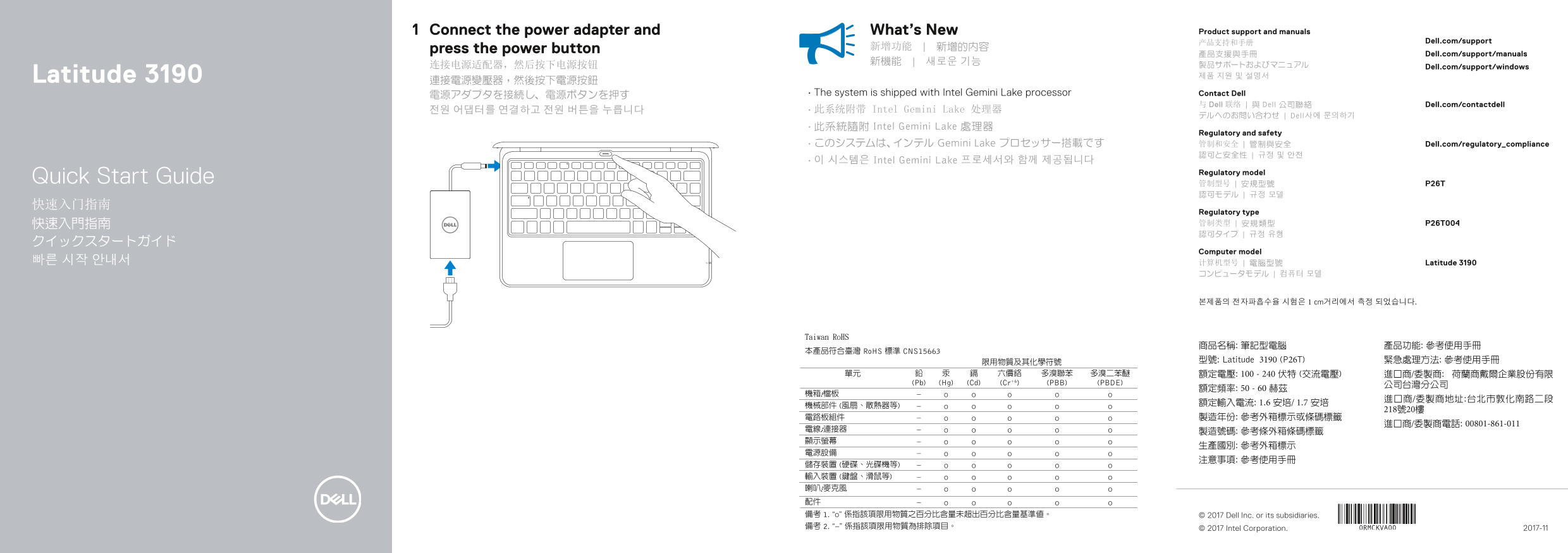
Page 1 Text Content
Connect the power adapter and What’s New Product support and manuals
产品支持和手册 Dell.com/support
press the power button 新增功能 | 新增的內容
產品支援與手冊 Dell.com/support/manuals
连接电源适配器,然后按下电源按钮 Dell.com/support/windows
Latitude 3190 제품 지원 및 설명서
電源アダプタを接続し、電源ボタンを押す • The system is shipped with Intel Gemini Lake processor Contact Dell
与 Dell 联络 | 與 Dell 公司聯絡 Dell.com/contactdell
전원 어댑터를 연결하고 전원 버튼을 누릅니다 • 此系统附带 Intel Gemini Lake 处理器
デルへのお問い合わせ | Dell사에 문의하기
• 此系統隨附 Intel Gemini Lake 處理器
Regulatory and safety
• このシステムは、インテル Gemini Lake プロセッサー搭載です 管制和安全 | 管制與安全 Dell.com/regulatory_compliance
• 이 시스템은 Intel Gemini Lake 프로세서와 함께 제공됩니다
Regulatory model
Quick Start Guide 管制型号 | 安規型號 P26T
Regulatory type 快速入門指南 管制类型 | 安規類型 P26T004 認可タイプ | 규정 유형
Computer model
빠른 시작 안내서 计算机型号 | 電腦型號 Latitude 3190
본제품의 전자파흡수율 시험은 1 cm거리에서 측정 되었습니다.
商品名稱: 筆記型電腦 產品功能: 參考使用手冊 型號: Latitude 3190 (P26T) 緊急處理方法: 參考使用手冊 額定電壓: 100 - 240 伏特 (交流電壓) 進口商/委製商: 荷蘭商戴爾企業股份有限
© 2017 Dell Inc. or its subsidiaries.
© 2017 Intel Corporation. 2017-11
Page Summary Contents For Dell Latitude 3190 Quick User Guide
Manual Details
| Brand | Dell |
|---|---|
| Pages | 2 |
| File Size | 316.95 KB |
| Published | July 02, 2026 |
Enter the captcha to get the download link:

Frequently Asked Questions
筆電是否配備Intel晶片或處理器?
是的,本系統附帶 Intel Gemini Lake 处理器。
如何開機這個筆記型電腦?
連接電源适配器後,按電源按鈕即可開啟。
筆電的充電和電源規格是什麼?
額定電壓為 100 - 240 伏特 (交流電壓),額定頻率為 50 - 60 赫茲。