Dell Inspiron 17 5758 Quick User Guide - Windows 8
Summary
This Quick Start Guide provides setup instructions for the Dell Inspiron 17-5758 laptop. It walks users through finishing the operating system setup, enabling security updates, connecting to wireless networks, signing into a Microsoft account, and installing essential applications. The guide includes multilingual instructions and a features diagram labeling ports, indicators, and physical components. It also references Dell support resources and regulatory information. This manual is intended for end users, students, and home consumers who need straightforward guidance to get their Inspiron laptop up and running quickly.
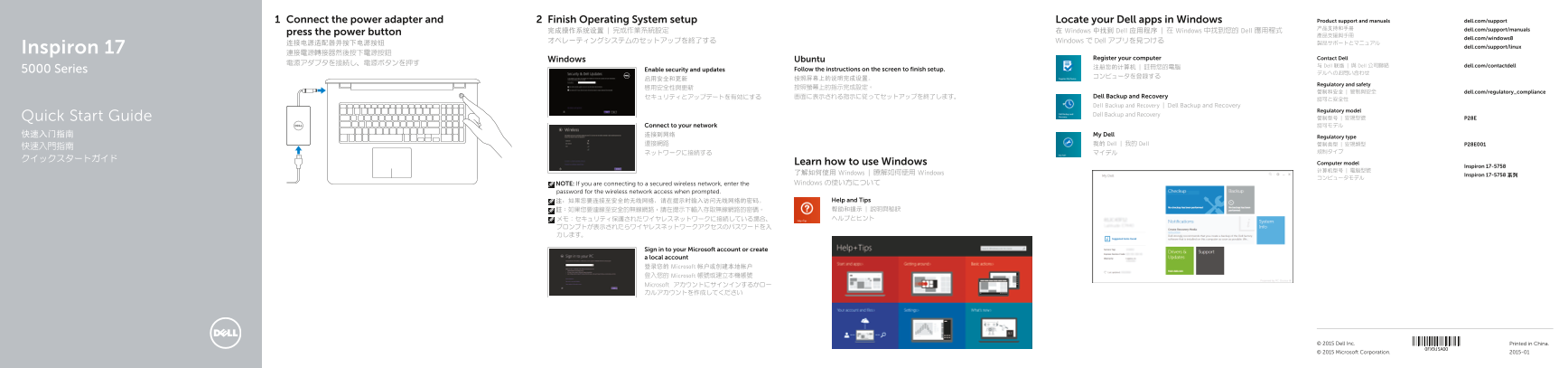
Page 1 Text Content
Connect the power adapter and Finish Operating System setup Locate your Dell apps in Windows Product support and manuals dell.com/support 产品支持和手册 dell.com/support/manuals
press the power button 完成操作系统设置 | 完成作業系統設定 在 Windows 中找到 Dell 应用程序 | 在 Windows 中找到您的 Dell 應用程式
dell.com/windows8
オペレーティングシステムのセットアップを終了する Windows で Dell アプリを見つける
dell.com/support/linux
Inspiron 17 連接電源轉接器然後按下電源按鈕
Windows Ubuntu Register your computer Contact Dell
注册您的计算机 | 註冊您的電腦 与 Dell 联络 | 與 Dell 公司聯絡 dell.com/contactdell
5000 Series Enable security and updates Follow the instructions on the screen to finish setup.
Regulatory and safety
管制和安全 | 管制與安全 dell.com/regulatory_compliance
セキュリティとアップデートを有効にする 画面に表示される指示に従ってセットアップを終了します。 Dell Backup and Recovery
Dell Backup and Recovery | Dell Backup and Recovery
Regulatory model
Dell Backup and Recovery Quick Start Guide
管制型号 | 安規型號 P28E Connect to your network 認可モデル
快速入门指南 连接到网络 My Dell
Regulatory type
連接網路 我的 Dell | 我的 Dell 管制类型 | 安規類型 P28E001
Learn how to use Windows Computer model
Inspiron 17-5758
了解如何使用 Windows | 瞭解如何使用 Windows Inspiron 17-5758 系列
NOTE: If you are connecting to a secured wireless network, enter the Windows の使い方について
password for the wireless network access when prompted.
注:如果您要连接至安全的无线网络,请在提示时输入访问无线网络的密码。 Help and Tips 註:如果您要連線至安全的無線網路,請在提示下輸入存取無線網路的密碼。 帮助和提示 | 說明與秘訣 メモ:セキュリティ保護されたワイヤレスネットワークに接続している場合、 ヘルプとヒント
Sign in to your Microsoft account or create a local account 登录您的 Microsoft 帐户或创建本地帐户 登入您的 Microsoft 帳號或建立本機帳號 Microsoft アカウントにサインインするかロー カルアカウントを作成してください
© 2015 Dell Inc. Printed in China. © 2015 Microsoft Corporation. 2015-01
Page Summary Contents For Dell Inspiron 17 5758 Quick User Guide - Windows 8
Manual Details
| Brand | Dell |
|---|---|
| Pages | 2 |
| File Size | 690.88 KB |
| Published | June 05, 2026 |
Enter the captcha to get the download link:

Frequently Asked Questions
How do I start the computer setup?
Connect the power adapter and press the power button, then follow the on-screen instructions to finish the setup.
How do I connect to a secured wireless network?
When prompted, enter the password for the wireless network access to connect.
How do I switch to an external display?
Use the shortcut key to switch to an external display.
How do I toggle the keyboard backlight?
Use the shortcut key to toggle the keyboard backlight, which is an optional feature.