Dell Inspiron 17 5749 Quick Start Guide - Windows 8
Summary
The Dell Inspiron 17 5000 Series is a consumer laptop with a 17-inch display. This multilingual quick start guide covers power connection, Windows setup, wireless network connection, account creation, and Dell application location. Includes regulatory and safety information in multiple languages. For consumers and home users setting up their laptop.
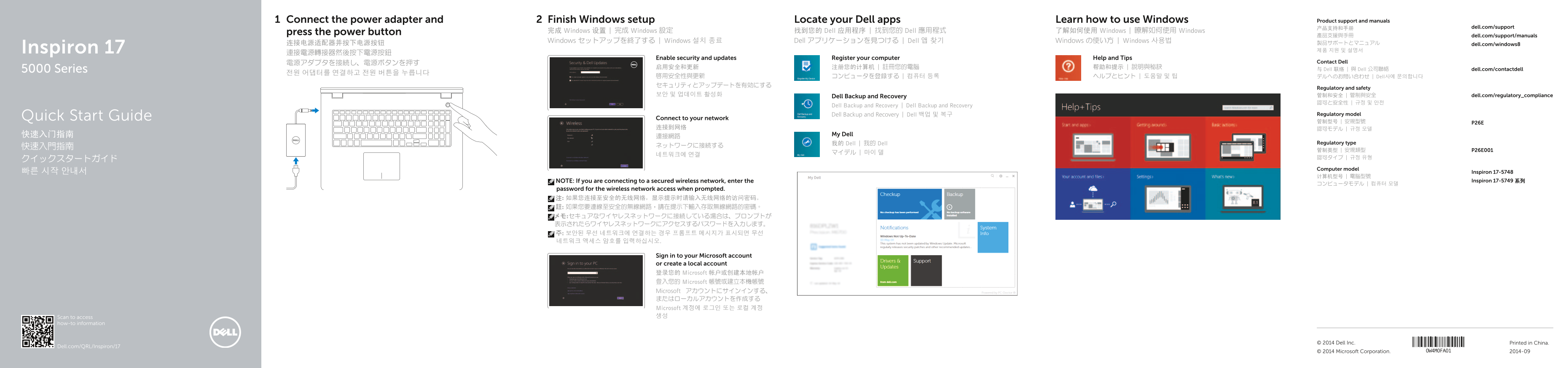
Page 1 Text Content
Connect the power adapter and Finish Windows setup Locate your Dell apps Learn how to use Windows Product support and manuals
产品支持和手册 dell.com/support
press the power button 完成 Windows 设置 | 完成 Windows 設定 找到您的 Dell 应用程序 | 找到您的 Dell 應用程式 了解如何使用 Windows | 瞭解如何使用 Windows
產品支援與手冊 dell.com/support/manuals
Windows セットアップを終了する | Windows 설치 종료 Dell アプリケーションを見つける | Dell 앱 찾기 Windows の使い方 | Windows 사용법
连接电源适配器并按下电源按钮 製品サポートとマニュアル dell.com/windows8 Inspiron 17 제품 지원 및 설명서
Enable security and updates Register your computer Help and Tips
電源アダプタを接続し、電源ボタンを押す Contact Dell
5000 Series 与 Dell 联络 | 與 Dell 公司聯絡 dell.com/contactdell
啟用安全性與更新 コンピュータを登録する | 컴퓨터 등록 ヘルプとヒント | 도움말 및 팁 デルへのお問い合わせ | Dell사에 문의합니다 セキュリティとアップデートを有効にする
Regulatory and safety
보안 및 업데이트 활성화 管制和安全 | 管制與安全 dell.com/regulatory_compliance
Dell Backup and Recovery
Dell Backup and Recovery | Dell Backup and Recovery
Dell Backup and Recovery | Dell 백업 및 복구 Regulatory model
Quick Start Guide Connect to your network
快速入门指南 My Dell
我的 Dell | 我的 Dell Regulatory type
Computer model
빠른 시작 안내서 Inspiron 17-5748
NOTE: If you are connecting to a secured wireless network, enter the Inspiron 17-5749 系列
password for the wireless network access when prompted. 注: 如果您连接至安全的无线网络,显示提示时请输入无线网络的访问密码。 註: 如果您要連線至安全的無線網路,請在提示下輸入存取無線網路的密碼。 メモ:セキュアなワイヤレスネットワークに接続している場合は、プロンプトが 表示されたらワイヤレスネットワークにアクセスするパスワードを入力します。 주: 보안된 무선 네트워크에 연결하는 경우 프롬프트 메시지가 표시되면 무선 네트워크 액세스 암호를 입력하십시오.
Sign in to your Microsoft account or create a local account 登录您的 Microsoft 帐户或创建本地帐户 登入您的 Microsoft 帳號或建立本機帳號 Microsoft アカウントにサインインする、 またはローカルアカウントを作成する Microsoft 계정에 로그인 또는 로컬 계정 Scan to access 생성
how-to information
© 2014 Dell Inc. Printed in China.
Dell.com/QRL/Inspiron/17
© 2014 Microsoft Corporation. 2014-09
Page Summary Contents For Dell Inspiron 17 5749 Quick Start Guide - Windows 8
Manual Details
| Brand | Dell |
|---|---|
| Pages | 2 |
| File Size | 459.63 KB |
| Published | June 24, 2026 |
Enter the captcha to get the download link:

Frequently Asked Questions
How do I connect to a wireless network?
If connecting to a secured wireless network, enter the access password when prompted.
Where is the security cable slot located?
It is located on the top of the laptop near the camera.
What is the purpose of the Fn key lock?
It allows you to toggle the Fn key lock to control function keys.
How do I switch the display to an external monitor?
Use the shortcut key to toggle to an external display.