Dell Inspiron 14R 5421 Quick Start Guide - Windows 8
Summary
Dell Inspiron 14/14R/M431R Quick Start Guide (duplicate content of ID 9789) with identical shortcut keys layout, Windows setup instructions, security updates, My Dell, network connection, and features for models Inspiron 14-3421/14R-5421/M431R-5435/3437/5437 (Regulatory Model P37G).
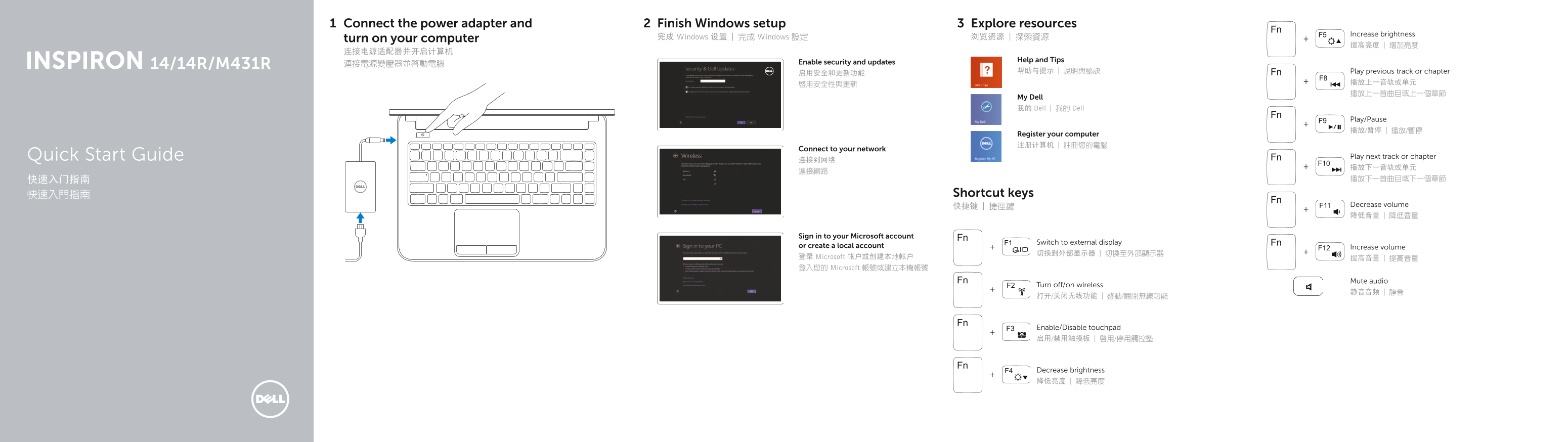
Page 1 Text Content
Connect the power adapter and Finish Windows setup Explore resources
Increase brightness
turn on your computer 完成 Windows 设置 | 完成 Windows 設定 浏览资源 | 探索資源
Help and Tips
連接電源變壓器並啟動電腦 Enable security and updates
帮助与提示 | 說明與秘訣 Play previous track or chapter
My Dell 我的 Dell | 我的 Dell
Play/Pause 播放/暂停 | 播放/暫停
Register your computer 注册计算机 | 註冊您的電腦
Connect to your network
Quick Start Guide Play next track or chapter
快速入門指南 Shortcut keys
快捷键 | 捷徑鍵 Decrease volume 降低音量 | 降低音量
Sign in to your Microsoft account
Switch to external display
or create a local account Increase volume
登录 Microsoft 帐户或创建本地帐户 提高音量 | 提高音量 登入您的 Microsoft 帳號或建立本機帳號
Mute audio
Turn off/on wireless
Enable/Disable touchpad 启用/禁用触摸板 | 啟用/停用觸控墊
Decrease brightness 降低亮度 | 降低亮度
Page Summary Contents For Dell Inspiron 14R 5421 Quick Start Guide - Windows 8
Manual Details
| Brand | Dell |
|---|---|
| Pages | 2 |
| File Size | 242.73 KB |
| Published | July 03, 2026 |
Enter the captcha to get the download link:
