Dell E2213 Monitor Outline Drawing User's Manual
Summary
Dell E1913 and E2213 monitor outline dimensions. This technical drawing document provides nominal dimensional specifications in millimeters and inches for Dell E1913 (19-inch) and E2213 (22-inch) monitor models. Includes back view dimensions without stand, tilt measurements, and mounting hole patterns (100mm VESA, M4x10 screws). Shows detailed measurements for width, height, and depth dimensions for integration and installation planning.
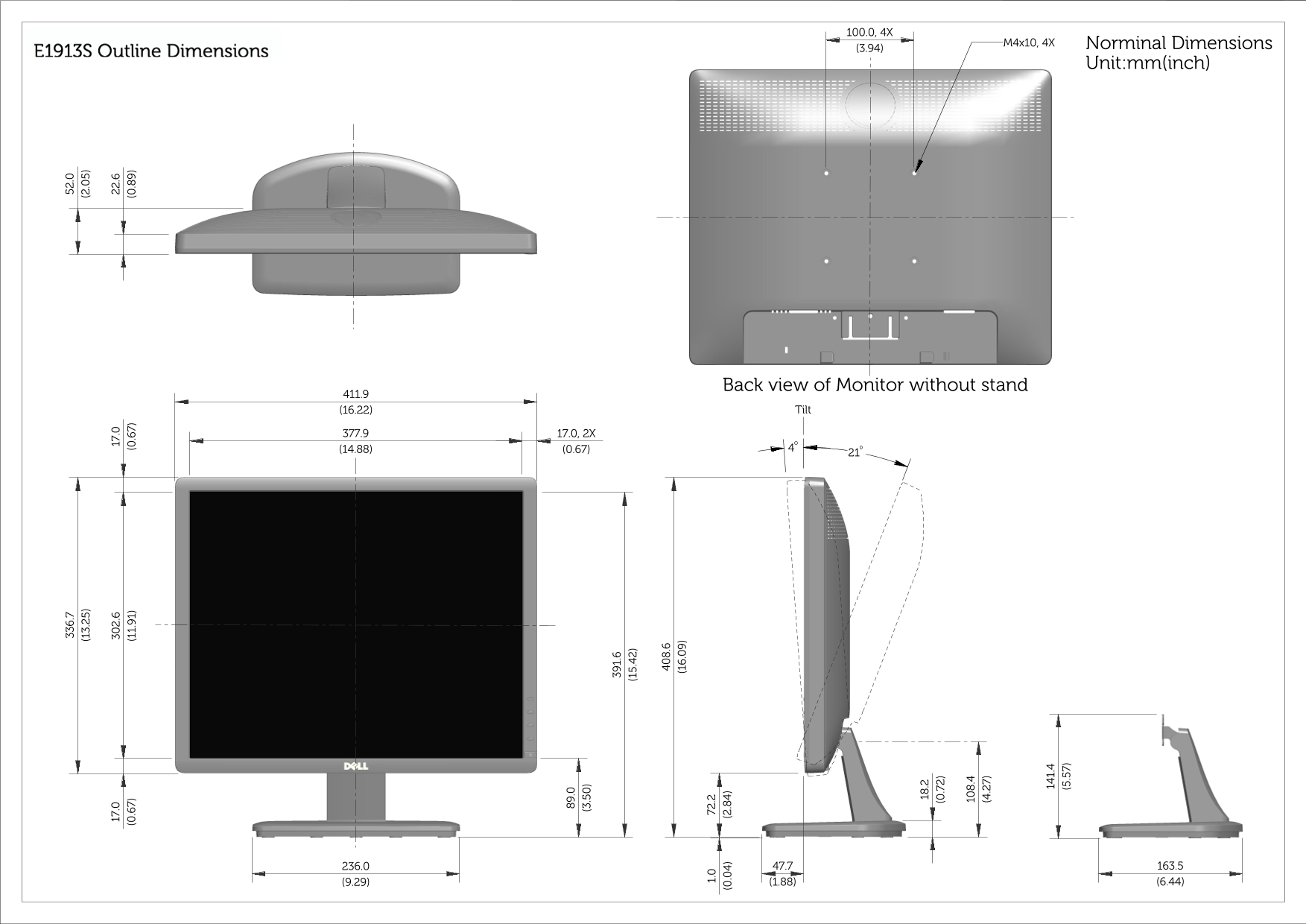
Page 1 Text Content
E1913S Outline Dimensions M4x10, 4X Norminal Dimensions
Unit:mm(inch)
Back view of Monitor without stand
(16.22) Tilt
Page Summary Contents For Dell E2213 Monitor Outline Drawing User's Manual
Manual Details
| Brand | Dell |
|---|---|
| Pages | 3 |
| File Size | 1.14 MB |
| Published | July 02, 2026 |
Enter the captcha to get the download link:

Frequently Asked Questions
What dimensions should I use if the monitor is mounted without a stand?
The back view dimensions must be referenced under the 'Back view of Monitor without stand' section for that specific model.
What are the specifications for the mounting bolts and holes?
A standard setup requires 4X M4x10 fasteners, designed on a (3.94) unit grid system.
Does the monitor outline change when using a stand?
Yes, separate sets of dimensions are provided detailing both 'Back view of Monitor without stand' and 'Back view of Monitor with stand'.