X670 AORUS ELITE AX (rev.1.0) RAID Setup Guide
Summary
This essential guide details how to configure and manage high-performance RAID arrays on AMD X670/B650 platforms. The manual walks users through the entire process: from physically installing SATA hard drives and setting up controllers in BIOS mode to creating optimal redundancy levels (RAID 0, 1, & 10). It covers essential steps for operating system installation with required drivers and provides clear instructions on safely rebuilding arrays after component failure. Ideal for advanced builders and system administrators deploying robust multi-drive storage solutions.
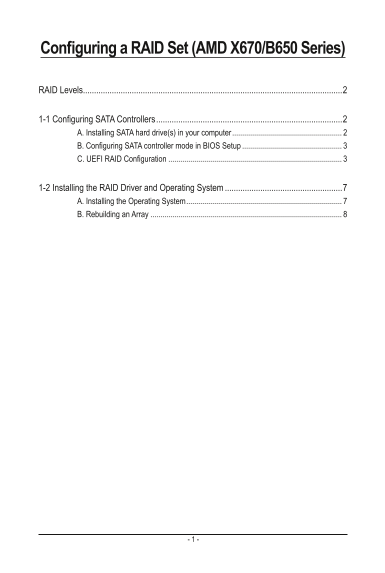
Page 1 Text Content
Configuring a RAID Set (AMD X670/B650 Series)
RAID Levels .....................................................................................................................2
1-1 Configuring SATA Controllers ....................................................................................2 A. Installing SATA hard drive(s) in your computer .......................................................
B. Configuring SATA controller mode in BIOS Setup .................................................. C. UEFI RAID Configuration .......................................................................................
1-2 Installing the RAID Driver and Operating System .....................................................7 A. Installing the Operating System ..............................................................................
B. Rebuilding an Array ................................................................................................
Page Summary Contents For X670 AORUS ELITE AX (rev.1.0) RAID Setup Guide
Manual Details
| Brand | Elite |
|---|---|
| Pages | 8 |
| File Size | 1.66 MB |
| Published | June 03, 2026 |
Enter the captcha to get the download link:

Frequently Asked Questions
What optimal hard drive setup is recommended for RAID?
It is recommended to use two hard drives with identical models and capacity for optimal performance.
How do I enter a RAID array configuration in the BIOS?
Turn on the computer, press <Delete> to enter BIOS Setup, then set SATA Mode to RAID under SettingsIO Ports.
Can M.2 SSDs be used to set up a RAID array?
No, an M.2 PCIe SSD cannot be used to set up a RAID set with an M.2 SATA SSD or a standard SATA hard drive.
What is the minimum requirement for a RAID 10 setup?
RAID 10 requires a minimum of four hard drives.