ViewSonic VE800 LCD Display User's Manual and Instructions
Summary
Experience sharp, vivid images on the 18.1" ViewSonic VE800 LCD Display. Featuring optimal 1280x1024 resolution, superior anti-glare performance, and a 170º viewing angle across deep colors. This display is ideal for professionals needing reliable image clarity in any setting. The accompanying documentation guides you through advanced features like AutoTune adjustments, ViewMatch customization, flexible connectivity (VGA to SXGA), and secure wall-mounting options. Elevate your workspace with this high-performance unit available at an exceptional value.
Page 1 Text Content
View Sonic® VE800 LCD Display
Full 18.1" viewable screen
1280x1024 optimum resolution Scalable resolution from VGA up to 1280x1024.
200 nits of high brightness (typ)
400:1 high contrast ratio (typ)
Xtreme View™ performance Up to 170º viewing angles horizontally and 170º vertically, providing image clarity from all directions.
Auto Tune® function Automatically monitors video input and optimizes display settings without requiring user adjustments.
On View® controls including View Match® feature Customize image adjustments and color temperature via an on-screen menu using simple controls.
OSD/Power lock function When activated, the user-controlled OSD/ power lock function prevents changes to monitor settings, maintaining an optimized image.
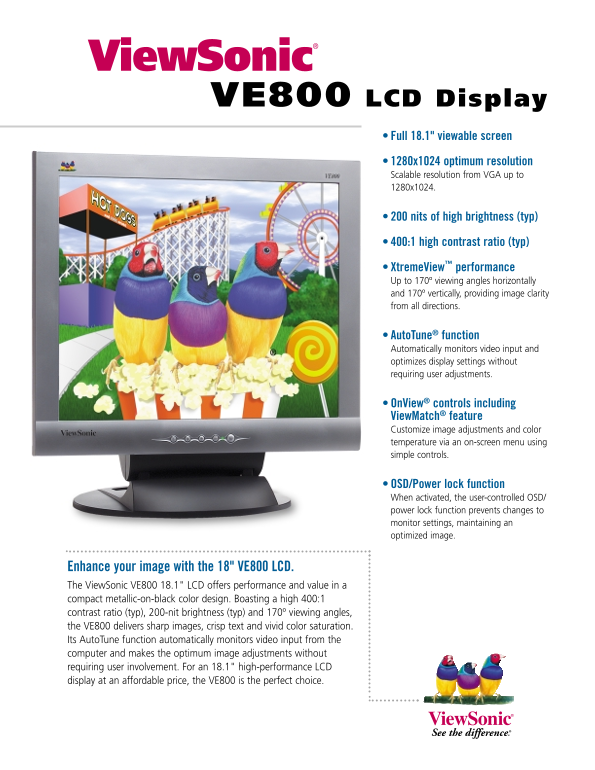
Enhance your image with the 18" VE800 LCD. The View Sonic VE800 18.1" LCD offers performance and value in a compact metallic-on-black color design. Boasting a high 400:1 contrast ratio (typ), 200-nit brightness (typ) and 170º viewing angles, the VE800 delivers sharp images, crisp text and vivid color saturation. Its Auto Tune function automatically monitors video input from the computer and makes the optimum image adjustments without requiring user involvement. For an 18.1" high-performance LCD display at an affordable price, the VE800 is the perfect choice.
Page Summary Contents For ViewSonic VE800 LCD Display User's Manual and Instructions
Manual Details
| Brand | VIEWSONIC |
|---|---|
| Pages | 2 |
| File Size | 285.04 KB |
| Published | June 15, 2026 |
Enter the captcha to get the download link:

Frequently Asked Questions
What is the maximum optimum resolution supported?
The optimum resolution is 1280x1024, scalable from VGA up to that setting.
How can I adjust specific image settings or color temperature?
You can use the ViewMatch feature via the on-screen menu for customization.
What function prevents unauthorized changes to monitor settings?
The OSD/power lock function must be activated to prevent changes to monitor settings.
What video input methods are supported by the VE800?
It supports analog RGB and standard Analog connections, along with Mini D-sub integration.