Page 1
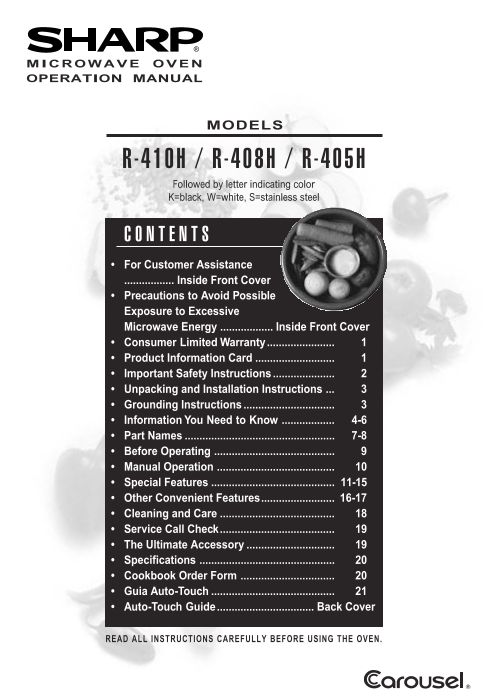
MICROWAVE OVEN OPERATION MANUAL MODELS -410H -408H -405H Followed by letter indicating color K=black, W=white, S=stainless steel For Customer Assistance ................. Inside Front Cover Precaution...
Page 2
To aid in reporting this microwave oven in case of loss or theft, please record below the model number and serial number located on the unit. We also suggest you record all the information listed and ...
Page 3
SHARP ELECTRONICS CORPORATION warrants to the first consumer purchaser that this Sharp brand product (the “Product”), when shipped in its original container, will be free from defective workmanship an...
Page 4
When using electrical appliances basic safety precautions should be followed, including the following: WARNING - To reduce the risk of burns, electric shock, fire, injury to persons or exposure to exc...
Page 5
Unpacking and Examining Your Oven on the sides, top and at the rear of the oven for air circulation. Do not place or install the oven in any area Remove: where heat and steam are generated; for exampl...
Page 6
ABOUT YOUR OVEN This Operation Manual is valuable: read it carefully for the exterior of the oven to be warm to the touch and always save it for reference. when cooking or reheating. A good microwave ...
Page 7
ABOUT UTENSILS AND COVERINGS It is not necessary to buy all new cookware. Many The following coverings are ideal: pieces already in your kitchen can be used success- Paper towels are good for covering...
Page 8
ABOUT MICROWAVE COOKING Arrange food carefully. Place thickest areas towards Rearrange foods such as meatballs halfway outside of dish. through cooking both from top to bottom and from the center of t...
Page 9
MICROWAVE OVEN PARTS One touch door open button Removable turntable Push to open door. Place the turntable on the turntable support Oven door with see-through window securely. The turntable will rotat...
Page 10
CONTROL PANEL On Door Number next to the control panel illustration indicates pages on which there are feature descriptions and usage information. 1.410/408/405H #339 2/26/03, 10:14 AM8
Page 11
Before operating your new microwave oven make STOP/CLEAR sure you read and understand this operation manual completely. Touch the STOP/CLEAR pad to: 1. Erase if you make a mistake during programming. ...
Page 12
TO SET POWER LEVEL MANUAL DEFROST There are eleven preset power levels. If the food that you wish to defrost is not listed on Using lower power levels increases the cooking time the DEFROST CHART or i...
Page 13
POPCORN The POPCORN setting automatically provides the Touch POPCORN once for 3.5 oz bag (regular). correct cooking time for most brands of microwave Touch POPCORN twice for 2.85 - 3.5 oz bag (light p...
Page 14
COOK CHART 1. Baked 1-6 medium Pierce with fork in several places; place on paper towel on turntable. At end Potatoes of cooking time, remove from oven, wrap in foil and let stand 5 to 10 minutes. 2. ...
Page 15
DEFROST After the 1st stage, open the door, turn steak DEFROST automatically defrosts all the foods shown over and shield any warm portions. in the DEFROST CHART below. Round the weight to Close the d...
Page 16
REHEAT REHEAT automatically computes the correct heating NOTE: time and microwave power level for foods shown in the 1. To reheat different foods or foods above or below chart below. the quantity allo...
Page 17
REHEAT CHART (continued) 5. Dinner 1 plate Use this setting to reheat precooked foods from the refrigerator. Place meaty Plate portions and bulky vegetables to outside of plate. Cut large items like b...
Page 18
MULTIPLE SEQUENCE MORE OR LESS TIME COOKING ADJUSTMENT Your oven can be programmed for up to 3 automatic Should you discover that you like any of the cooking sequences, switching from one power level ...
Page 19
CHILD LOCK DEMONSTRATION MODE The Child Lock prevents unwanted oven operation To demonstrate, touch TIMER/CLOCK, the number such as by small children. 0, close the door then touch the START pad and ho...
Page 20
Disconnect the power cord before cleaning or leave the door open to inactivate the oven during cleaning. Exterior-painted Clean the outside painted surfaces with mild soap and water. Rinse and polish ...
Page 21
Please check the following before calling for service: Place one cup of water in a glass measuring cup in the oven and close the door securely. Operate the oven for one minute at HIGH 100%. Does the o...
Page 22
AC Line Voltage: Single phase 120V, 60Hz, AC only Single phase 120V, 60Hz, AC only AC Power Required: 1700 watts, 14.3 amps. 1600 watts, 14.0 amps. Output Power: Microwave 1200 watts* 1100 watts* Freq...
Page 23
Para mayor informacion y precauciones de seguridad, consulte el Manual de Operaciones. PONER LA HORA COOK Si aparece 88:88 en la pantalla, primero oprima Pulse el botón COOK. COOK1 "STOP/CLEAR&qu...
Page 24
H G For more complete information and safety precautions, refer to your Operation Manual. SET CLOCK COOK If 88:88 is in the display, first touch Touch COOK pad. STOP/CLEAR. TIMER Select desired Cook s...