# A B C D E F G H I J K L M N O P Q R S T U V W X Y Z

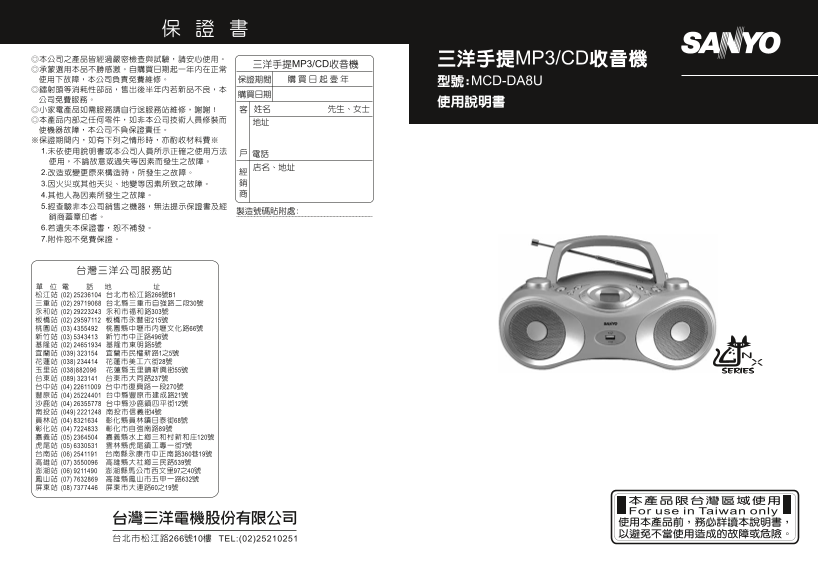
Sanyo MCD-AD8U Camera User's Manual

Summary

This comprehensive multi-format stereo system provides versatile audio playback for music lovers. It seamlessly supports CDs, MP3 files via USB, and AM/FM radio broadcasts, making it a central hub for diverse media sources. The accompanying manual is designed to guide users through advanced features like song programming (up to 32 tracks), troubleshooting common issues, mastering protective maintenance tips, and ensuring optimal performance longevity. Perfect for keeping your favorite music easily accessible across all your audio needs.
📄 Preview PAGE OF 14

Page Summary Contents For Sanyo MCD-AD8U Camera User's Manual

Page 3 SPECIFICATION POWER SUPPLY : AC 110V 60Hz or DC 12V UM-2(C-SIZE) × 8 OUTPUT POWER : 60 WATTS (P.M.P.O.) POWER CONSUMPTION : 15 W SPEAKER : 2 W / 8 Ω RADIO SECTION FREQUENCY RANGE : AM 540 KHz~1600 KHz...
Page 4 Troubleshooting If a fault occurs, first check the points listed below before taking the set for repair. Do not open the set as there is a risk of electric shock. If you are unable to remedy a problem...
Page 5 MAINTENANCE & SAFETY Precautions & General Maintenance ˙Place the set on a hard and flat surface so that the system does not tilt. ˙Do not expose the set, batteries or CDs to humidity, rain, s...
Page 6 Notice for playing USB: This unit only can play Audio CD and MP3 format. Selecting a different track CD/Mp3/USB During playback you can use or to select a particular track. ˙If you have selected a tra...
Page 7 General operation 1. To select your sound source adjust the source selector to USB.CD/ OFF/FM/AM. 2. Adjust the sound with the VOLUME controls. 3. To switch off the set, adjust the source selector to ...
Page 8 一、各部名稱 Power Supply Whenever convenient, use the power supply if you want to conserve battery life. Make 音量旋鈕(VOLUME) sure you remove the plug from the set and wall outlet before inserting batteries....
Page 9 CONTROL AND INDICATORS 二、電源供給 CONTROLS ˙打開底部電池蓋,依標示極性,正確放入 號電池 只後,再裝妥電池蓋;亦可 VOLUME 不使用電池,將隨附之 AC 電源線一端接於本機的 AC 電源插座(AC INPUT~) - adjusts volume level 上,另一端則接至 AC 110V 電源插座。 STEREO HEADPNONE JACK ※本機...
Page 10 ‧放音中,輕按 CD 逆向選曲鍵(SKIP ),可將正在放音的曲目從頭放音。 ‧放音中,連續按 CD 逆向選曲鍵(SKIP )兩次,可選上一首曲目。 ‧暫停放音中,輕按 CD 順向選曲鍵(SKIP ),可選下一首曲目,再按 CD 放音 /暫停鍵(PLAY/PAUSE )即可放音。 ‧暫停放音中,按 CD 逆向選曲鍵(SKIP )兩次,可選上一首曲目,再按 CD 音/暫停鍵(PLAY/PAUSE )...
Page 11 To achieve the utmost in enjoyment and performance, please read this manual carefully before F.曲目介紹(本功能亦適用於編輯曲序的放音) attempting to operate the unit in order to became familiar with its features, and as...
Page 12 ‧暫停放音中,按 MP3 逆向選曲鍵(SKIP )兩次,可選上一首曲目,再按 MP3 放音/暫停鍵(PLAY/PAUSE )即可放音。 C.快速尋曲:可快速於 MP3 光碟片所在曲目中尋找您想要的曲段。 ‧放音中,按住 MP3 順向選曲鍵(SKIP )或 MP3 逆向選曲鍵(SKIP ),可 順向或逆向尋找曲段。 D.編輯曲序:可依您個人喜好重新編輯 MP3 光碟片播放順序,最多可記憶 首曲 1....
Page 13 七、規格 3.再按一次曲目介紹鍵(INTRO),或按 MP3 停止鍵(STOP ),液晶顯示幕”INTRO” ‧使用電源:AC 110V 60Hz DC 12V UM-2(C-SIZE)×8 字樣消失,即取消曲目介紹功能。 (3)USB 裝置 ※USB 僅適用於 MP3 格式。 ※USB 僅可連接 USB 裝置之 MP3 隨身碟。 ※請注意 USB 裝置插入插槽時之方向是否正確,以免造成插槽的損壞...
Page 14 4.再按一次曲目編輯鍵(PROG.),液晶顯示幕顯示”PROG P02”閃動字樣,即設定 六、維護須知 完成。 ※警告:清潔前請關掉電源並把電源線自電源插座中拔下,定期小心的保養 5.重覆上述步驟,直到所有曲目被記憶儲存,最多可記憶 首。 可保持機器的良好效果及延長使用壽命。 ※當完成 首曲目的編輯時,液晶顯示幕會出現”PROG FUL”閃動字樣。 故障現象 檢查項目 6.按 USB 放音/暫停鍵...

Manual Details

Brand Sanyo
Pages 14
File Size 2.34 MB
Published May 28, 2026
72 views

Enter the captcha to get the download link:

captcha

Frequently Asked Questions

What is the maximum track capacity for programming/editing?

You may store up to 32 tracks when editing the sequence.

How do I fix 'No sound / power' issues?

Check if the Volume is adjusted, or ensure the AC power cord and batteries are properly connected/inserted.

What cleaning agents should not be used on the set?

Do not use cleaning agents containing alcohol, ammonia, benzene, or abrasives for internal components.

How do I handle a 'Laser lens steamed up' error?

Wait until the lens has cleared (for malfunction) or wait until the unit reaches room temperature (for playback issues).

Is touching the CD player lens safe?

No, the lens of the CD player should never be touched.