Samsung Galaxy MAX- N22 User Guide - Part 2 Product Manual
Summary
This mini-compact stereo system provides complete audio entertainment with a three-CD changer, dedicated radio tuners (AM/FM), and tape playback functionality. The comprehensive user manual is designed for new owners, offering detailed guidance on safe installation, component connections, and effortless operation. It walks users through everything from connecting speakers and power sources to mastering the menu system and playing multiple tracks, ensuring a quick and enjoyable setup experience.
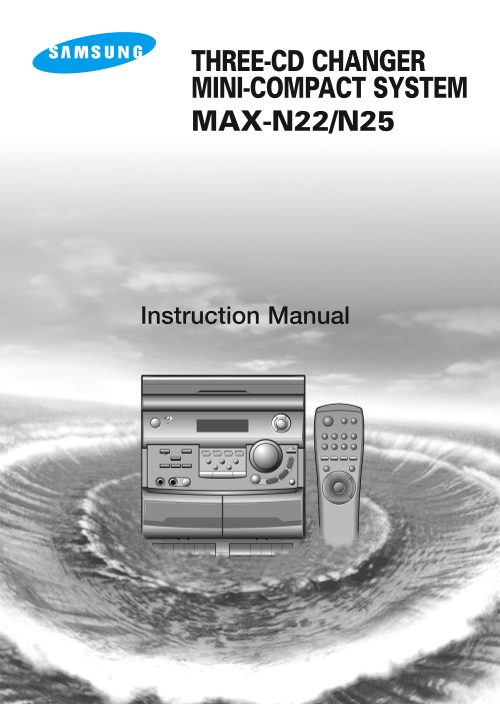
Page 1 Text Content
THREE-CD CHANGER MINI-COMPACT SYSTEM MAX-N22/N25
Instruction Manual
Page Summary Contents For Samsung Galaxy MAX- N22 User Guide - Part 2 Product Manual
Page 1
THREE-CD CHANGER MINI-COMPACT SYSTEM MAX-N22/N25 Instruction Manual
Page 2
Safety Warnings GB CLASS 1 LASER PRODUCT CLASS 1 LASER PRODUCT KLASSE 1 LASER PRODUKT This Compact Disc player is classified as a CLASS 1 LUOKAN 1 LASER LAITE LASER product. KLASS 1 LASER APPARAT PROD...
Page 3
Thank you for buying this Contents SAMSUNG mini-compact system. Please take time to read these instructions. They will allow you to operate your system with ease and take full advantage of its feature...
Page 4
Front Panel View GB Standby Demo Mono/ST TUNER CD TAPE AUX Open/Close Program/Set Disc 1 Disc 2 Disc 3 AI Off/Sleep Timer On/Off Timer/Clock CD Repeat Disc Change Vol. Rock Mic Phones Mic Volume Class...
Page 5
Remote Control On/Standby Timer Timer/ On/Off Clock Preset EQ Mute Function S.Bass Program Sleep /Set Mono/ST. Tuner Open/ CD Repeat Close Disc Skip +10 Tuning Mode CD CD 1. On/Standby 11. Tuning Mode...
Page 6
Rear Panel View GB MAX-N25 MAX-N22 SPEAKERS (IMPEDANCE 6Ω) (IMPEDANCE 4Ω) AC CORD AC CORD 1. SW Aerial Connector Terminal (option) 1. SW Aerial Connector Terminal (option) 2. CD Digital Out Jack (opti...
Page 7
Where to Install Your Connecting the Loudspeakers Mini-Compact System To take full advantage of your new mini-compact system, follow The loudspeaker connector terminals are located on the rear these i...
Page 8
Connecting the AM (MW)/LW Aerial Connecting the FM Aerial GB The AM aerial (for long and medium waves) can be: There are two types of aerial, (depending on option chosen). Placed on a stable surface F...
Page 9
Setting the Clock Menu System To select the basic functions on your mini-component system Your system is equipped with a clock which allows you to (radio, compact disc, cassette or auxiliary source), ...
Page 10
Loading and Changing Compact Listening to a Compact Disc Discs GB The CD disc changer can contain up to three 12 cm or 8 cm When you have loaded at least one compact disc into the compact discs withou...
Page 11
Selecting a Track with a Two-Digit Selecting a Disc in the CD changer Number The CD function is automatically selected when DISC SKIP is To select a track with a two-digit number faster, use the +10 p...
Page 12
Repeating One or All Tracks on the Compact Discs GB You can repeat indefinitely: Press to listen to the track selection in the order programmed. A specific track on a compact disc. All tracks on the c...
Page 13
Checking or Changing Programmed Searching for and Storing the Radio Tracks Stations You can check or change your selection of tracks at any time. You can store up to: 15 FM stations (option)15 AM stat...
Page 14
Searching for and Storing the Radio Improving Radio Reception Stations (continued) GB You can improve the quality of radio reception by: If you do not want to store the radio station found, revert to ...
Page 15
Listening to Two Cassettes in Sequence Listening to a Cassette When you press one of the tape deck’s buttons, except for You can only listen to one cassette at a time but you can Stop/Eject button it ...
Page 16
Recording a Radio Programme Copying a Cassette (Dubbing) You can record a radio programme of your choice. You can copy a cassette from Deck 2 to Deck 1. Two options You can only record on cassettes in...
Page 17
Timer Function Cancelling the Timer The timer enables you to switch the system on or off at specific times. After having set the timer, it will start automatically as Example: You wish to wake up to m...
Page 18
Mute Function Selecting an Equalizer Preset GB You can turn the sound off temporarily on your system. Your mini-compact system is equipped with a preset equalizer Example: You wish to answer a telepho...
Page 19
Jack (option) Microphone Function (option)CD DIGITAL OUT This unit can output CD digital sound signals through this The microphone enables the user to mix in his or her jack. Use an optical cable to c...
Page 20
Connecting to an External Source Safety Precautions GB The auxiliary input can be used to take advantage of the sound quality The following diagrams illustrate the precautions to be taken of your mini...
Page 21
Cleaning Your Mini-Compact Precautions When Using Audio System Cassettes To obtain the best possible results from your mini-compact system, Check that the tape in the cassette is sufficiently taught. ...
Page 22
Technical Specifications GB SAMSUNG strives to improve its products at all times. Both the design specifications and these user instructions are thus subject to change without notice. RADIO LW (OPTION...
Page 23
THIS APPLIANCE IS MANUFACTURED BY: ELECTRONICS AH68-00352B
Manual Details
| Brand | Samsung |
|---|---|
| Pages | 23 |
| File Size | 3.89 MB |
| Published | June 04, 2026 |
52 views
Enter the captcha to get the download link:
