SAMSUNG Digital HD STB User Guide
Summary
Texas Instruments semiconductor datasheet covering features, pin diagrams, functional block description, electrical specifications, timing characteristics, application information, power supply requirements, and package mechanical drawings.
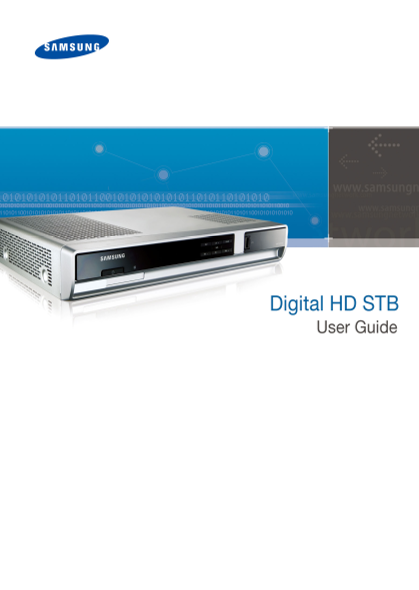
Page Summary Contents For SAMSUNG Digital HD STB User Guide
Page 2
COPYRIGHT This guide is proprietary to SAMSUNG Electronics Co., Ltd. and is protected by copyright. No information contained herein may be copied, translated, transcribed or duplicated for any commerc...
Page 3
Digital HD STB User Guide SAFETY CONCERNS For product safety and correct operation, the following information shall be read before the installation and operation. Conventions WARNING Provides informat...
Page 4
Digital HD STB User Guide Warning WARNING Power Insert the power plug firmly. Do not touch the main body, power Failure to do so may cause a fire. cord, or power plug with wet hands. Doing so may caus...
Page 5
Digital HD STB User Guide Installation/Maintenance Do not place heavy objects on this Do not cover the top. product. Doing so may cause product malfunction Doing so may cause product damage or resulti...
Page 6
Digital HD STB User Guide Caution CAUTION Power Connect your TV after powering off Do not insert the power plug before the TV and the STB by pulling out the connecting the power cable to the power plu...
Page 7
Digital HD STB User Guide Installation/Maintenance Do not place any metal items such Risk of Electric Shock, Do NOT OPEN. as pins, paper clips or coins on the Doing so may cause an electric shock. top...
Page 8
Digital HD STB User Guide TABLE OF CONTENTS SAFETY CONCERNS 3 Conventions ............................................................. 3 Symbols .........................................................
Page 9
Digital HD STB User Guide BASIC SETTING 24 Rebooting procedure ............................................. 24 HD Resolution setting procedure .......................... 24 TROUBLESHOOTING 25 APPENDI...
Page 10
Digital HD STB User Guide BEFORE USING THE STB Digital HD STB Digital HD OCAP STB (Digital High-Definition Open Cable TM Set-top Box) provides high quality video and audio broadcasting, and interactiv...
Page 11
Digital HD STB User Guide Checking Items Please make sure the following items are contained in your product package box. Audio Cable Video Cable (Component Cable) [GL39-00087A] [GL39-00054A] Digital H...
Page 12
Digital HD STB User Guide Names and Functions Names and functions on the front and rear panel of Set-top box are described as follows: Front Panel The buttons and LEDs on the front are described as fo...
Page 13
Digital HD STB User Guide Rear Panel The port names and functions of the rear panel are described as follows: Name Function Power Connect the power cord to supply AC power to the set-top CH3/4 OUT Con...
Page 14
Digital HD STB User Guide This page was left blank intentionally. 14 © SAMSUNG Electronics Co., Ltd.
Page 15
Digital HD STB User Guide Cable CARD™ What is Cable CARD? Cable CARD is an STB authorization device, which allows subscribers to watch digitally encrypted programs. Cable CARD is inserted by the servi...
Page 16
Digital HD STB User Guide INSTALLATION Follow the instructions below to see how to install the Digital HD STB. Installation Environment The proper installation environment for the Set-top box is as fo...
Page 17
Digital HD STB User Guide Peripheral Device Connection The method of connecting the cable and each peripheral device to the digital broadcasting receiver is as follows: mouse VCR Cable Port Digital Au...
Page 18
Digital HD STB User Guide Connection to a TV Having a Composite or S-VIDEO Jack Below is the method for connecting to a TV having a composite or S-VIDEO jack. Select either one S-Video Input Video Inp...
Page 19
Digital HD STB User Guide Connection to a TV Having Component Jacks (Y, Pb, Pr) See below to connect to a TV having a Component port (Y, Pb, Pr). When connecting the Component Video and Audio cables, ...
Page 20
Digital HD STB User Guide HDMI Cable Connection This section describes how to connect the television to the set-top box by using an HDMI cable. Select one from the two cables. HDMI DVI (The product im...
Page 21
Digital HD STB User Guide Amplifier Connection See below to connect a receiver amplifier (an amplifier or Home Theater that has a Dolby Digital decoding function). Digital Audio cable Optical Digital ...
Page 22
Digital HD STB User Guide VCR Connection See below to connect a VCR to the Set-top box. Select either one. S-Video Input S-Video Cable Video Input Audio Input (Left) Audio Input Video & Audio Cabl...
Page 23
Digital HD STB User Guide Coaxial Cable Connection This section describes how to connect your cable service to the Set-top box by using a coaxial cable. Cable Port Coaxial Cable Cable Input (The produ...
Page 24
Digital HD STB User Guide BASIC SETTING After connecting power to the STB, if the time is displayed on the Front Panel Time/Channel display screen, the booting is completed. Rebooting procedure 1. By ...
Page 25
Digital HD STB User Guide TROUBLESHOOTING This section describes possible problems you may experience when using the set-top box. If any problem occurs, please check the following cases first. If the ...
Page 26
Digital HD STB User Guide APPENDIX Specifications Category Description Video Output Composite (RCA), Component (RCA), S-Video Audio Output Stereo L/R (RCA), SPDIF Optic, SPDIF PCM (RCA) Video/Audio Ou...
Page 27
Digital HD STB User Guide Cable Specifications Category Description Channel Input Frequency 54 MHz to 864 MHz Cable Input Signal level Range -15 to +15 d Bm V Cable Input Signal Modulation 64QAM/256QA...
Page 28
Digital HD STB User Guide
Page 29
Digital HD STB User Guide
Page 30
Digital HD STB User Guide
Page 31
Information in this document is proprietary to SAMSUNG Electronics Co., Ltd. No information contained here may be copied, translated, transcribed or duplicated by any form without the prior written co...
Manual Details
| Brand | Samsung |
|---|---|
| Pages | 31 |
| File Size | 1.96 MB |
| Published | June 16, 2026 |
5 views
Enter the captcha to get the download link:

Frequently Asked Questions
What should I do before connecting the STB's power?
You must connect to the TV or products by pulling out the power plugs only after powering off both devices.
How do I safely clean the product?
Wipe the product with a soft and dry cloth. Never use chemical solvents like alcohol, thinner, or detergents.
What happens if I plug multiple electrical devices into one outlet?
Doing so may cause a fire, so do not connect multiple devices to a single outlet simultaneously.
What is the necessary procedure if smoke or unusual noise occurs?
Immediately pull out the power cord and contact customer service.