Roland SRX-12 Classic Electric Piano Sound Collection Owner's Manual
Summary
Enhance your musical performance with the SRX-12 "Classic EPs" Wave Expansion Board. This module delivers high-quality, multi-sampled electric piano and clavi sounds perfect for pop, hip-hop, R&B, and jazz. The comprehensive manual guides users through full system setup, detailed feature control, EQ adjustment, pickup settings, and integration with advanced workstations like the Fantom series. Ideal for musicians and studios seeking to add professional, expressive classic EP and Clav tones to their sound palette.
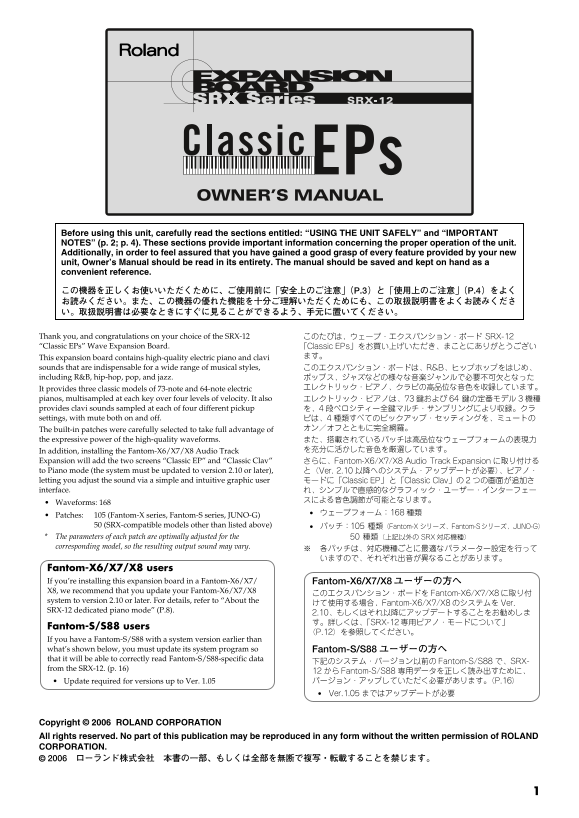
Page 1 Text Content
SRX-12_je.book ページ 2006年4月11日 火曜日 午前11時6分
201a Before using this unit, carefully read the sections entitled: “USING THE UNIT SAFELY” and “IMPORTANT NOTES” (p. 2; p. 4). These sections provide important information concerning the proper operation of the unit. Additionally, in order to feel assured that you have gained a good grasp of every feature provided by your new unit, Owner’s Manual should be read in its entirety. The manual should be saved and kept on hand as a convenient reference. 201a この機器を正しくお使いいただくために、ご使用前に「安全上のご注意」(P.3)と「使用上のご注意」(P.4)をよく お読みください。また、この機器の優れた機能を十分ご理解いただくためにも、この取扱説明書をよくお読みくださ い。取扱説明書は必要なときにすぐに見ることができるよう、手元に置いてください。
Thank you, and congratulations on your choice of the SRX-12 このたびは、ウェーブ・エクスパンション・ボード SRX-12 “Classic EPs” Wave Expansion Board. 「Classic EPs」をお買い上げいただき、まことにありがとうござい
This expansion board contains high-quality electric piano and clavi ます。
sounds that are indispensable for a wide range of musical styles, このエクスパンション・ボードは、R&B、ヒップホップをはじめ、 including R&B, hip-hop, pop, and jazz. ポップス、ジャズなどの様々な音楽ジャンルで必要不可欠となった
It provides three classic models of 73-note and 64-note electric エレクトリック・ピアノ、クラビの高品位な音色を収録しています。
pianos, multisampled at each key over four levels of velocity. It also エレクトリック・ピアノは、73鍵および 鍵の定番モデル 3機種 provides clavi sounds sampled at each of four different pickup を、4段ベロシティー全鍵マルチ・サンプリングにより収録。クラ settings, with mute both on and off. ビは、4種類すべてのピックアップ・セッティングを、ミュートの
The built-in patches were carefully selected to take full advantage of オン/オフとともに完全網羅。
the expressive power of the high-quality waveforms. また、搭載されているパッチは高品位なウェーブフォームの表現力
In addition, installing the Fantom-X6/X7/X8 Audio Track を充分に活かした音色を厳選しています。
Expansion will add the two screens “Classic EP” and “Classic Clav” さらに、Fantom-X6/X7/X8 Audio Track Expansion に取り付ける to Piano mode (the system must be updated to version 2.10 or later), と(Ver. 2.10 以降へのシステム・アップデートが必要)、ピアノ・ letting you adjust the sound via a simple and intuitive graphic user モードに「Classic EP」と「Classic Clav」の 2つの画面が追加さ interface. れ、シンプルで直感的なグラフィック・ユーザー・インターフェー
Waveforms: 168
Patches: 105 (Fantom-X series, Fantom-S series, JUNO-G)
50 (SRX-compatible models other than listed above) パッチ:105 種類(Fantom-X シリーズ、Fantom-Sシリーズ、JUNO-G)
The parameters of each patch are optimally adjusted for the 種類(上記以外の SRX対応機種) corresponding model, so the resulting output sound may vary.
Fantom-X6/X7/X8 users If you’re installing this expansion board in a Fantom-X6/X7/ Fantom-X6/X7/X8ユーザーの方へ X8, we recommend that you update your Fantom-X6/X7/X8
このエクスパンション・ボードを Fantom-X6/X7/X8に取り付
system to version 2.10 or later. For details, refer to “About the
けて使用する場合、Fantom-X6/X7/X8のシステムをVer.
SRX-12 dedicated piano mode” (P.8).
2.10、もしくはそれ以降にアップデートすることをお勧めしま す。詳しくは、「SRX-12専用ピアノ・モードについて」
Fantom-S/S88 users
If you have a Fantom-S/S88 with a system version earlier than what’s shown below, you must update its system program so Fantom-S/S88ユーザーの方へ that it will be able to correctly read Fantom-S/S88-specific data
下記のシステム・バージョン以前の Fantom-S/S88 で、SRX-
from the SRX-12. (p. 16)
12から Fantom-S/S88 専用データを正しく読み出すために、 Update required for versions up to Ver. 1.05 バージョン・アップしていただく必要があります。(P.16) Ver.1.05 まではアップデートが必要
Copyright © 2006 ROLAND CORPORATION All rights reserved. No part of this publication may be reprodu ced in any form without the written permission of ROLAND CORPORATION.
Page Summary Contents For Roland SRX-12 Classic Electric Piano Sound Collection Owner's Manual
Manual Details
| Brand | Classic |
|---|---|
| Pages | 16 |
| File Size | 1.02 MB |
| Published | May 17, 2026 |
Enter the captcha to get the download link:

Frequently Asked Questions
Which sections should I read before using the unit?
Carefully read “USING THE UNIT SAFELY” and “IMPORTANT NOTES” (p. 2; p. 4) first, and then review the entire Owner’s Manual.
Are system updates required for Fantom-X6/X7/X8 users featuring SRX-12?
Yes, it is recommended to update your Fantom-X6/X7/X8 system to version 2.10 or later.
How can I save custom tones created with the SRX-12?
You can use the [WRITE] button to assign built patches to the user patch list on the Fantom-X6/X7/X8.
What is the purpose of the different pickup settings?
The system offers four types of pickup settings (CA, CB, etc.) allowing you to combine two microphones simultaneously for varied tones.