Page 1
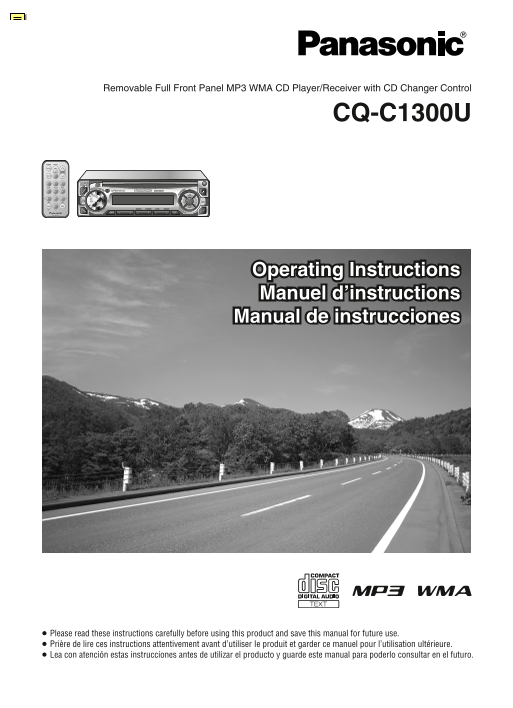
Removable Full Front Panel MP3 WMA CD Player/Receiver with CD Changer Control CQ-C1300U Operating Instructions Manuel d’instructions Manual de instrucciones ≥ Please read these instructions carefully ...
Page 2
Safety Information Precautions Panasonic welcomes you to our ever growing family of electronic product owners. We know that this product will bring you many hours of enjoyment. Our reputation is built...
Page 3
Features Preparation Clock Setting MP3/WMA Playback from CD-R/RW CD Changer Control The 12-hour system is used for the clock. Remote Control Unit You can play your MP3/WMA (Windows Media You can conne...
Page 4
Contents Safety Information Audio Settings....................................................... Precautions..............................................................................................
Page 5
General Point the remote control unit at the [SOURCE] POWER MENU remote control signal sensor. (Power/source) SOURCE SEL [VOL "] NUMBER VOL [VOLUME] [MUTE] MUTE [VOL #] (Volume) RAND SCAN REP DIS...
Page 6
Radio [BAND] (Stereo) indicator [%] [$] (TUNE) (APM: Auto Preset Memory) [SOURCE] POWER MENU SOURCE SEL NUMBER VOL [1] to [6] RAND SCAN REP (Preset station) [%] [$] (Tuning) DISPBAND [BAND] [DISP] (Au...
Page 7
Before Disc Playback CD Player Available Discs Disc Insert Do not watch the scroll display while driving. (Track/fast forward/fast reverse) indicator ∫ CD-DA [<] (Eject) [<] (Eject) [BAND] ∫ MP3...
Page 8
MP3/WMA Player E ["] [#] (FOLDER) [:]/[9] (6/5) Do not watch the scroll display while driving. Repeat Play (Folder selection) (File/fast forward/fast reverse) [SOURCE] [BAND] The current fi le is...
Page 9
MP3/WMA Player (continued) Notes on MP3/WMA What is MP3/WMA? Display Information Recording MP3/WMA Files Folder Selection Order/File MP3 (MPEG audio layer 3) and WMA (Windows ∫ Displayed Items on a CD...
Page 10
CD Changer Control E indicator [:]/[9] (6/5) (Track/fast forward/fast reverse) [SOURCE] lights when the [0] to [9] POWER MENU ["] [#] (DISC) changer is connected SOURCE SEL (Disc number) (Disc se...
Page 11
Audio Settings 1 Press [VOLUME] 2 Turn [VOLUME]. [SEL] POWER MENU (SEL: select). (Select) SOURCE SEL [VOL "] (Press [VOL "] or [VOL #] NUMBER VOL on the remote control unit.) MUTE [VOL #] RA...
Page 12
Troubleshooting E Preliminary Steps Problem Possible cause Possible solution Caution: ≥ Do not use the unit if it malfunctions or if Check and take steps as described in the tables below. Noise There ...
Page 13
Troubleshooting (continued) q CD/MP3/WMA q Remote Control Unit Problem Possible cause Possible solution Problem Possible cause Possible solution No playback or disc The disc is inserted upside down. I...
Page 14
Troubleshooting (continued) q CD Changer Control Maintenance Display Possible cause Possible solution Your product is designed and manufactured to ensure a minimum of maintenance. Use a dry and Disc i...
Page 15
Notes on Discs E Anti-Theft System This unit is equipped with a removable face plate. Removing this face plate makes the unit totally inoperable. Notes on CD/CD Media Notes on CD-Rs/RWs (CD-R, CD-RW, ...
Page 16
Installation Guide E ≥ Disconnect the cable from the negative - battery Caution: Overview terminal (see caution below). WARNING ≥ This unit operates with a 12 V DC This product should be installed by ...
Page 17
Installation Guide (continued) Battery Lead Equipment Identify All Leads Connect All Leads If your stereo unit has a yellow lead, you will need Connect any optional equipment such as an The fi rst ste...
Page 18
Installation Guide (continued) Installation Procedures Remove the Unit First complete the electrical connections, and then The included mounting collar 1 is designed Switch off the power of the unit. ...
Page 19
Electrical Connections Caution: ≥ This product is designed to operate with a 12 V ≥ Be sure to insulate any exposed wires from CD changer input cord R (red) DC, negative ground battery system. a possi...
Page 20
Electrical Connections (continued) Specifi cations Upgrading the System General FM Stereo Radio Note: Power supply: DC 12 V (11 V–16 V), Frequency range: 87.9 MHz–107.9 MHz Example combination ≥ You c...
Page 21
Panasonic Consumer Panasonic Sales Company. Panasonic Canada Inc. Electronics Company, Division of Matsushita Electric 5770 Ambler Drive, Division of Matsushita Electric of Puerto Rico, Inc. (“PSC”) M...