# A B C D E F G H I J K L M N O P Q R S T U V W X Y Z

M-AUDIO Oxygen 8 User Guide Oxy8_050503 Specifications and Users Manual

Summary

The Oxygen 8 is a versatile MIDI controller keyboard designed for musicians and producers utilizing computer music software or standalone setups. This comprehensive manual covers everything you need to know—from hardware and software installation to advanced MIDI functions and panel utilization. Learn how to maximize its features, including 25 keys, pitch/mod wheels, data slider, and eight assignable rotary knobs, whether connected via USB or powered by batteries.
📄 Preview PAGE OF 24

Page 1 Text Content

Oxygen 8

version: Oxy8_050503

User Guide

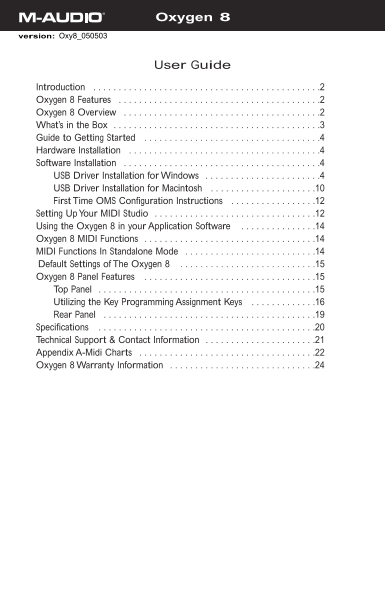
Introduction . . . . . . . . . . . . . . . . . . . . . . . . . . . . . . . . . . . . . . . . . . . . .2 Oxygen 8 Features . . . . . . . . . . . . . . . . . . . . . . . . . . . . . . . . . . . . . . . .2 Oxygen 8 Overview . . . . . . . . . . . . . . . . . . . . . . . . . . . . . . . . . . . . . . .2 What’s in the Box . . . . . . . . . . . . . . . . . . . . . . . . . . . . . . . . . . . . . . . . .3 Guide to Getting Started . . . . . . . . . . . . . . . . . . . . . . . . . . . . . . . . . . .4 Hardware Installation . . . . . . . . . . . . . . . . . . . . . . . . . . . . . . . . . . . . . .4 Software Installation . . . . . . . . . . . . . . . . . . . . . . . . . . . . . . . . . . . . . . .4 USB Driver Installation for Windows . . . . . . . . . . . . . . . . . . . . . . .4 USB Driver Installation for Macintosh . . . . . . . . . . . . . . . . . . . . .10 First Time OMS Configuration Instructions . . . . . . . . . . . . . . . . .12 Setting Up Your MIDI Studio . . . . . . . . . . . . . . . . . . . . . . . . . . . . . . . .12 Using the Oxygen 8 in your Application Software . . . . . . . . . . . . . . .14 Oxygen 8 MIDI Functions . . . . . . . . . . . . . . . . . . . . . . . . . . . . . . . . . .14 MIDI Functions In Standalone Mode . . . . . . . . . . . . . . . . . . . . . . . . . .14 Default Settings of The Oxygen 8 . . . . . . . . . . . . . . . . . . . . . . . . . . .15 Oxygen 8 Panel Features . . . . . . . . . . . . . . . . . . . . . . . . . . . . . . . . . .15 Top Panel . . . . . . . . . . . . . . . . . . . . . . . . . . . . . . . . . . . . . . . . . . .15 Utilizing the Key Programming Assignment Keys . . . . . . . . . . . . .16 Rear Panel . . . . . . . . . . . . . . . . . . . . . . . . . . . . . . . . . . . . . . . . . .19 Specifications . . . . . . . . . . . . . . . . . . . . . . . . . . . . . . . . . . . . . . . . . . .20 Technical Support & Contact Information . . . . . . . . . . . . . . . . . . . . . .21 Appendix A-Midi Charts . . . . . . . . . . . . . . . . . . . . . . . . . . . . . . . . . . .22 Oxygen 8 Warranty Information . . . . . . . . . . . . . . . . . . . . . . . . . . . . .24

Page Summary Contents For M-AUDIO Oxygen 8 User Guide Oxy8_050503 Specifications and Users Manual

Page 1 Oxygen 8 version: Oxy8_050503 User Guide Introduction . . . . . . . . . . . . . . . . . . . . . . . . . . . . . . . . . . . . . . . . . . . . .2 Oxygen 8 Features . . . . . . . . . . . . . . . . . . ....
Page 2 Introduction Congratulations on your purchase of the Oxygen 8, part of the USB Keystation series of MIDI controllers brought to you by M-Audio.You may use your Oxygen 8 in conjunction with a USB equip...
Page 3 Contained within the Oxygen 8 is a USB MIDI interface. Simply plug the Oxygen 8 into your computer’s USB port, install the included drivers and enable the MIDI interface within your music software. Th...
Page 4 Guide to Getting Started Here’s an outline of steps to begin using your Oxygen 8 on either Mac or PC: 1. Attach the Oxygen 8 to your computer (see “Hardware Installation”). 2. Install the Driver (see ...
Page 5 To verify your Windows installation after you have carefully followed these instructions, you may check your system’s “Device Manager,” located in the Control Panel under “System.” If you look in the ...
Page 6 7. You will see a “New Hardware found” dialog. (If you don’t see this dialog at first, unplug your Oxygen 8 and try again.) Click Next. 8. You will see another warning that the product has not passed ...
Page 7 11. Again, the computer reminds you that the product has not passed Windows Logo testing. Click "Continue anyway". 12. The driver has been installed. Windows XP Installation is now complete....
Page 8 The installer will scan your hard drive (this can take some time) and will then install the necessary files and perform setup actions on your system.A series of progress bars will show you how the pro...
Page 9 10. The installer will warn you again, a second time, that this product does not have a Windows Digital Signature - again, click “Yes.” 11. The next screen informs you that the installer has completed...
Page 10 click “Next” to continue. The installer will scan your hard drive (this can take some time) and will then install the necessary files and perform setup actions on your system.A series of progress bars...
Page 11 system OS 9.2.2 or higher. Some updates are offered free to Apple owners. Please check the Apple website at http://www.info.apple.com for update information. OMS is a MIDI manager program that is made...
Page 12 First Time OMS Configuration Instructions If you have installed the Oxygen 8 in Mac OS 9, it is now time to configure OMS (this is not necessary in Mac OS X). Go to the Chooser under the Apple Menu, a...
Page 13 1. The Oxygen 8 is connected to the computer via the USB port connectors, using the supplied USB standard cable. 2. The Oxygen 8 can play the synthesizer that is part of an internal sound card, as wel...
Page 14 Using the Oxygen 8 in your Application Software Once the Oxygen 8 driver has been installed, you will need to configure your MIDI application software to utilize the Oxygen 8. The manner in which this...
Page 15 1. Power up the Oxygen 8, using either a 9v DC adapter or using 6 AA batteries. Set the power switch to the the 9V/Battery setting. If a 9V power adapter is present, the Oxygen 8 will use power from t...
Page 16 manuals of your devices for information on how to change the Pitch Bend range. To bend the pitch up, move the wheel away from you. To bend the pitch down, move the wheel towards you. 2. Using the Modu...
Page 17 For example, if you want to change the value of the velocity offset, first press the MIDI/SELECT button and then the velocity key. Second, change the data entry slider to the value you want. Finally, ...
Page 18 “Flat” & “Sharp” keys: By pressing the MIDI/SELECT button and the flat or the sharp key, you will shift the active keyboard pitch one note (half-step) higher, or lower. For example, if you want to...
Page 19 Rear Panel 1. Sustain jack: This jack allows you to connect an optional footswitch to the keyboard.When the footswitch is depressed, notes played on the keyboard will continuously sound as long as the...
Page 20 Specifications Model: Oxygen 8 Keyboard Type 25 dynamic key Simultaneous Output 10 note (reverse priority) Control Switches MIDI Channel Reset Octave -2, -1, center , +1, +2 Program Change CC-00/CC-32...
Page 21 Technical Support & Contact Information For additional technical assistance, contact M-Audio Technical Support by telephone (626-445-8495, 9-5 PST M-F), by fax (626-445-7564) or by e-mail (techsup...
Page 22 Appendix A-Midi Charts MIDI Controllers: Number Definition Parameter Bank Select 0-127 Modulation Wheel 0-127 Breath Control 0-127 Undefined 0-127 Foot Controller 0-127 Portamento Time 0-127 Data Entr...
Page 23 MIDI Implementation: Model: Oxygen 8 Version: 1.0 Function Transmitted Recognized Remarks Basic Channel Default 1 x Changed 1-16 x Mode Default Mode 3 x Messages x x Altered ************* x Note Numbe...
Page 24 Oxygen 8 Warranty Information M-Audio warrants that this product is free of defects in materials and workmanship under normal conditions for 90 days, so long as the product is: owned by the original p...

Manual Details

Brand M-AUDIO
Pages 24
File Size 1.12 MB
Published May 26, 2026
85 views

Enter the captcha to get the download link:

captcha

Frequently Asked Questions

How can I power the Oxygen 8?

It can receive parasitic power from a USB port or run as a portable unit using six AA-size batteries.

Can the Oxygen 8 function independently of a computer?

Yes, it serves as a standalone MIDI controller via the rear panel MIDI 'keyboard' port.

What are the main physical components of the Oxygen 8?

It features 25 dynamic keys, pitch/mod wheels, a data slider, and eight assignable rotary controllers.

Are there built-in sound capabilities in the unit?

No, the Oxygen 8 does not have built-in sound but offers numerous useful MIDI functions.