# A B C D E F G H I J K L M N O P Q R S T U V W X Y Z

LG Split Air Conditioner Wall-Mount LS-T186ABL.AMBZSAF Product Specifications English

Summary

This comprehensive owner's manual serves as your essential guide for operating and maintaining your Air Room Conditioner unit. It provides detailed instructions on setup, safe electrical practices, proper usage, and expert troubleshooting tips. Designed for new owners, this resource ensures you can operate the system effectively while understanding critical safety precautions to prevent damage or injury. For installation and major repairs, always contact an authorized service technician.
📄 Preview PAGE OF 21

Page 1 Text Content

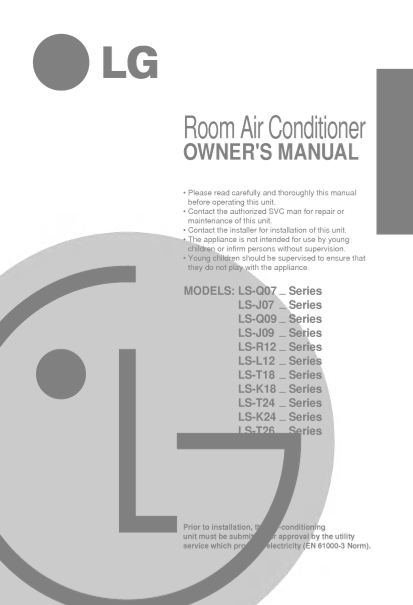
Room Air Conditioner OWNER'S MANUAL Please read carefully and thoroughly this manual

before operating this unit. Contact the authorized SVC man for repair or

maintenance of this unit. ENGLISH FRANCAIS

Contact the installer for installation of this unit. The appliance is not intended for use by young children or infirm persons without supervision. Young children should be supervised to ensure that they do not play with the appliance.

MODELS: LS-Q07 Series

LS-J07 Series

LS-Q09 Series

LS-J09 Series LS-R12 Series LS-L12 Series LS-T18 Series LS-K18 Series LS-T24 Series LS-K24 Series LS-T26 Series

Prior to installation, this air-conditioning

unit must be submitted for approval by the utility

service which provides electricity (EN 61000-3 Norm).

Page Summary Contents For LG Split Air Conditioner Wall-Mount LS-T186ABL.AMBZSAF Product Specifications English

Page 1 Room Air Conditioner OWNER'S MANUAL Please read carefully and thoroughly this manual before operating this unit. Contact the authorized SVC man for repair or maintenance of this unit. ENGLISH FRANCAIS...
Page 2 Safety precautions Safety Precautions To prevent injury and property damage, follow these instructions. Warning ................................2 Incorrect operation due to ignoring instructions will ...
Page 3 WARNING Ventilate before operating air conditioner Do not disassemble or modify products when gas goes out. randomly. It may cause explosion, fire and, burn. It may cause failure and electric shock. E...
Page 4 Preparation before operation How to Insert the Batteries Remove the battery cover by pulling it according to the arrow direction. Insert new batteries making sure that the and of battery are installed...
Page 5 About the remote control on the system The remote control transmits the signals to the system. Features of the Remote Control- Door Opened START/STOP BUTTON Operation starts when this button is and wh...
Page 6 How to use the Operation Mode Selection button Cooling Operation Press the Start/Stop button. The unit will respond with beep. Open the door on the remote control. To select Cooling Operation, press t...
Page 7 Auto Operation the Start/Stop button. The unit will respond with beep. ENGLISHPress Open the door on the remote control. To select Auto Operation, press the Operation Mode Selection button. Each time ...
Page 8 Healthy Dehumidification Operation Press the Start/Stop button. The unit will respond with beep. Open the door on the remote control. To select Healthy Dehumidification Operation, press the Operation ...
Page 9 Heating Operation(Heat pump model only) the Start/Stop button. The unit will respond with beep. ENGLISHPress Open the door on the remote control. To select Heating Operation, press the Operation Mode ...
Page 10 Jet Cool Operation Press the Start/Stop button. The unit will respond with beep. Press the Jet Cool button to operate the speed cooling mode and the unit will operate in super high fan speed on coolin...
Page 11 PLASMA Purification Operation(Optional) Press the Start/Stop button. The unit will respond with beep. ENGLISH Open the door on the remote control. Press the PLASMA air purifying operation ON/OFF butto...
Page 12 Additional features Sleep Mode Press the Mode Auto button to set the To cancel the Sleep Mode, press the sleep Sleep time want the unit to turn off Mode Auto button several times until the star you au...
Page 13 Vertical Airflow Direction Control The up/down airflow (Vertical Airflow) can be Note: the remote control. If you press the CHAOS swing button, the horizontal adjusted by using airflow direction is ch...
Page 14 Forced Operation Operation procedures when the remote control can't be used. The operation will be started if the power button is pressed. If you want to stop operation, re-press the button. Power but...
Page 15 Telephone Control Operation Calling from outside, you can start the air conditioner to keep the room comfortable. Even though you went out with the air conditioner on, you can turn it off using the ph...
Page 16 Care and maintenance of the air conditioner CAUTION: Before performing any maintenance, turn off the main power to the system. Indoor Unit and Remote Control Never use any of the followings: Grille, C...
Page 17 Replacement of Purifying Filter(Option) Recomended use period About years Open panel and remove air Remove air purifying filters. filters. ENGLISH Insert new air purifying filters. Air filter Reinsert...
Page 18 When the air conditioner is not to be used for time. going long When air conditioner is not going to be When the air conditioner is to be used again. used for long time. Operate the air conditioner on...
Page 19 Before you call for service... Save time and money! Troubleshooting Tips! Check the following points before requesting repairs or service.... If the fault persists, please contact your dealer or servi...
Page 21 P/No.: 3828A20075P Printed in Korea After reading this manual, keep it in place easily accessible to the user for future reference.

Manual Details

Brand LG
Pages 21
File Size 527.43 KB
Published May 30, 2026
84 views

Enter the captcha to get the download link:

captcha

Frequently Asked Questions

What precautions should be taken before installing the unit?

An air-conditioning unit must receive approval from the utility service that provides electricity (EN Norm).

What is the risk of operating the unit with wet hands or in damp conditions?

Doing so will cause electric shock or fire.

The air conditioner doesn't cool/heat; what should I check first?

Check if the air filter is dirty, if the set temperature is correct, and if the indoor unit vents are unobstructed.

If the unit makes a constant noise like water flowing, what does that sound mean?

This is the normal sound of refrigerant inside the operating air conditioner unit.