Lenovo ThinkVision T27hv-20 Monitor Quick Setup Guide
Summary
Discover complete support for your Lenovo ThinkVision monitor with this detailed technical manual. Designed for users seeking reliable performance, the guide covers setting up smart features like automatic power management (Smart Energy) and optimizing display quality. Navigate comprehensive troubleshooting steps for common issues—from power failures to poor image clarity—ensuring accurate setup and optimal operation. Download necessary drivers and resolve any operational questions quickly through guided, expert advice.
Page 1 Text Content
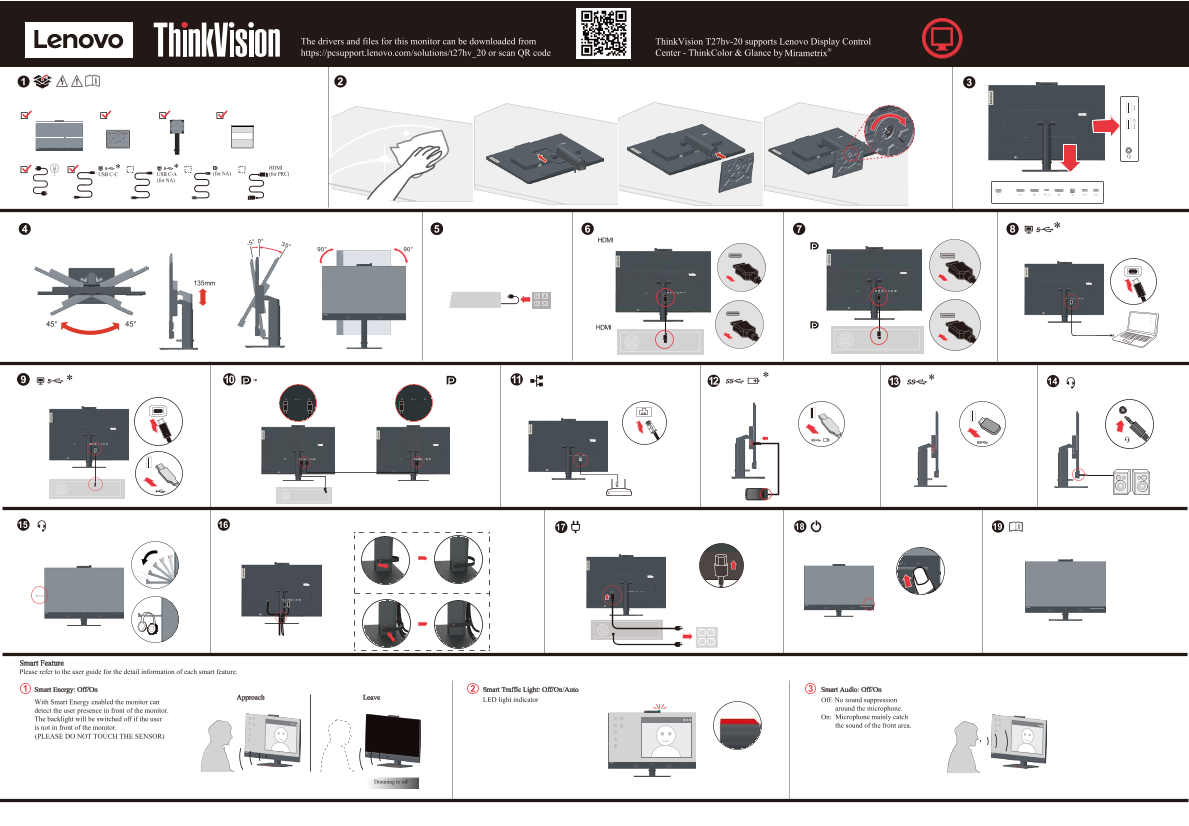
The drivers and files for this monitor can be downloaded from Think Vision T27hv-20 supports Lenovo Display Control https://pcsupport.lenovo.com/solutions/t27hv_20 or scan QR code Center - Think Color & Glance by
USB C-C USB C-A (for NA) (for PRC)
(for NA)
135mm
Smart Feature Please refer to the user guide for the detail information of each smart feature.
2Smart Energy: Off/On1 3Smart Traffic Light: Off/On/Auto Smart Audio: Off/On
Approach Leave
LED light indicator Off: No sound suppression
With Smart Energy enabled the monitor can
around the microphone.
detect the user presence in front of the monitor.
On: Microphone mainly catch
The backlight will be switched off if the user
the sound of the front area.
is not in front of the monitor. (PLEASE DO NOT TOUCH THE SENSOR)
Dimming to off
Page Summary Contents For Lenovo ThinkVision T27hv-20 Monitor Quick Setup Guide
Manual Details
| Brand | Lenovo |
|---|---|
| Pages | 2 |
| File Size | 998.66 KB |
| Published | May 30, 2026 |
Enter the captcha to get the download link:

Frequently Asked Questions
How does the Smart Energy feature operate?
It detects user presence in front of the monitor and will automatically dim the backlight if the user is not visible.
Where can I download drivers for this specific monitoring unit?
You can download the drivers from the Lenovo support page or by scanning the provided QR code: https://pcsupport.lenovo.com/solutions/t27hv_20.
My monitor is on, but I see no image; what should I check first?
First, ensure the power cable is properly connected to a working outlet, and verify that the video signal cable connecting the monitor is securely fastened.
What steps are necessary if the picture quality seems incorrect or poor?
Try adjusting the brightness and contrast levels in the OSD menu, or select a different color setting from the OSD menu.