HP V5060 Digital Camcorder User's Guide
Summary
Capture every moment in high definition with this compact digital camcorder, featuring a simple 3" touchscreen display and dual SD card slots for expanded storage. This manual serves as your complete guide, covering setup, connectivity (via HDMI/USB), and easy video sharing to TVs or online platforms. Ideal for travelers and families needing an effortless companion to record memories and share brilliant colors with friends and family.
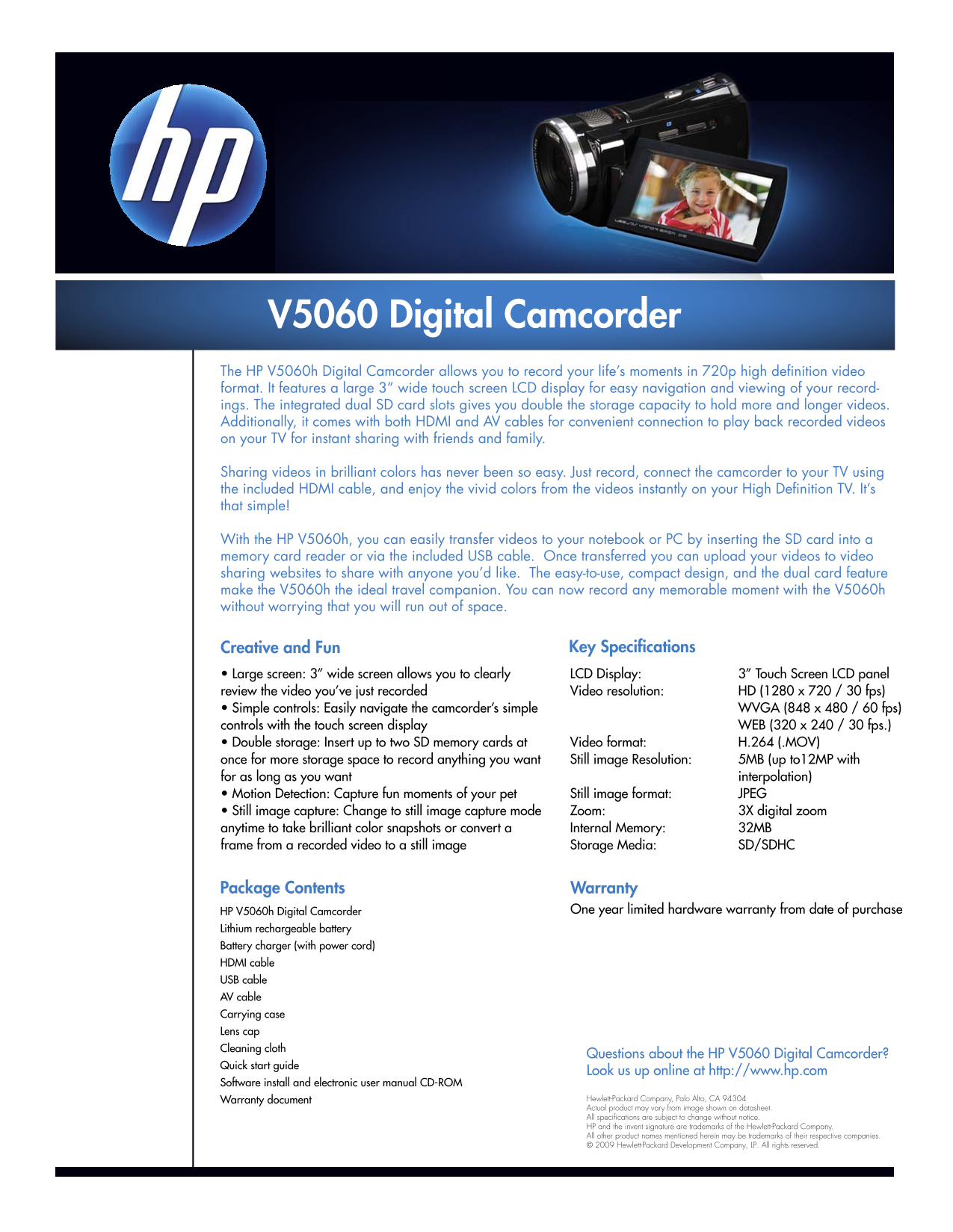
Page 1 Text Content
V5060 Digital Camcorder The HP V5060h Digital Camcorder allows you to record your life’s moments in 720p high definition video format. It features a large 3” wide touch screen LCD display for easy navigation and viewing of your record- ings. The integrated dual SD card slots gives you double the storage capacity to hold more and longer videos. Additionally, it comes with both HDMI and AV cables for convenient connection to play back recorded videos on your TV for instant sharing with friends and family. Sharing videos in brilliant colors has never been so easy. Just record, connect the camcorder to your TV using the included HDMI cable, and enjoy the vivid colors from the videos instantly on your High Definition TV. It’s that simple!
With the HP V5060h, you can easily transfer videos to your notebook or PC by inserting the SD card into a memory card reader or via the included USB cable. Once transferred you can upload your videos to video sharing websites to share with anyone you’d like. The easy-to-use, compact design, and the dual card feature make the V5060h the ideal travel companion. You can now record any memorable moment with the V5060h without worrying that you will run out of space.
Creative and Fun Key Specifications • Large screen: 3” wide screen allows you to clearly LCD Display: 3” Touch Screen LCD panel review the video you’ve just recorded Video resolution: HD (1280 x 720 / 30 fps) • Simple controls: Easily navigate the camcorder’s simple WVGA (848 x 480 / 60 fps) controls with the touch screen display WEB (320 x 240 / 30 fps.) • Double storage: Insert up to two SD memory cards at Video format: H.264 (.MOV) once for more storage space to record anything you want Still image Resolution: 5MB (up to12MP with for as long as you want interpolation) • Motion Detection: Capture fun moments of your pet Still image format: JPEG • Still image capture: Change to still image capture mode Zoom: 3X digital zoom anytime to take brilliant color snapshots or convert a Internal Memory: 32MB frame from a recorded video to a still image Storage Media: SD/SDHC
Package Contents Warranty
HP V5060h Digital Camcorder One year limited hardware warranty from date of purchase
Lithium rechargeable battery Battery charger (with power cord) HDMI cable USB cable AV cable Carrying case Lens cap Cleaning cloth
Questions about the HP V5060 Digital Camcorder?
Quick start guide
Look us up online at http://www.hp.com
Software install and electronic user manual CD-ROM
Warranty document Hewlett-Packard Company, Palo Alto, CA 94304 Actual product may vary from image shown on datasheet. All specifications are subject to change without notice. HP and the invent signature are trademarks of the Hewlett-Packard Company. All other product names mentioned herein may be trademarks of their respective companies. © 2009 Hewlett-Packard Development Company, LP. All rights reserved.
Page Summary Contents For HP V5060 Digital Camcorder User's Guide
Manual Details
| Brand | HP |
|---|---|
| Pages | 1 |
| File Size | 69.88 KB |
| Published | July 15, 2026 |
Enter the captcha to get the download link:

Frequently Asked Questions
What is the video resolution of the V5060h Camcorder?
It features HD (1280 x 720 / 30 fps) video resolution.
How can I connect and share my videos with a TV?
Connect it using the included HDMI cable, and you can instantly view them on your High Definition TV.
How do I transfer recorded videos to a computer or notebook?
You can use the included USB cable or by inserting an SD card into a memory card reader.
What storage capacity options does the V5060h offer?
It has dual SD card slots, allowing you to insert up to two SD memory cards for double storage.