HP Compaq 6730s Notebook Owner's Manual & User Guide
Summary
Discover a robust HP business notebook designed for demanding professionals who require secure, high-performance mobile computing. This guide provides comprehensive details on the 6730s series, covering advanced security features like drive encryption and biometrics, detailed specifications (including processor options, graphics, and memory), connectivity guides, and setup instructions. Ideal for users prioritizing data protection, reliable performance, and extended mobility in a professional environment.
Page 1 Text Content
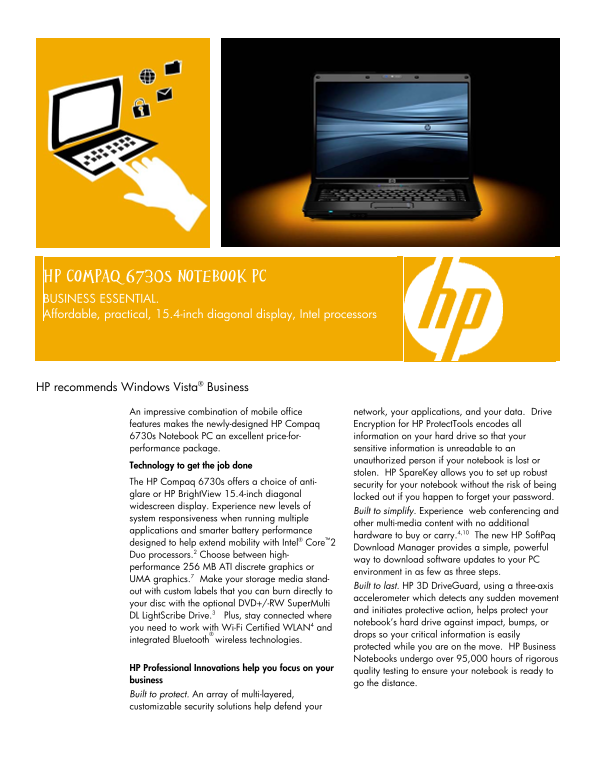
HP Compaq 6730s Notebook PC BUSINESS ESSENTIAL. Affordable, practical, 15.4-inch diagonal display, Intel processors
HP recommends Windows Vista® Business
An impressive combination of mobile office network, your applications, and your data. Drive features makes the newly-designed HP Compaq Encryption for HP Protect Tools encodes all 6730s Notebook PC an excellent price-for- information on your hard drive so that your performance package. sensitive information is unreadable to an unauthorized person if your notebook is lost or
Technology to get the job done
stolen. HP Spare Key allows you to set up robust
The HP Compaq 6730s offers a choice of anti-
security for your notebook without the risk of being
glare or HP Bright View 15.4-inch diagonal
locked out if you happen to forget your password.
widescreen display. Experience new levels of
Built to simplify. Experience web conferencing and
system responsiveness when running multiple
other multi-media content with no additional
applications and smarter battery performance
hardware to buy or carry.4,10 The new HP Soft Paq
designed to help extend mobility with Intel® Core™2
Download Manager provides a simple, powerful
Duo processors.2 Choose between high-
way to download software updates to your PC
performance 256 MB ATI discrete graphics or
environment in as few as three steps.
UMA graphics.7 Make your storage media stand-
Built to last. HP 3D Drive Guard, using a three-axis
out with custom labels that you can burn directly to
accelerometer which detects any sudden movement
your disc with the optional DVD+/-RW Super Multi
and initiates protective action, helps protect your
DL Light Scribe Drive.3 Plus, stay connected where
notebook’s hard drive against impact, bumps, or
you need to work with Wi-Fi Certified WLAN4 and
drops so your critical information is easily
integrated Bluetooth wireless technologies.
protected while you are on the move. HP Business Notebooks undergo over 95,000 hours of rigorous
HP Professional Innovations help you focus on your
quality testing to ensure your notebook is ready to
business
go the distance.
Built to protect. An array of multi-layered, customizable security solutions help defend your
Page Summary Contents For HP Compaq 6730s Notebook Owner's Manual & User Guide
Manual Details
| Brand | Compaq |
|---|---|
| Pages | 4 |
| File Size | 185.86 KB |
| Published | May 18, 2026 |
Enter the captcha to get the download link:

Frequently Asked Questions
What security features protect sensitive data if I lose my notebook?
HP Compaq Encryption for HP ProtectTools encodes your hard drive so that sensitive information is unreadable to an unauthorized person.
How is physical damage to the storage protected while mobile?
3D DriveGuard uses a three-axis accelerometer which detects sudden movement and initiates protective action against impact or drops.
If I need more than 3.2 GB of RAM support, what do I require?
To fully utilize memory configurations of 4GB or more, a 64-bit operating system is required.
What wireless communication standards does the PC support?
It supports Wi-Fi Certified WLAN (including draft n) and integrated Bluetooth for staying connected on the move.