# A B C D E F G H I J K L M N O P Q R S T U V W X Y Z

H3C MSG360-40 Multi-Services Gateway Quick Install Guide - 6W106

Summary

This quick start manual provides essential instructions for professionals installing and configuring the MultiService Gateway. It guides users through every step of the physical installation process, including secure mounting in a rack, proper grounding, and connecting power to ensure safety and stability. The guide also details comprehensive network connection setup (LAN/WAN) and offers detailed steps for dual-platform management—both local PC access and remote control via the Oasis platform or mobile app—making it a complete technical resource for seamless deployment and administration of your networking infrastructure.
📄 Preview PAGE OF 8

Page 1 Text Content

字体: 标题方正正中黑简体,不分中英文 内容方正正纤黑简体,不分中英文 特殊符号用Helvetica 图中字方正正纤黑简体

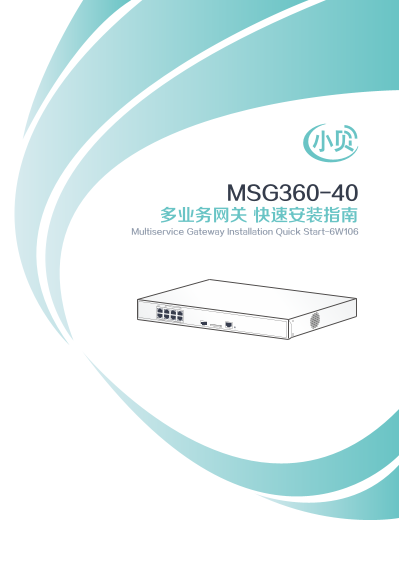
MSG360-40 多业务网关 快速安装指南

Multiservice Gateway Installation Quick Start-6W106

Page Summary Contents For H3C MSG360-40 Multi-Services Gateway Quick Install Guide - 6W106

Page 1 字体: 标题方正正中黑简体,不分中英文 内容方正正纤黑简体,不分中英文 特殊符号用Helvetica 图中字方正正纤黑简体 MSG360-40 多业务网关 快速安装指南 Multiservice Gateway Installation Quick Start-6W106
Page 2 Installing the multiservice gateway 安装设备 Wear an ESD wrist strap, and make sure the wrist strap makes good skin contact and is reliably grounded. 操作者需佩戴防静电腕带,确保防静电腕带与皮肤良好接触,并确 认防静电腕带已经良好接地。 Mounting t...
Page 3 Connecting the grounding cable 连接保护地线 Connect the ring terminal on the grounding cable to the multiservice gateway. Connect the other end of the grounding cable to the power strip. 将保护地线一端的接地端子与设备相连,另...
Page 4 Connecting the multiservice gateway power cord 连接交流电源线 ·Before connecting the power cord, make sure the multiservice gateway is reliably grounded. 在连接电源线前,需保证设备已正确接地。 ·Connect the power cord to the mu...
Page 5 Connecting the multiservice gateway to the network 连接设备到网络 1. Make sure the gateway is reliably grounded. 在连接设备的电源线前,请确保设备已正确接地。 2. Connect the AP to a local power source or an SPM. 请将AP连接电源,可以使用SPM智能...
Page 6 Logging in to the gateway 登录设备 You can manage the gateway from a local PC or wireless terminal or from the Oasis platform. 设备支持本地管理和绿洲平台两种管理方式。 To log in to the gateway from a local PC or wireless ter...
Page 7 Downloading and installing the Oasis manager 下载并安装绿洲平台 Scan the following QR code to download and install the Oasis manager. 在网络环境中,请使用手机扫描下面的二维码,下载并安装“绿洲精灵” 应用程序。 Make sure your mobile phone uses And...
Page 8 Logging in to the Oasis platform 登录绿洲平台 After you connect the gateway to the Internet, you can log in to the Oasis platform to add sites and manage the gateway. 将设备接入公网后,登录绿洲平台即可添加场所和设备并进行远程查看和 管理. Us...

Manual Details

Brand Gateway
Pages 8
File Size 1.18 MB
Published May 21, 2026
94 views

Enter the captcha to get the download link:

captcha

Frequently Asked Questions

安装前我需要做什么安全准备?

操作者需佩戴防静电腕带,并确保其良好接地。

如何连接多业务网关到网络?

将WAN口接上行网络;LAN口可直接接AP或通过SPM智能PoE管理器连接AP。

我可以通过什么方式管理该设备?

本地PC(192.168.0.100)、无线终端,或Oasis平台进行管理。

使用哪个IP地址和密码登录到本地界面?

本地接入时,在浏览器中输入默认地址192.168.0.100,密码为admin。

如果想远程管理设备,应该如何操作?

通过Web页面访问lvzhou.h3c.com或oasis.h3c.com,或使用Oasis Manager APP登录。