# A B C D E F G H I J K L M N O P Q R S T U V W X Y Z

Gigabyte GV-N430OC-1GI GV-N430OC-1GL GV-N430-1GI User Manual

Summary

Upgrade your system's graphics power with this NVIDIA GeForce GT 430 video card, supporting DirectX 11 and featuring PCIe 2.0 connectivity. This manual serves as a comprehensive guide, detailing setup procedures via DOS and VGA BIOS, along with extensive specifications for multiple display modes and high resolutions across HDMI, DVI-I, and D-Sub outputs. It is ideal for PC builders or users needing reliable performance and robust video compatibility enhancements in their desktop systems.
📄 Preview PAGE OF 30

Page 1 Text Content

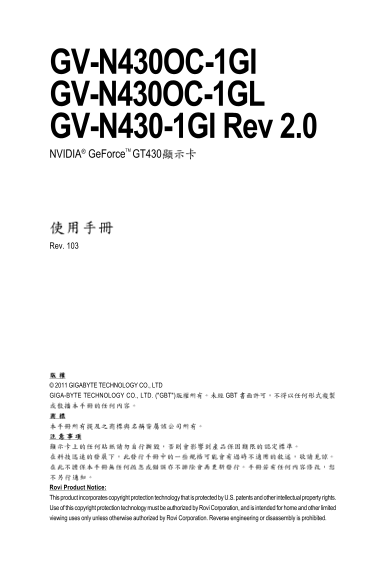
GV-N430OC-1GI GV-N430OC-1GL GV-N430-1GI Rev 2.0 NVIDIA® Ge Force TM GT430

Rev. 103

© 2011 GIGABYTE TECHNOLOGY CO., LTD GIGA-BYTE TECHNOLOGY CO., LTD. ("GBT") GBT

Rovi Product Notice: This product incorporates copyright protection technology that is protected by U.S. patents and other intellectual property rights. Use of this copyright protection technology must be authorized by Rovi Corporation, and is intended for home and other limited viewing uses only unless otherwise authorized by Rovi Corporation. Reverse engineering or disassembly is prohibited.

Page Summary Contents For Gigabyte GV-N430OC-1GI GV-N430OC-1GL GV-N430-1GI User Manual

Page 1 GV-N430OC-1GI GV-N430OC-1GL GV-N430-1GI Rev 2.0 NVIDIA® Ge Force TM GT430 Rev. 103 © 2011 GIGABYTE TECHNOLOGY CO., LTD GIGA-BYTE TECHNOLOGY CO., LTD. ("GBT") GBT Rovi Product Notice: This pr...
Page 2 3.1.1. 3.2. 3.3. NVIDIA 5. ....................................................................................................................... 5.1. DOS BIOS 5.2. .....................................
Page 3 NVIDIA® Ge Force™ GT 430 PCI Express 2.0 1GB DDR3 3D Direct X 11 HDMI D-Sub Dual-Link DVI-I HDCP (High-bandwidth Digital Content Protection Intel® Pentium® /Core TM 2 AMD Athlon TM /Phenom TM 128 MB 2...
Page 4 2.1. 1.GV-N430OC-1GL D-Sub (15-pin) DVI-I D-Sub (15-pin) - 4 -GV-N430
Page 5 2.GV-N430OC-1GI D-Sub (15-pin) DVI-I D-Sub (15-pin)
Page 6 3.GV-N430-1GI Rev 2.0 D-Sub (15-pin) DVI-I D-Sub (15-pin) - 6 -GV-N430
Page 8 PCI Exp ress x16 PCI Exp ress x16 D-Sub 15-p in HDMI HDMI D-Sub DVI-ID-Sub HDMI - 8 -GV-N430
Page 9 Windows XP Di rec t X MPEG Windows XP SP2 SP2) Direct X
Page 10 - 10 -GV-N430
Page 12 3.3. NVIDIA Pn P NVIDIA Ge Force GT 430 Ge Force GT 430 NVIDIA Control Panel Ge Force GT 430 NVIDIA - 12 -GV-N430
Page 14 3D 3D 3D Direct3D Open GL - 14 -GV-N430
Page 15 Windows Vista
Page 16 - 16 -GV-N430
Page 17 NVIDIA
Page 18 NVIDIA n View Windows XP - 18 -GV-N430
Page 19 Model GV-N430-1GI Rev 2.0 GV-N430OC-1GI GV-N430OC-1GL CRT+HDMI Yes Yes Yes CRT+DVI Yes Yes Yes DVI+HDMI Yes Yes Yes DVI+HDMI+CRT No No No DVI +DVI ( Yes Yes Yes CRT+CRT ( Yes Yes Yes Windows XP HDMI D...
Page 20 PCI Exp ress x16 - 20 -GV-N430
Page 21 5.1. DOS BIOS 1. 2. MS-DOS MS-DOS 3. 4. BIOS A:\> BIOS -s BIOS gvf19 -s n430ogl.f1) <Enter> 5. n430ogl.f2) <Enter> 6.
Page 22 Ge Force GT 430 Single Display Standard Modes 8bpp(256 16bpp(65K 32bpp(16.7M - 22 -GV-N430
Page 23 8bpp(256 16bpp(65K 32bpp(16.7M 1920 x 1440 60~85 2048 x 1536 60~85 2560 x 1600 (Dual-Link)
Page 24 Restriction of the use of Certain Hazardous Substances in Electrical and Electronic Equipment, Ro HS) WEEE ( Waste Electrical and Electronic Equ ipment WEEE) - 24 -GV-N430
Page 26 4719331803056SN080500084640 010471933182318421SN0632032302 d. i. RAM VGA USB - 26 -GV-N430
Page 28 Contact Us GIGA-BYTE TECHNOLOGY CO., LTD. NINGBO G.B.T. TECH. TRADING CO., LTD. - China WEB address : http://www.gigabyte.cn Address: No.6, Baoqiang Rd., Xindian Dist., New Taipei City Shanghai 231, T...
Page 29 G.B.T. TECHNOLOGY TRADING GMBH - Germany Russia WEB address : http://www.gigabyte.de WEB address : http://www.gigabyte.ru G.B.T. TECH. CO., LTD. - U.K. Poland WEB address : http://www.giga-byte.co.uk ...
Page 30 - 30 -GV-N430

Manual Details

Brand GIGABYTE
Pages 30
File Size 1.72 MB
Published June 05, 2026
55 views

Enter the captcha to get the download link:

captcha

Frequently Asked Questions

What video outputs does this graphics card support?

It supports HDMI, D-Sub (15-pin), and DVI-I connections.

How do I update the VGA BIOS manually?

Use the commands `BIOS -s` to flash the startup BIOS or `BIOS -p` to flash the primary BIOS.

What resolution range can I expect from this card?

It supports various modes, including supporting resolutions up to 1920 x 1440 and professional 16:9 ratios.

Is the product compliant with major environmental standards?

Yes, the equipment complies with both RoHS and WEEE guidelines.