Dell Wireless Mouse WM126 Quick Start Guide
Summary
Quick setup guide for the Dell Wireless Mouse WM126, a basic wireless peripheral using a USB dongle receiver. Provides illustrated instructions for installing two AA batteries and connecting the USB receiver. Includes on/off power switch and references to Dell support resources at Dell.com/support and Dell.com/support/manuals. Manufactured in China, August 2015, part number 305003040420001.
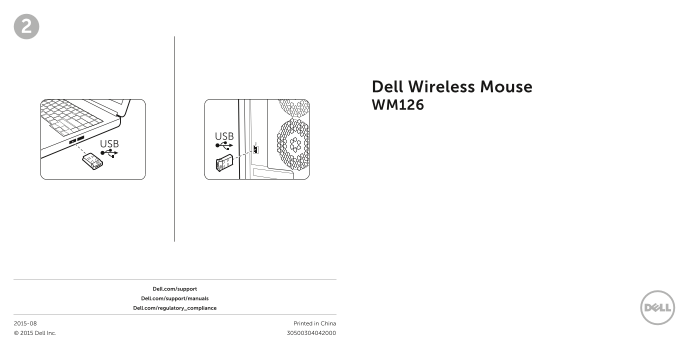
Page 1 Text Content
Dell Wireless Mouse WM126
Dell.com/support Dell.com/support/manuals
Dell.com/regulatory_compliance
2015-08 Printed in China © 2015 Dell Inc.
SDIF-OUT
PDIF-OUT
Page Summary Contents For Dell Wireless Mouse WM126 Quick Start Guide
Manual Details
| Brand | Dell |
|---|---|
| Pages | 2 |
| File Size | 738.32 KB |
| Published | June 17, 2026 |
Enter the captcha to get the download link:

Frequently Asked Questions
What type of batteries does the Dell Wireless Mouse WM126 require?
It uses AA batteries for power supply.
How do I activate or deactivate the mouse?
Use the dedicated ON/OFF switch located on the device.
What connection standard is used by this wireless mouse?
The device connects via USB.
Where can users access manuals and support information for this product?
Support materials are available at Dell.com/support or on Dell.com/support/manuals.