Dell Statement of Volatility - Dell Precision 7740 Owner's Manual
Summary
Statement of Volatility for Dell 7740. This technical document details the volatile and non-volatile components on the Dell 7740 system board, including BIOS, system memory, TPM, RTC CMOS, and video memory specifications. Target users: security professionals, government auditors, and IT administrators requiring component volatility information for compliance.
Page 1 Text Content
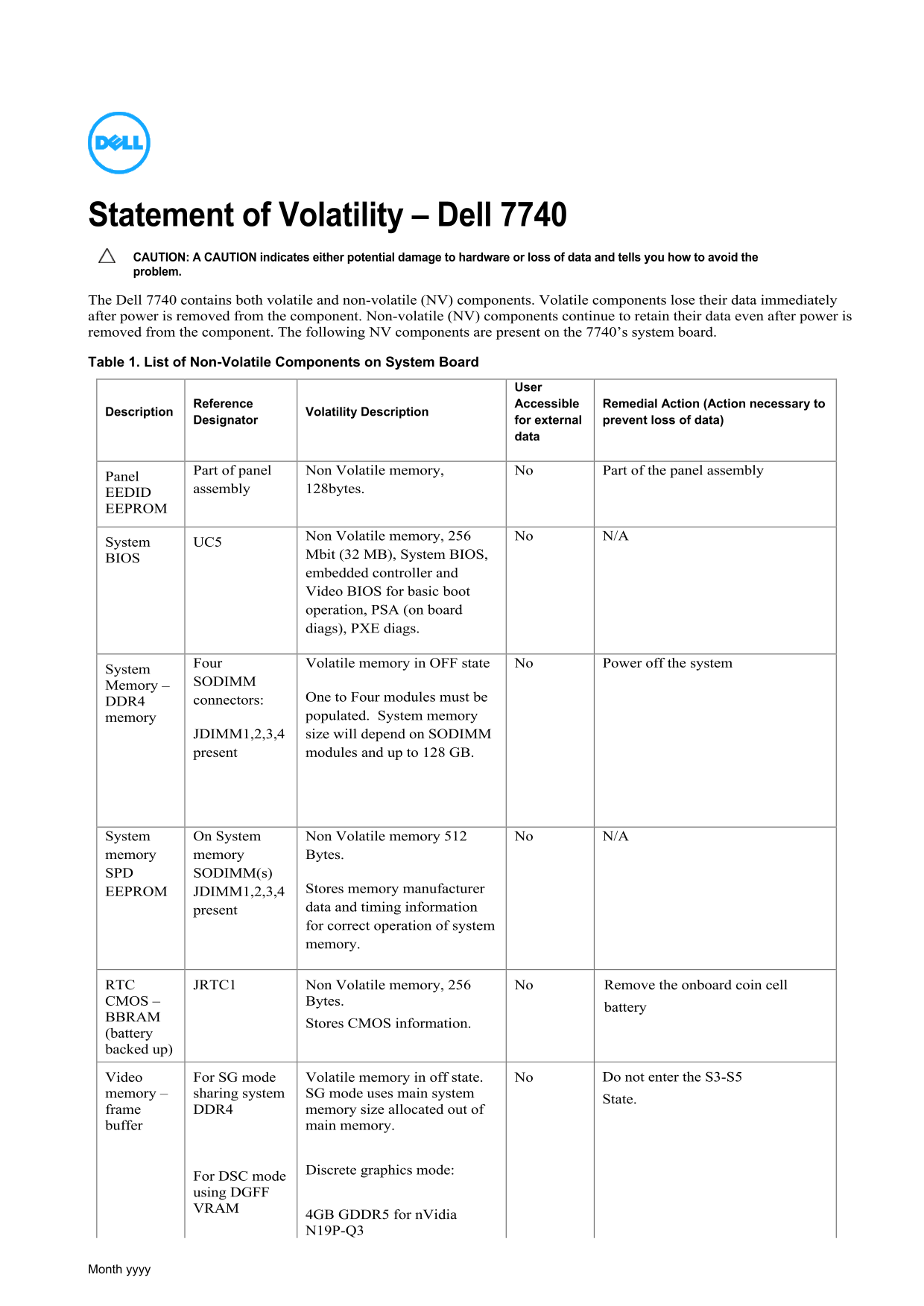
Statement of Volatility – Dell 7740 CAUTION: A CAUTION indicates either potential damage to hardware or loss of data and tells you how to avoid the problem. The Dell 7740 contains both volatile and non-volatile (NV) components. Volatile components lose their data immediately after power is removed from the component. Non-volatile (NV) components continue to retain their data even after power is removed from the component. The following NV components are present on the 7740’s system board. Table 1. List of Non-Volatile Components on System Board
User Accessible Remedial Action (Action necessary to
Description Reference
Designator Volatility Description for external prevent loss of data)
Part of panel Non Volatile memory, No Part of the panel assembly
Panel
assembly 128bytes.
EEDID EEPROM
No N/A
System UC5 Non Volatile memory, 256
Mbit (32 MB), System BIOS,
embedded controller and Video BIOS for basic boot operation, PSA (on board diags), PXE diags.
Four Volatile memory in OFF state No Power off the system
System
SODIMM
Memory –
connectors: One to Four modules must be
memory populated. System memory
JDIMM1,2,3,4 size will depend on SODIMM present modules and up to 128 GB.
System On System Non Volatile memory 512 No N/A memory memory Bytes. SPD SODIMM(s)
EEPROM JDIMM1,2,3,4 Stores memory manufacturer present data and timing information for correct operation of system memory.
RTC JRTC1 Non Volatile memory, 256 No Remove the onboard coin cell
CMOS – Bytes.
battery
BBRAM
Stores CMOS information.
(battery backed up)
Video For SG mode Volatile memory in off state. No Do not enter the S3-S5 memory – sharing system SG mode uses main system
State.
frame DDR4 memory size allocated out of buffer main memory.
Discrete graphics mode:
For DSC mode using DGFF VRAM
4GB GDDR5 for n Vidia N19P-Q3
Month yyyy
Page Summary Contents For Dell Statement of Volatility - Dell Precision 7740 Owner's Manual
Manual Details
| Brand | Dell |
|---|---|
| Pages | 3 |
| File Size | 275.57 KB |
| Published | June 24, 2026 |
Enter the captcha to get the download link:

Frequently Asked Questions
Will user data be lost if I unplug the power cord?
Yes, primary power loss destroys all user data on the memory (DDR4).
Which components retain their data after external power is removed?
Non-volatile components like BIOS, SPD chips, and the RTC battery will continue to retain data.
How much system RAM can the Dell 7740 support?
The system supports up to 128 GB of DDR4 memory using four SODIMM slots.
Which power state ensures no system context is preserved?
S5, the 'soft' off state, requires a complete boot as no data remains in any component on the system board.