Dell S2718HN S2718NX Quick User Guide
Summary
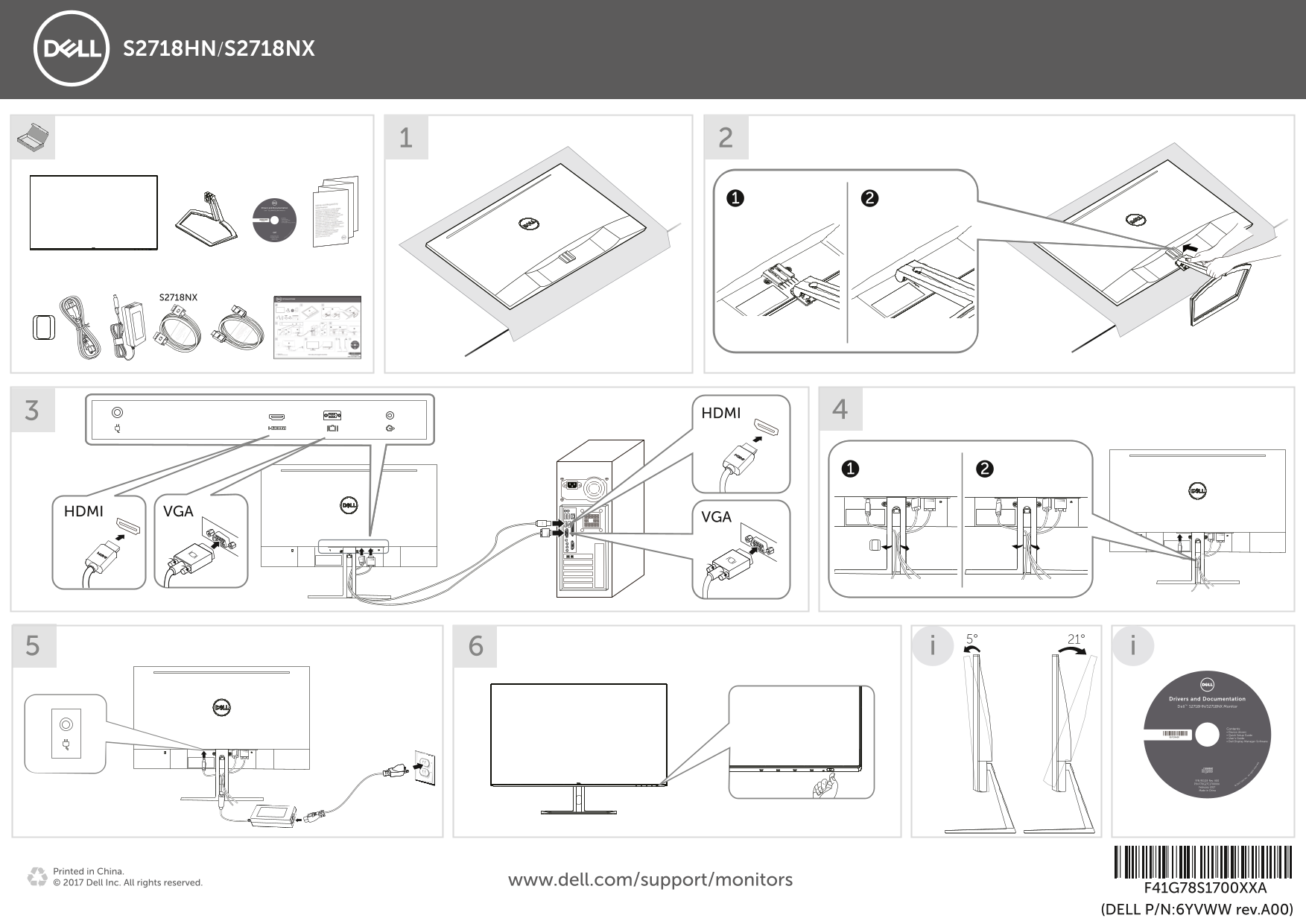
This driver and documentation package for the Dell S2718HN and S2718NX monitors includes device drivers, a Quick Setup Guide, User's Guide, and Dell Display Manager software. The packaging shows monitor setup with HDMI and VGA connection diagrams, tilt adjustment (5 to 21 degrees), and product identification details including part numbers and manufacturing date (February 2017, China). Designed for IT administrators and end users setting up these 27-inch slim-bezel monitors for home entertainment and productivity use.
Page 1 Text Content
S2718HN/S2718NX
Drivers and Documentation De ll ™ S2718HN/S2718NX Monitor
951G9A00 Contents: • Device drivers • Quick Setup Guide
• Dell Display Manager Software • User's Guide
P/N F70G27C1700XXA P/N 951G9 Rev. A00 © 2 017 D ll In c.
February 2017 Made in China
ll ri re er ve d.
S2718NX
HDMI VGA
Drivers and Documentation De ll ™ S2718HN/S2718NX Monitor
Contents: • Device drivers 951G9A00 • Quick Setup Guide • User's Guide • Dell Display Manager Software
P/N 951G9 Rev. A00 ll I nc.
P/N F70G27C1700XXA © 2017 D
February 2017
Made in China
Printed in China. © 2017 Dell Inc. All rights reserved. www.dell.com/support/monitors
F41G78S1700XXA (DELL P/N:6YVWW rev.A00)
ll ri ht
re rv
Page Summary Contents For Dell S2718HN S2718NX Quick User Guide
Manual Details
| Brand | Dell |
|---|---|
| Pages | 1 |
| File Size | 2.47 MB |
| Published | July 02, 2026 |
Enter the captcha to get the download link:

Frequently Asked Questions
What connection types are available on the S2718NX monitor?
It features both HDMI and VGA connections.
What technical documentation is included with the product?
The box contains a User's Guide, Quick Setup Guide, and necessary device drivers.
Which software package helps manage the display settings?
Dell Display Manager Software is provided to help manage the monitor's operation.