Dell Inspiron 14 5458 Quick User Guide - Windows 8
Summary
This Quick Start Guide for the Dell Inspiron 14 5000 Series notebook (Regulatory Model P64G, Types P64G001/P64G003, Models Inspiron 14-5458/5451) provides multilingual setup instructions covering power adapter connection, Windows and Ubuntu operating system configuration, network connectivity, and computer registration. It includes guidance on enabling security and updates, using Dell Backup and Recovery for data protection, accessing My Dell resources, learning Windows usage, and viewing help a
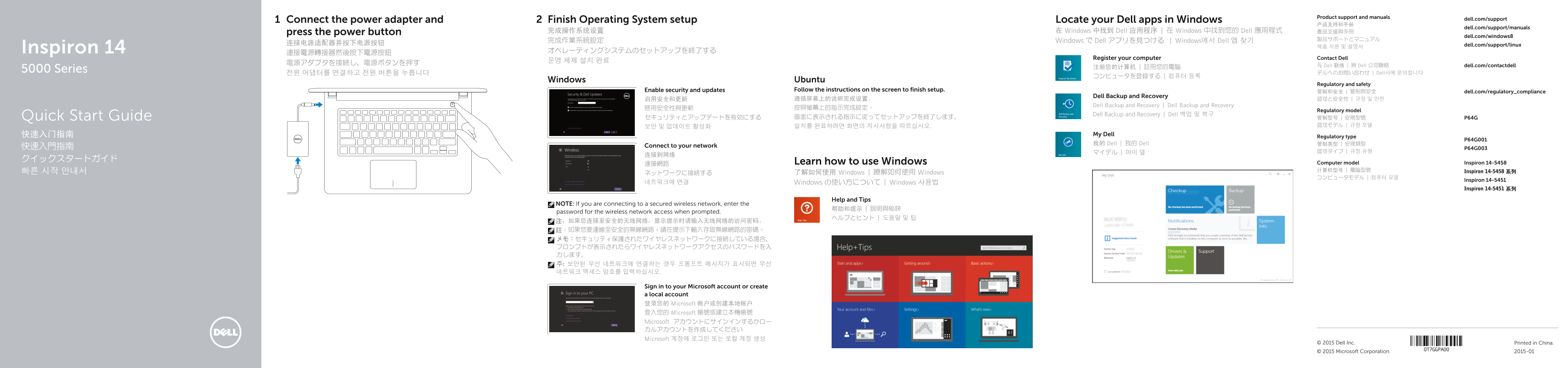
Page 1 Text Content
Product support and manuals
Connect the power adapter and Finish Operating System setup Locate your Dell apps in Windows dell.com/support
dell.com/support/manuals
press the power button 完成操作系统设置 在 Windows 中找到 Dell 应用程序 | 在 Windows 中找到您的 Dell 應用程式 產品支援與手冊
dell.com/windows8
完成作業系統設定 Windows で Dell アプリを見つける | Windows에서 Dell 앱 찾기
连接电源适配器并按下电源按钮 dell.com/support/linux
Inspiron 14 オペレーティングシステムのセットアップを終了する
Register your computer Contact Dell
与 Dell 联络 | 與 Dell 公司聯絡 dell.com/contactdell
5000 Series
전원 어댑터를 연결하고 전원 버튼을 누릅니다 デルへのお問い合わせ | Dell사에 문의합니다
Windows Ubuntu
Regulatory and safety
Enable security and updates Follow the instructions on the screen to finish setup.
管制和安全 | 管制與安全 dell.com/regulatory_compliance
Dell Backup and Recovery
Dell Backup and Recovery | Dell Backup and Recovery
Regulatory model
Dell Backup and Recovery | Dell 백업 및 복구
Quick Start Guide セキュリティとアップデートを有効にする 画面に表示される指示に従ってセットアップを終了します。 管制型号 | 安規型號 P64G
快速入门指南 My Dell
Regulatory type
我的 Dell | 我的 Dell 管制类型 | 安規類型
快速入門指南 Connect to your network
連接網路 Learn how to use Windows Computer model Inspiron 14-5458 빠른 시작 안내서 计算机型号 | 電腦型號 Inspiron 14-5458 系列
ネットワークに接続する 了解如何使用 Windows | 瞭解如何使用 Windows
Inspiron 14-5451
네트워크에 연결 Windows の使い方について | Windows 사용법
Inspiron 14-5451 系列
Help and Tips
NOTE: If you are connecting to a secured wireless network, enter the
password for the wireless network access when prompted.
Sign in to your Microsoft account or create a local account 登录您的 Microsoft 帐户或创建本地帐户 登入您的 Microsoft 帳號或建立本機帳號 Microsoft アカウントにサインインするかロー カルアカウントを作成してください Microsoft 계정에 로그인 또는 로컬 계정 생성
© 2015 Dell Inc. Printed in China. © 2015 Microsoft Corporation. 2015-01
Page Summary Contents For Dell Inspiron 14 5458 Quick User Guide - Windows 8
Manual Details
| Brand | Dell |
|---|---|
| Pages | 2 |
| File Size | 874.01 KB |
| Published | July 02, 2026 |
Enter the captcha to get the download link:

Frequently Asked Questions
How do I complete the initial operating system setup process?
Follow the instructions displayed on the screen to finish setup, or connect power and press the power button.
What steps are required when connecting to a secured wireless network?
If you are prompted, you must enter the access password for the specific wireless network.
Which devices feature a dedicated model network port?
The network port is explicitly listed as being available only on the Inspiron 14-5458 series.
Where can I find the unique service identification details of this computer?
You can locate this information by checking the Service Tag label or visiting dell.com/support for full specifications.