Dell Inspiron 14 5439 Quick Start Guide
Summary
The Dell Inspiron 14-5439 Quick Start Guide provides initial setup instructions for the Inspiron 14-5439 laptop (Regulatory model P41G, Type P41G002). It covers connecting the power adapter, finishing Windows setup, exploring resources, enabling security and updates, network connection, Microsoft account login, and product support information. The guide also details feature locations including microphone, camera, USB 3.0 ports, HDMI port, fingerprint reader, headset port, and keyboard shortcuts for volume, brightness, and media control. Target users are new Dell Inspiron 14-5439 laptop owners.
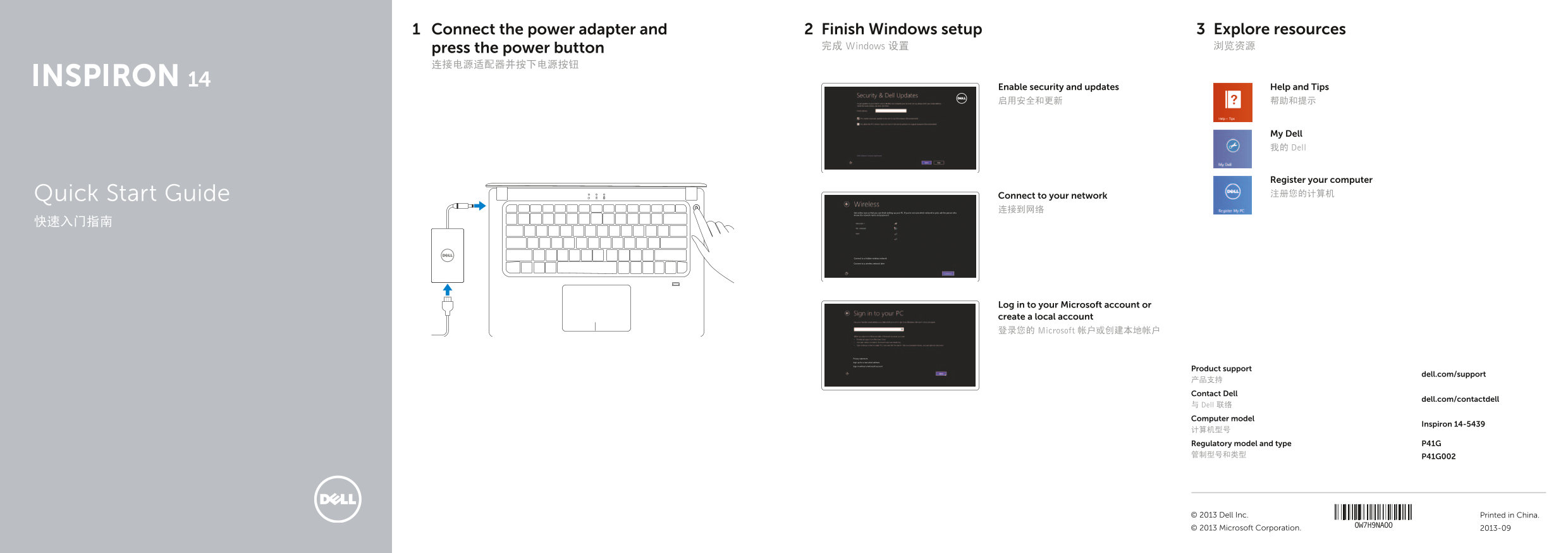
Page 1 Text Content
Connect the power adapter and Finish Windows setup Explore resources press the power button 完成 Windows 设置 浏览资源
Enable security and updates Help and Tips 启用安全和更新 帮助和提示
My Dell 我的 Dell
Register your computer Quick Start Guide Connect to your network 注册您的计算机
Get online now so that you can finish setting up your PC. If you’re not sure which network to pick, ask the person who 连接到网络
knows the network name and password
Privacy statement
Sign up for a new email address
Sign in without a Microsoft account Connect to a hidden wireless network
Connect to a wireless network later
Log in to your Microsoft account or create a local account 登录您的 Microsoft 帐户或创建本地帐户
Privacy statement
Sign up for a new email address
Sign in without a Microsoft account
Product support
dell.com/support
产品支持 Contact Dell
dell.com/contactdell
与 Dell 联络 Computer model
Inspiron 14-5439
计算机型号 Regulatory model and type P41G 管制型号和类型 P41G002
© 2013 Dell Inc. Printed in China. © 2013 Microsoft Corporation. 2013-09
Page Summary Contents For Dell Inspiron 14 5439 Quick Start Guide
Manual Details
| Brand | Dell |
|---|---|
| Pages | 2 |
| File Size | 434.60 KB |
| Published | June 29, 2026 |
Enter the captcha to get the download link:

Frequently Asked Questions
How do I connect to a network if I'm not sure which one to choose?
Ask the person who knows the network name and password.
Where can I find detailed specifications for this computer model?
Visit dell.com/support on the Specifications page.
What are some common shortcuts available on the laptop?
You can use keys to disable/enable the touchpad, increase/decrease volume, or put the computer to sleep.
Does this device have multiple types of ports?
Yes, it features HDMI, USB 3.0 ports (including a PowerShare port), a network port, and a media card reader.