# A B C D E F G H I J K L M N O P Q R S T U V W X Y Z

Dell EMC System S4048T–ON 9.14.2.10 Release Notes

Summary

This release notes provides comprehensive documentation for the Dell EMC System. The document covers installation procedures. This documentation is intended for system administrators and IT professionals, general users and IT support. The manual provides detailed guidance to ensure proper operation and maintenance of the Dell EMC System. Users will find step-by-step instructions and technical details necessary for effective utilization of the product.
📄 Preview 📖 Table of Contents Contents PAGE OF 23

Page 1 Text Content

Rev. A00 June 2021

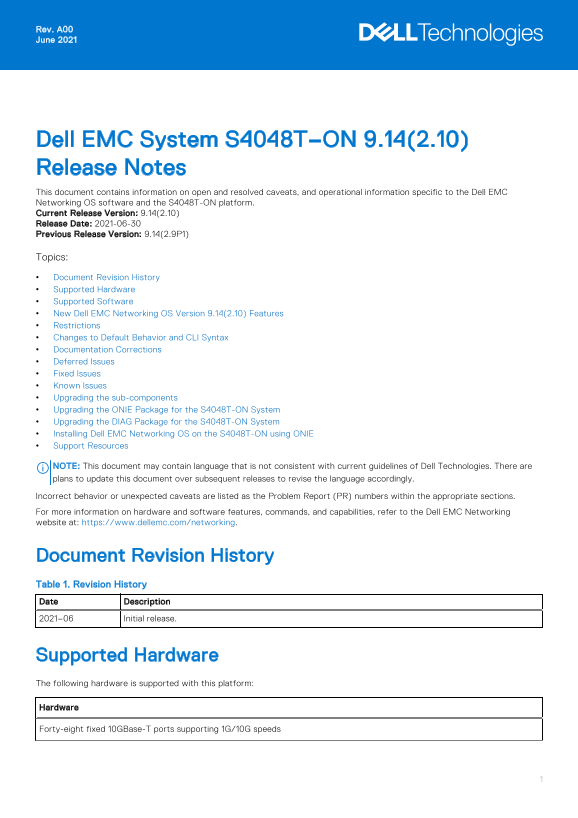
Dell EMC System S4048T–ON 9.14(2.10) Release Notes This document contains information on open and resolved caveats, and operational information specific to the Dell EMC Networking OS software and the S4048T-ON platform. Current Release Version: 9.14(2.10) Release Date: 2021-06-30 Previous Release Version: 9.14(2.9P1) Topics: Document Revision History Supported Hardware Supported Software New Dell EMC Networking OS Version 9.14(2.10) Features Restrictions Changes to Default Behavior and CLI Syntax Documentation Corrections Deferred Issues Fixed Issues Known Issues Upgrading the sub-components Upgrading the ONIE Package for the S4048T-ON System Upgrading the DIAG Package for the S4048T-ON System Installing Dell EMC Networking OS on the S4048T-ON using ONIE Support Resources

NOTE: This document may contain language that is not consistent with current guidelines of Dell Technologies. There are plans to update this document over subsequent releases to revise the language accordingly. Incorrect behavior or unexpected caveats are listed as the Problem Report (PR) numbers within the appropriate sections. For more information on hardware and software features, commands, and capabilities, refer to the Dell EMC Networking website at: https://www.dellemc.com/networking.

Document Revision History Table 1. Revision History Date Description 2021–06 Initial release.

Supported Hardware The following hardware is supported with this platform: Hardware Forty-eight fixed 10GBase-T ports supporting 1G/10G speeds

Page Summary Contents For Dell EMC System S4048T–ON 9.14.2.10 Release Notes

Page 1 Rev. A00 June 2021 Dell EMC System S4048T–ON 9.14(2.10) Release Notes This document contains information on open and resolved caveats, and operational information specific to the Dell EMC Networking O...
Page 2 Hardware Six fixed QSFP+ ports supporting either one port of 40G or four ports of 10G in breakout mode Two PSUs Four fan modules One Micro USB serial console port One universal serial bus (USB Type-A)...
Page 3 Software Minimum Release Requirement NOTE: For information on non-Dell OS versions, see the Release Notes for the Hardware Platform S4048T–ON. New Dell EMC Networking OS Version 9.14(2.10) Features Th...
Page 4 1 49 UNKNOWN UNKNOWN USC1D6J No** 1 50 QSFP 40GBASE-LR4 UQ90C7B No** 1 51 QSFP 40GBASE-SR4 7503835V009Y Yes 1 52 QSFP 40GBASE-CR4 10190002 No 1 53 QSFP 40GBASE-SR4 FE2429470007 Yes 1 54 Media not pres...
Page 5 Deferred Issues Issues that appear in this section were reported in Dell EMC Networking OS version 9.14(2.0) as open, but have since been deferred. Deferred caveats are those that are found to be inva...
Page 6 Category Description Work around Work around describes a mechanism for circumventing, avoiding, or recovering from the issue. It might not be a permanent solution. Issues listed in the “Closed Caveats...
Page 7 PR# 170082 Severity: Sev 2 Synopsis: Time zone configuration does not reflect in the running-config after reload. Release Notes: Time zone configuration does not reflect in the running-config after re...
Page 8 Category Description S4 — Minor: A cosmetic issue or an issue in a minor feature with little or no network impact for which there might be a work-around. Synopsis Synopsis is the title or short descri...
Page 9 Bootselector image upgrade for stack-unit 1 completed successfully. Dell EMC# 2. Reload the unit. EXEC Privilege Mode reload 3. Verify the Boot Selector image. EXEC Privilege Mode show system stack-un...
Page 10 upgrade boot bootflash-image stack-unit [<id> | all] [booted | flash: | ftp: | scp: | tftp: | usbflash:] Dell EMC# Dell EMC#upgrade boot bootflash-image stack-unit 1 booted Current Boot informat...
Page 11 FPGA IMAGE INFORMATION : Card FPGA Name Version stack-unit 1 S4048TON SYSTEM CPLD 12 stack-unit 1 S4048TON MASTER CPLD 13 Dell EMC# Upgrading the CPLD Image NOTE: The upgrade fpga-image stack-unit 1 b...
Page 12 S4048TON SYSTEM CPLD : 12 S4048TON MASTER CPLD : 13 Dell EMC# NOTE: Do not power off the system while FPGA upgrade is in progress. For any queries, contact technical support. Upgrading the ONIE Packag...
Page 13 | EDA-DIAG | | | | | | | | | | | | | Use the ^ and v keys to select which entry is highlighted. Press enter to boot the selected OS, `e' to edit the commands before booting or `c' for a command-line. ...
Page 14 ONIE: Executing installer: tftp://10.16.127.86/tftpboot/onie-updater-x86_64- s4048t_c2338-r0 Verifying image checksum ... OK. Preparing image archive ... OK. ONIE: Version : 3.27.1.10–0 ONIE: Architec...
Page 15 NOTE: To choose an option from the menu, highlight one of the options using the up or down arrow key and press Enter. The following menu appears: GNU GRUB version 2.02~beta2+e4a1fe391 |*ONIE: Install ...
Page 16 NOTE: You must copy the diag-installer-x86_64-s4048t_c2338-r0.bin file to the /tftpboot folder in the server. The DIAG is updated on the system, as shown: ONIE:/ # onie-nos-install tftp://10.16.127.86...
Page 17 2. At this prompt message, press the Esc key. The following menu appears: GNU GRUB version 2.02~beta2+e4a1fe391 |DELL | |DELL-Boot Line Interface | |DIAG-OS | |ONIE | | | Use the ^ and v keys to selec...
Page 18 ONIE:/ # 5. At the ONIE prompt, to stop the ONIE discovery process, enter the following command: ONIE:/ # onie-discovery-stop The ONIE discovery stops, as shown: ONIE:/ # onie-discovery-stop discover:...
Page 19 upgrade system [flash: | ftp: stack-unit <1-6> | tftp: | scp: | usbflash:] [A: | B:] Dell EMC#upgrade system ftp: a: Address or name of remote host []: 10.16.127.86 Source file name []: /tftpboo...
Page 20 6. Reload the unit. EXEC Privilege Mode reload Dell EMC#reload 7. Verify the S4048T-ON has been upgraded to the Dell EMC Networking OS version 9.14(2.10). EXEC Privilege Mode show version Dell EMC#sho...
Page 21 3. From the menu, choose the ONIE option. NOTE: To choose an option from the menu, highlight one of the options using the up or down arrow key and press Enter. The following menu appears: | ONIE: Inst...
Page 22 5. After the installation completes, the system displays the following ONIE prompt: ONIE:/ # Installing a Third Party Operating System Apart from the Dell EMC Networking OS, you can also install a sup...
Page 23 Notes, cautions, and warnings NOTE: A NOTE indicates important information that helps you make better use of your product. CAUTION: A CAUTION indicates either potential damage to hardware or loss of d...

Manual Details

Brand Dell
Pages 23
File Size 223.90 KB
Published June 17, 2026
5 views

Enter the captcha to get the download link:

captcha

Frequently Asked Questions

What are the system requirements for the S4048T-ON?

It requires Dell EMC Networking OS 9.14(2.10) and ONIE version 3.27.1.10-0.

How do I handle fans and power supplies?

Fans and PSUs are field replaceable but must have the same airflow direction; mixing them triggers an alarm or auto-shutdown.

What happens if I downgrade the OS from 9.14.2.10?

The system displays a CDB boot error. You must save the config and delete confd_cdb.tar.gz files before reloading.

Are hybrid ports supported in VXLAN scenarios?

No, hybrid ports are not supported in VXLAN scenarios.